An offline, portable password manager for people who want to own the vault, understand the storage model, and keep cloud infrastructure out of the trust boundary.
SPM is one executable Bash script backed by OpenSSL, and by GnuPG for vaults written before 4.0.0. It provides a terminal interface for automation and administration, plus an optional local web interface for everyday browsing. There are no accounts, hosted APIs, subscriptions, analytics, or vendor-operated recovery services.
Current release: 5.10.2
Why use SPM?
Most password managers ask you to trust an application, a browser extension, an account system, a synchronization service, and the company operating all of them. SPM deliberately keeps that trust boundary small.
| Reason | What it means in practice |
|---|---|
| Your vault stays yours | The encrypted vault, recovery material, backups, and sync target remain on storage you control. |
| No service dependency | Core vault operations work without an internet connection, hosted account, license server, or vendor API. |
| Auditable implementation | The primary application is one readable Bash file that delegates encryption to standard OpenSSL tools, and to GnuPG for vaults written before 4.0.0. |
| Terminal and browser workflows | Use deterministic CLI commands for administration and automation, or launch the optional web interface for a more visual workflow. |
| Portable by design | Create a self-contained encrypted bundle for removable media or move between Linux, macOS, and Termux environments. |
| Recovery without vendor custody | Generate your own RSA recovery key and store it offline; SPM never holds a copy. |
| More than passwords | Store notes, passphrases, backup codes, TOTP authenticators, attachments, and passkey metadata in the same encrypted vault. |
| Built-in operational safety | Atomic writes, advisory locking, encrypted history, verified backups, sync conflict detection, and health diagnostics reduce avoidable data loss. |
SPM is a strong fit for technically confident individuals, administrators, small teams with local-first requirements, air-gapped systems, and anyone who prefers transparent tools over opaque hosted custody. It is not intended to protect a compromised operating system, malware-infected device, or an attacker with root access.
Product tour
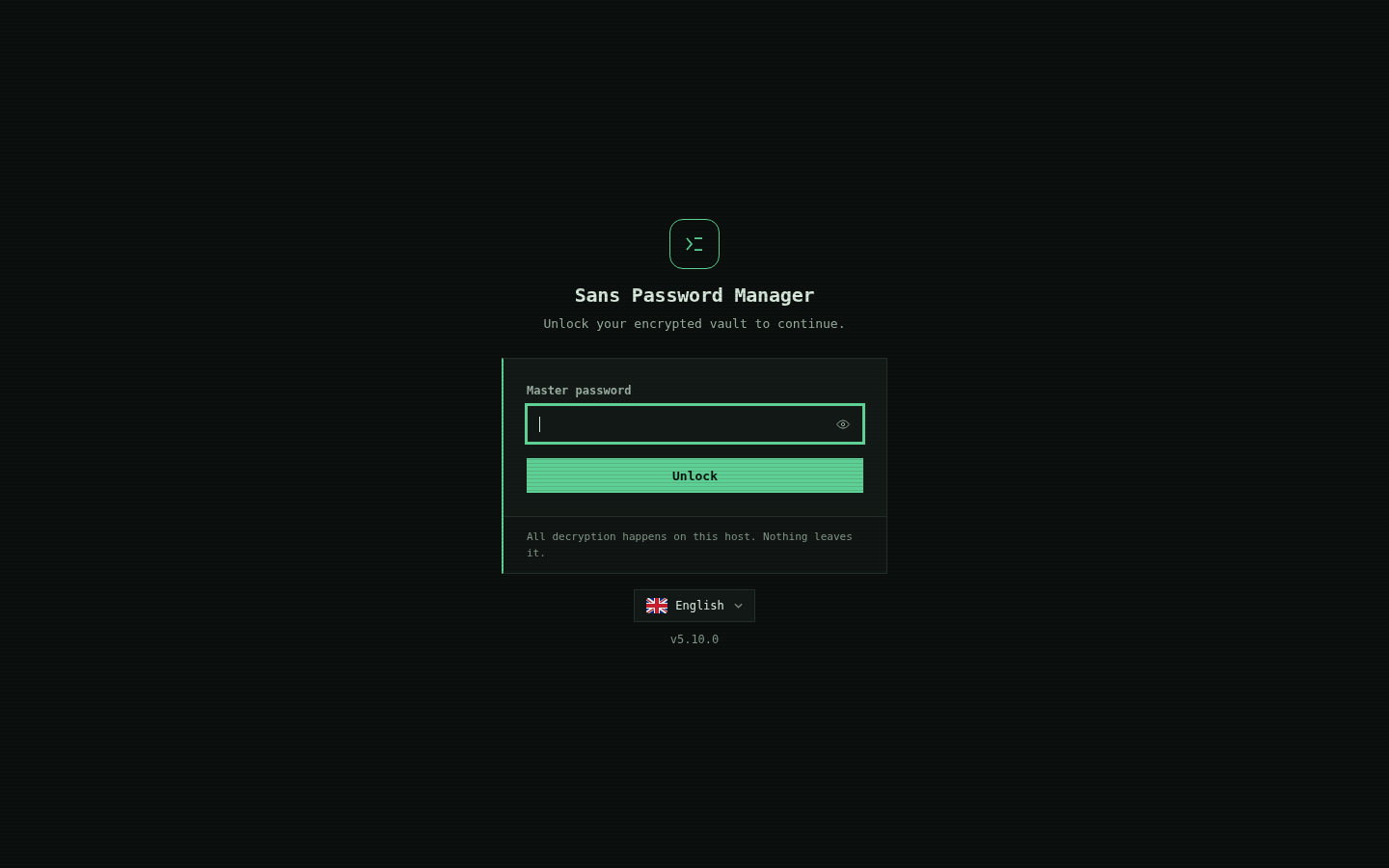
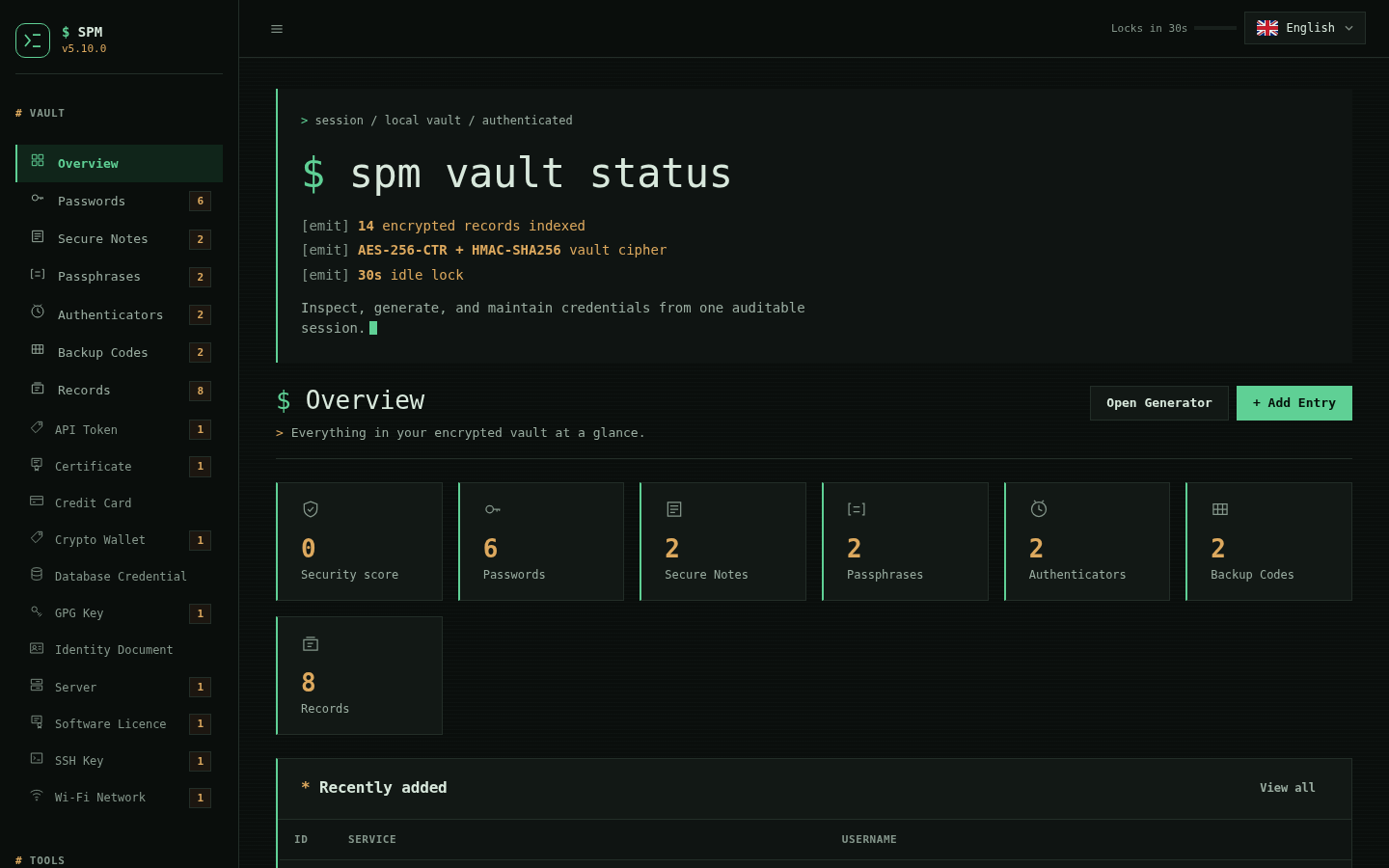
Every web capture below was taken from the 5.2.0 release candidate in Chromium at 1440x900, against a disposable vault holding only synthetic documentation data. No personal vault, browser profile, real credential, or production hostname appears in these images. The locked-screen captures use Chromium mobile emulation at 390x844 against the same build and synthetic session.
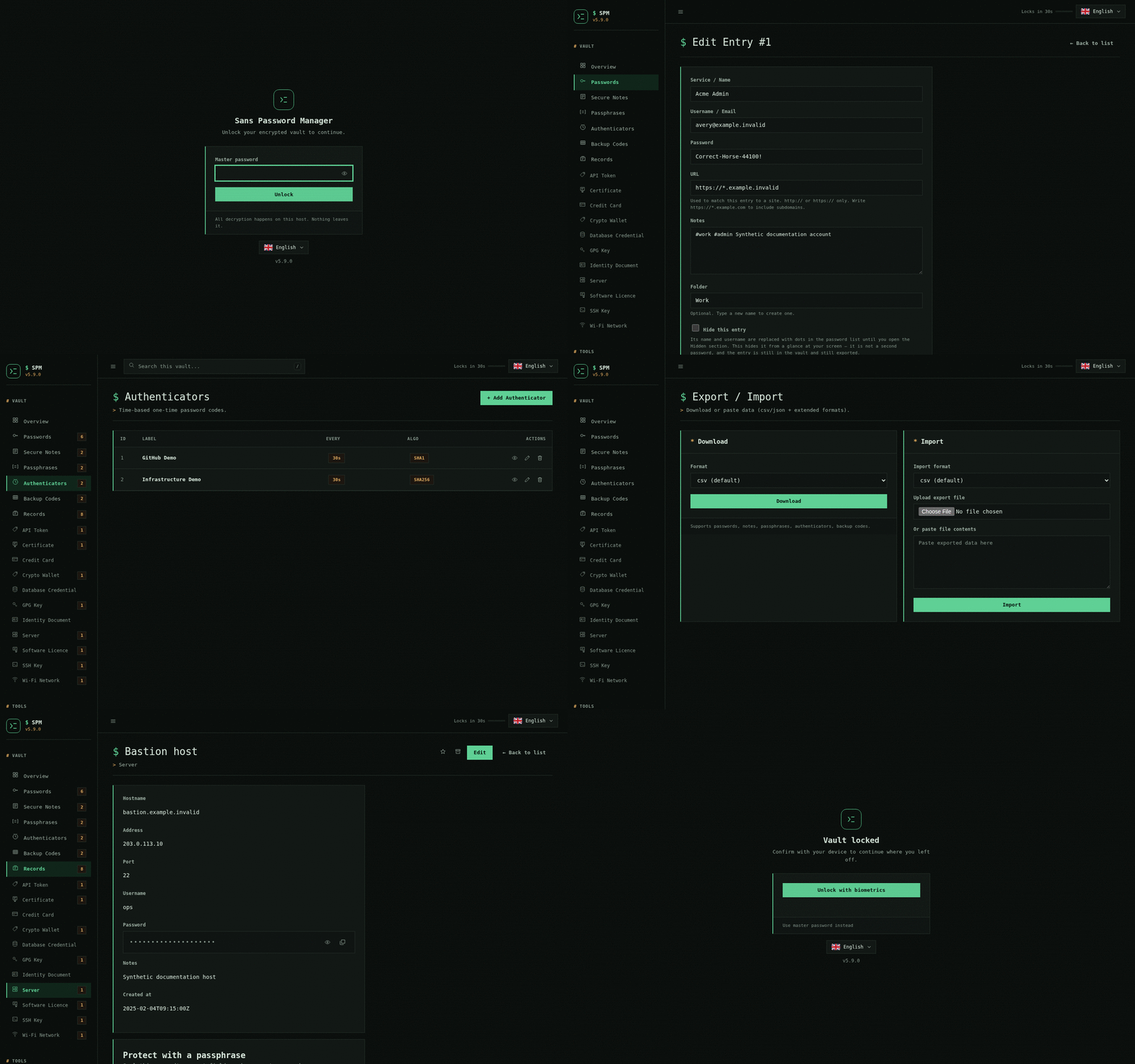
Unlock and assess the vault
| Secure login | Security overview |
|---|---|
 |
 |
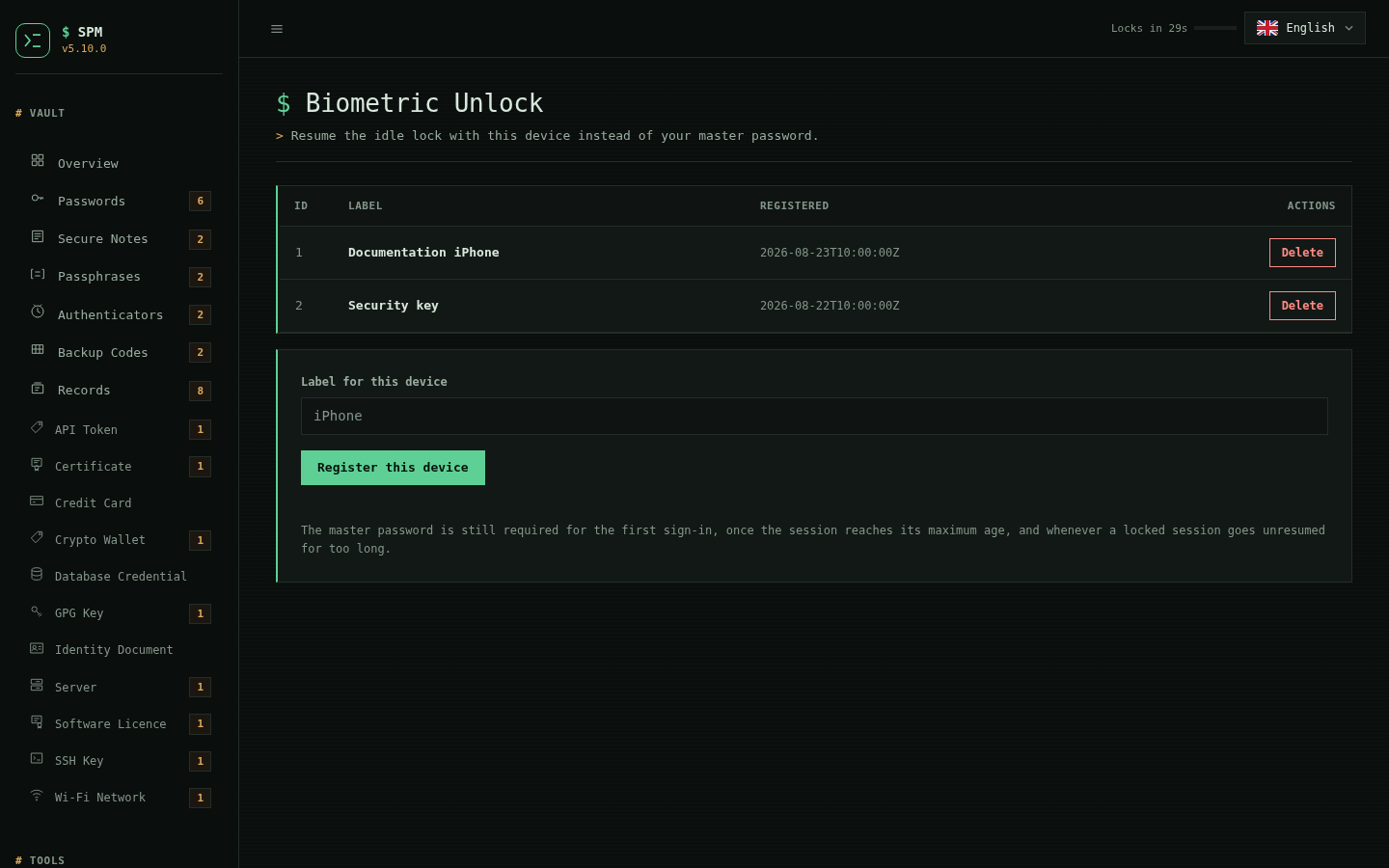
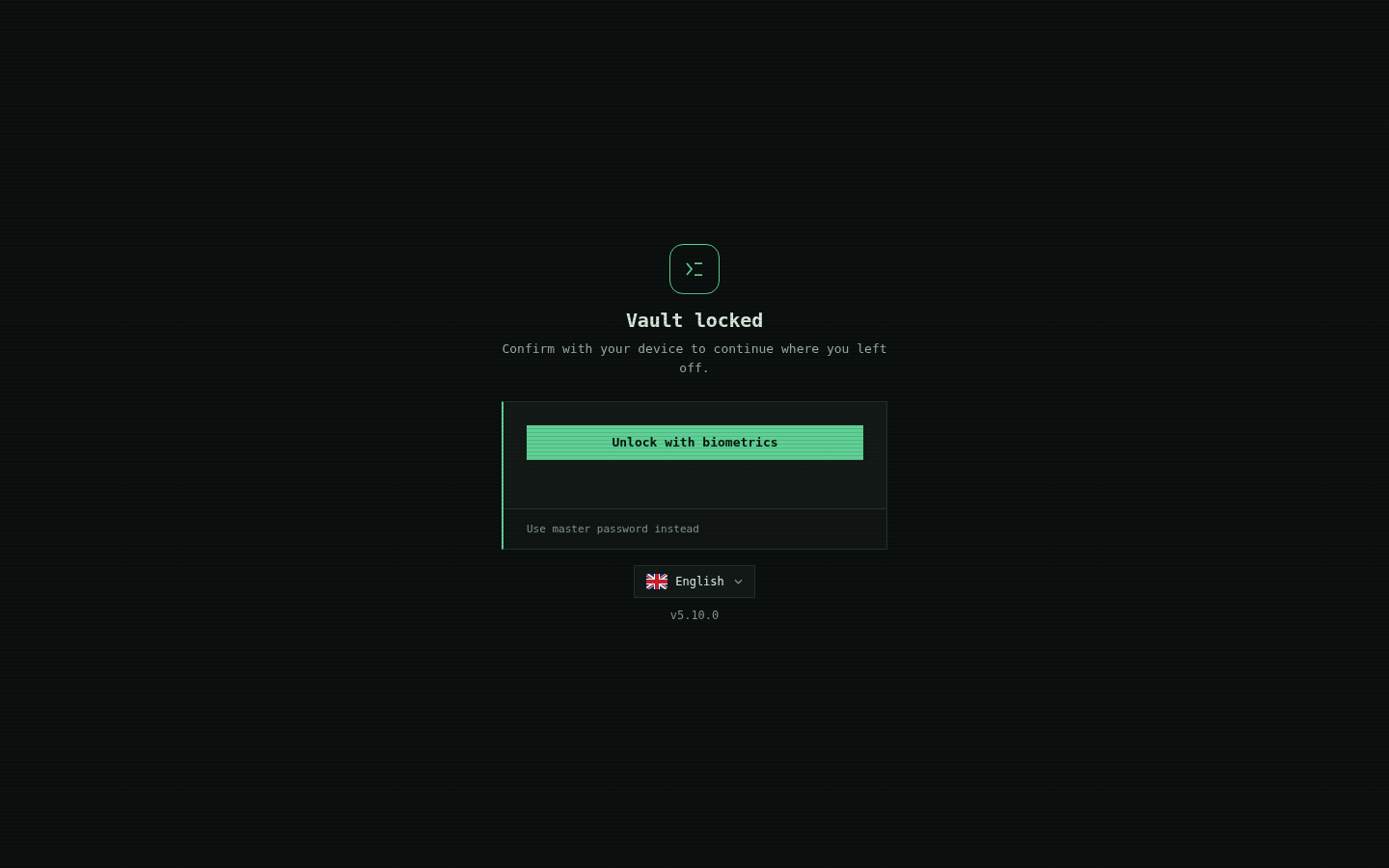
Resume a locked session with Face ID or Touch ID
Registering a device lets the 30-second idle lock resume without retyping your
master password. Suspension is enforced by the server, so a locked session is
refused everywhere except the unlock endpoints — the browser cannot be talked
out of it. The master password is still required for the first sign-in, at the
12-hour session cap, and once a locked session has gone unresumed for longer
than SPM_WEB_SUSPEND_MAX.
| Registered devices | The locked screen, on the phone |
|---|---|
 |
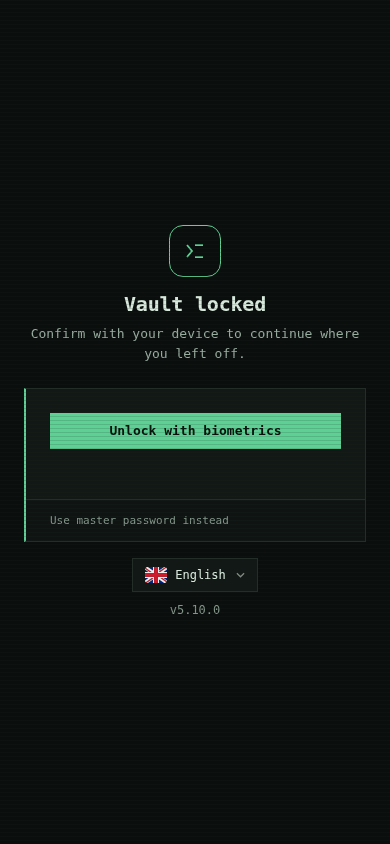 |
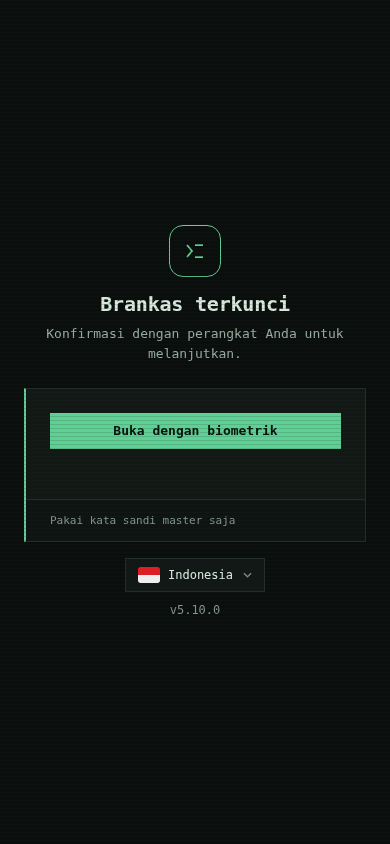
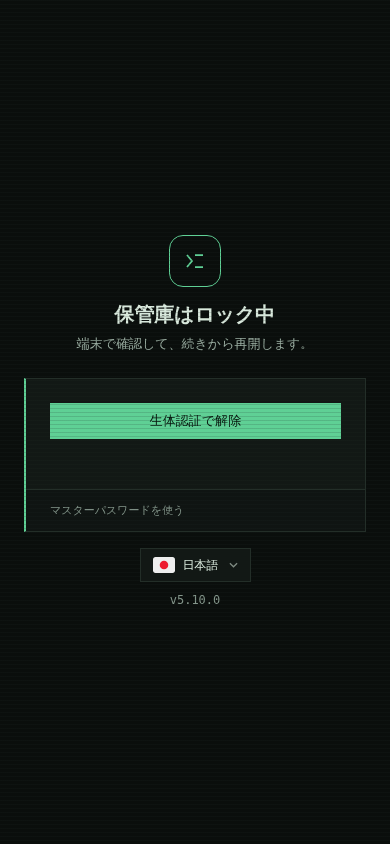
The locked screen is translated like the rest of the interface, and carries its own language picker — it is the one page a user meets after being locked out, so it cannot assume they can still reach the app's settings to change language.
| English | Indonesian | Japanese |
|---|---|---|
|
 |
 |
Choose a Dashboard theme and manage settings
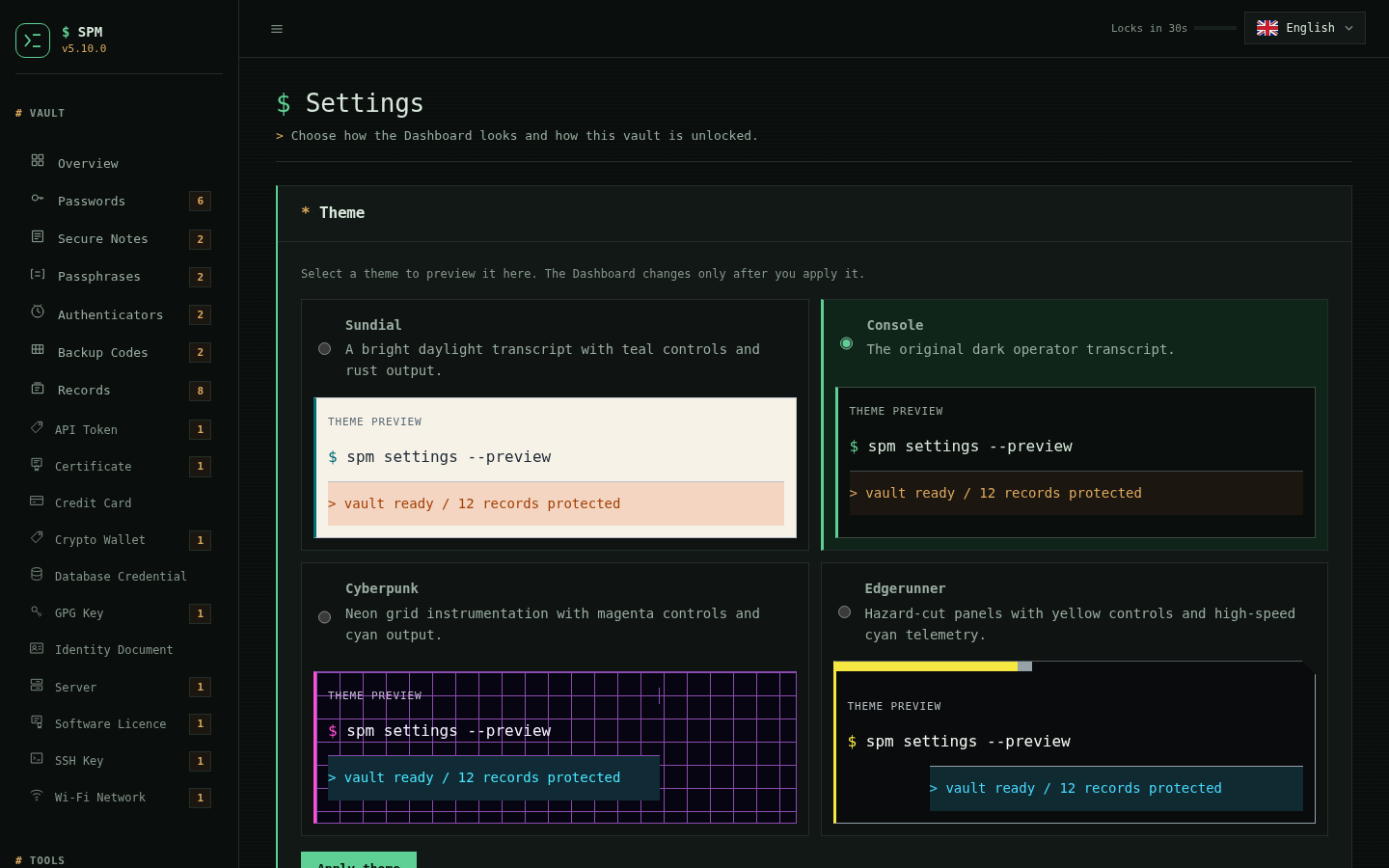
The unified Settings page previews four themes before applying them: Sundial, Console, Cyberpunk, and Edgerunner. The preference stays in this browser and also paints the sign-in and locked-vault screens. Master-password and biometric-unlock controls remain in the same Settings destination.
| Settings and theme previews | The same theme on the locked screen |
|---|---|
 |
 |
Rotate the master password
The Settings group holds the vault's own credentials: the master password
and the registered unlock devices. Changing the master password re-encrypts the
whole vault, and rewrites the recovery file first — a vault re-encrypted under
a new password while its .recovery file still names the old one is the one
state spm forgot cannot recover from. Every other browser session is signed
out; the session that made the change carries on.
Audit, search and roll back
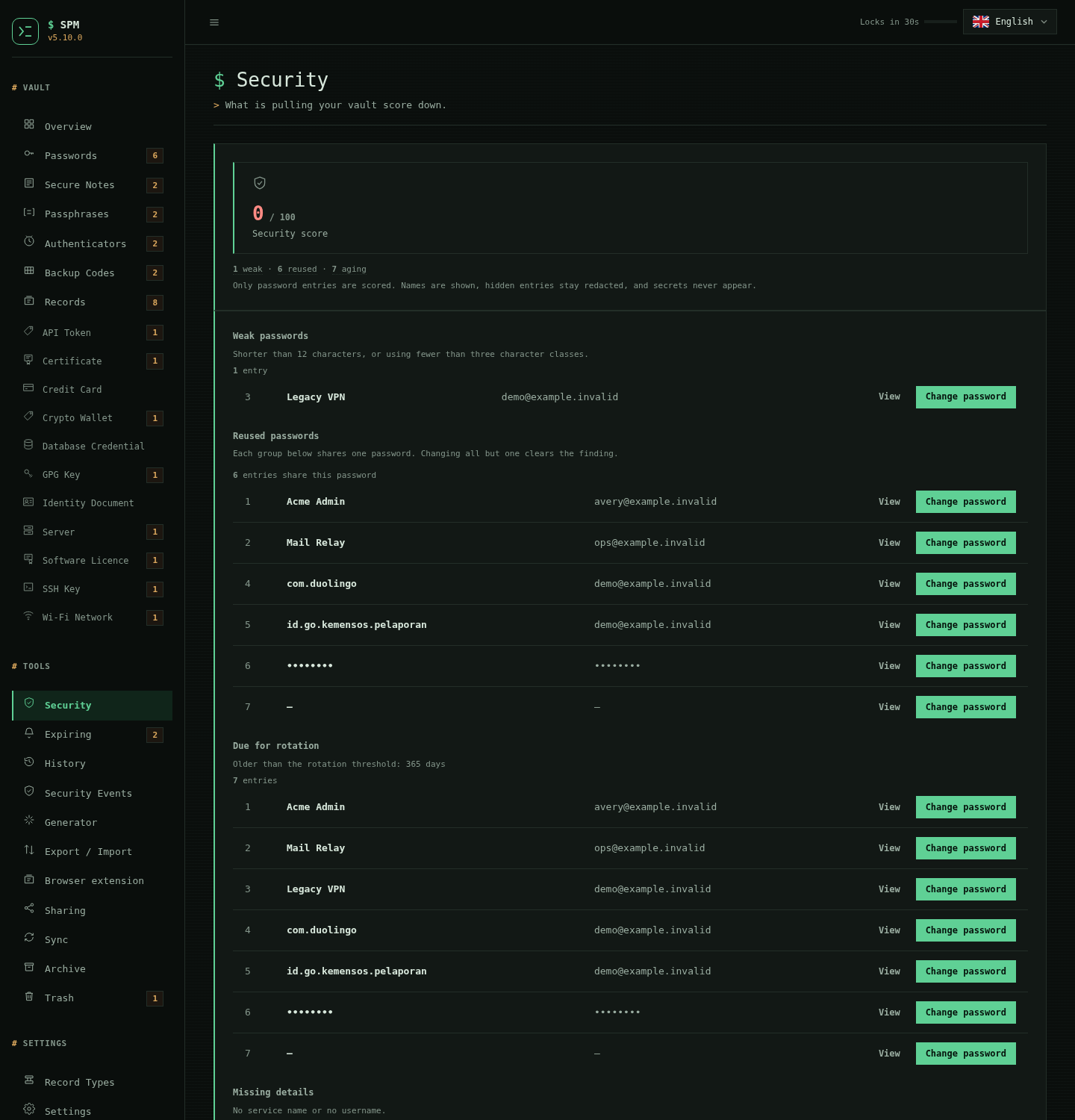
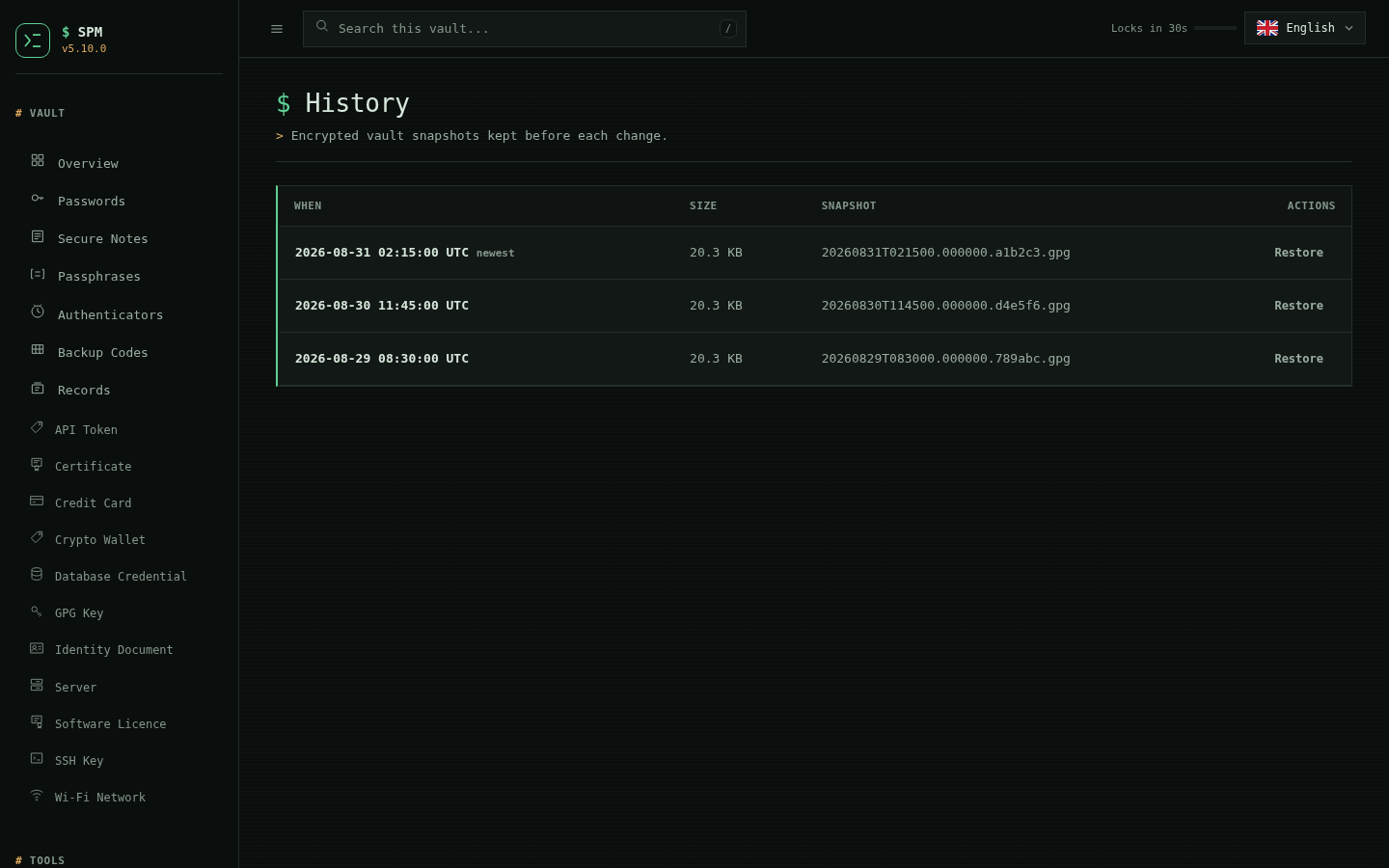
| Security findings | Vault history |
|---|---|
 |
 |
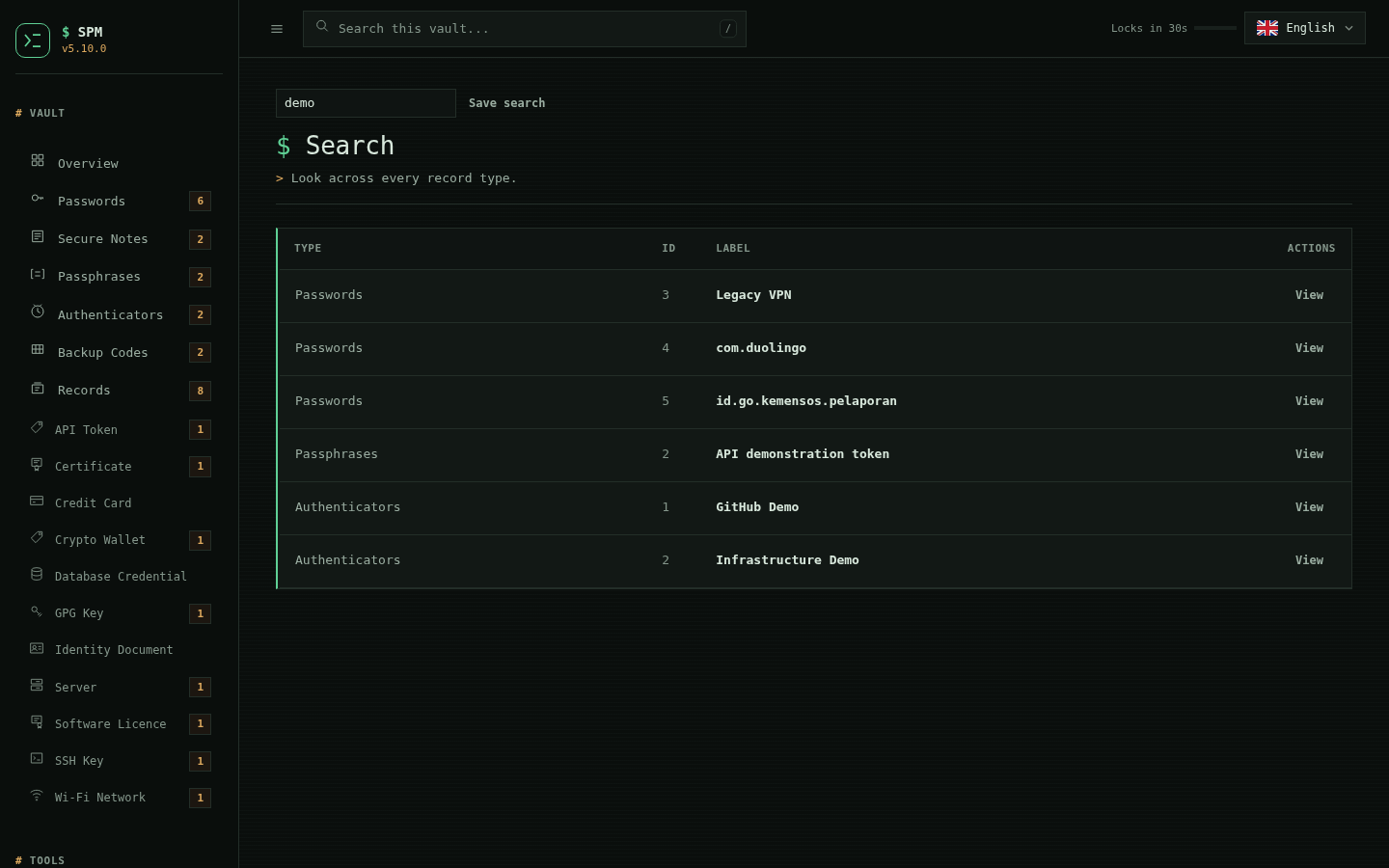
Cross-type search — one query across passwords, notes, passphrases, authenticators and backup codes. Results carry labels and IDs only: matching on a secret field would turn the search box into an oracle that confirms a guessed password by whether a row appears.
Work with credentials and protected records
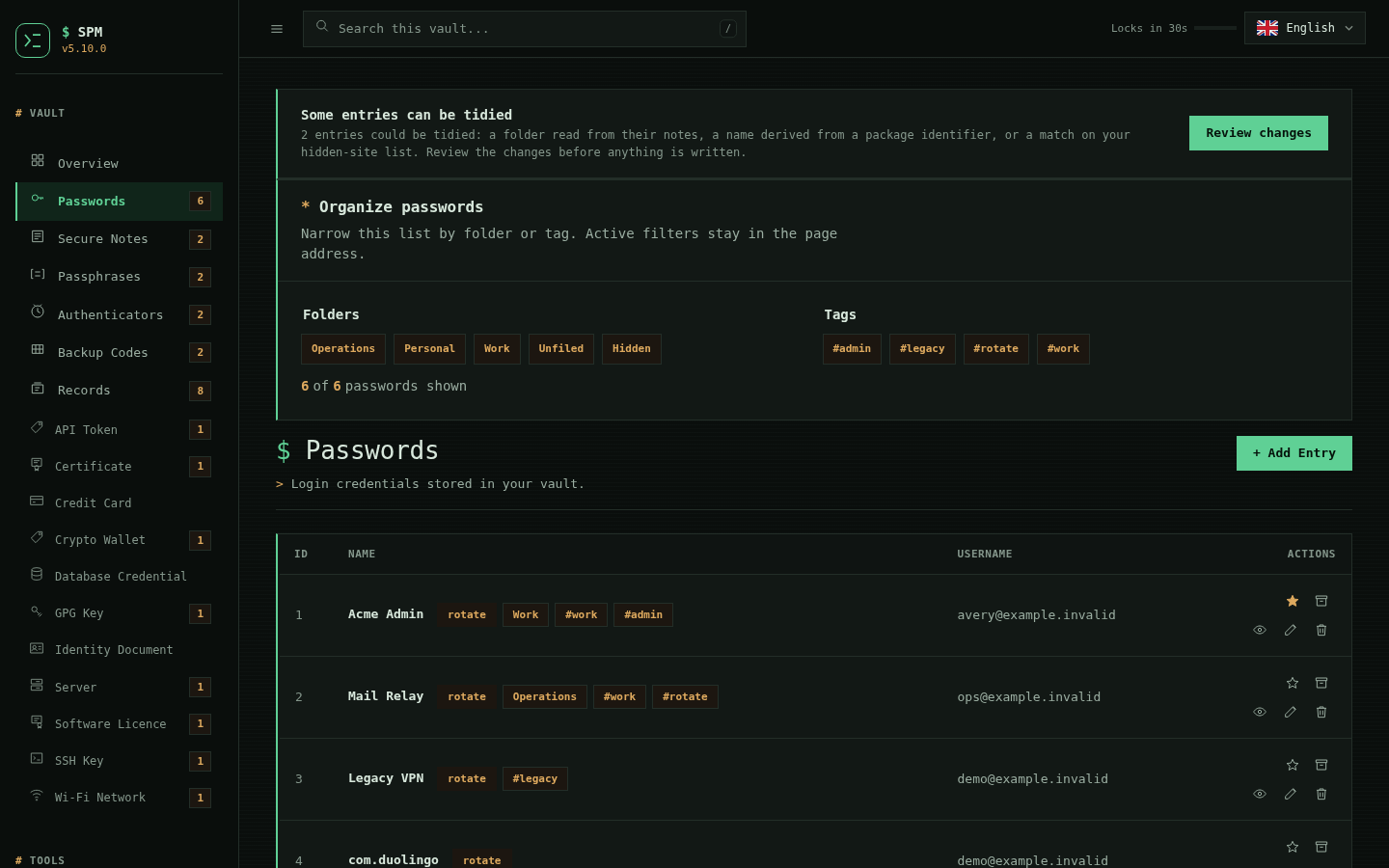
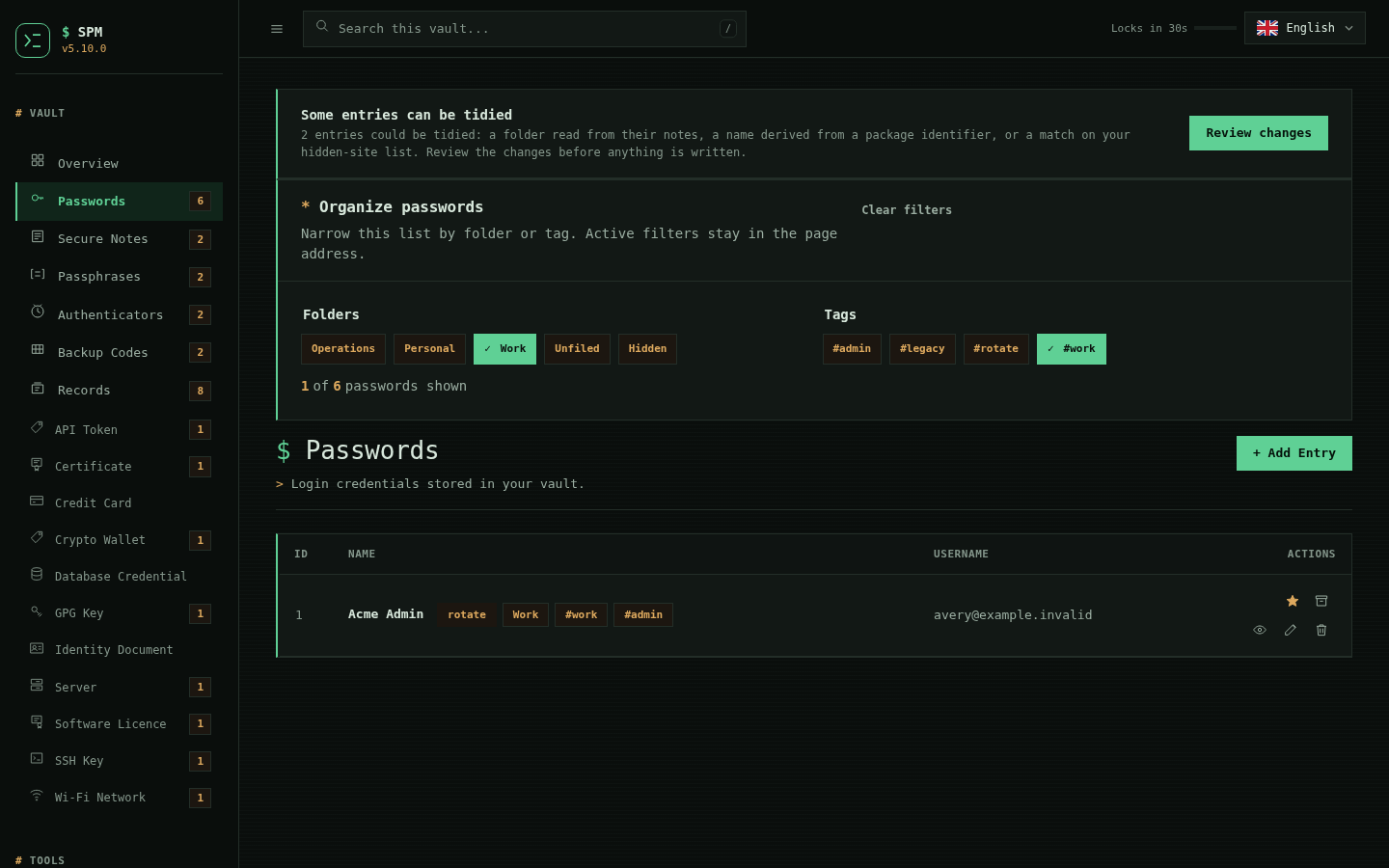
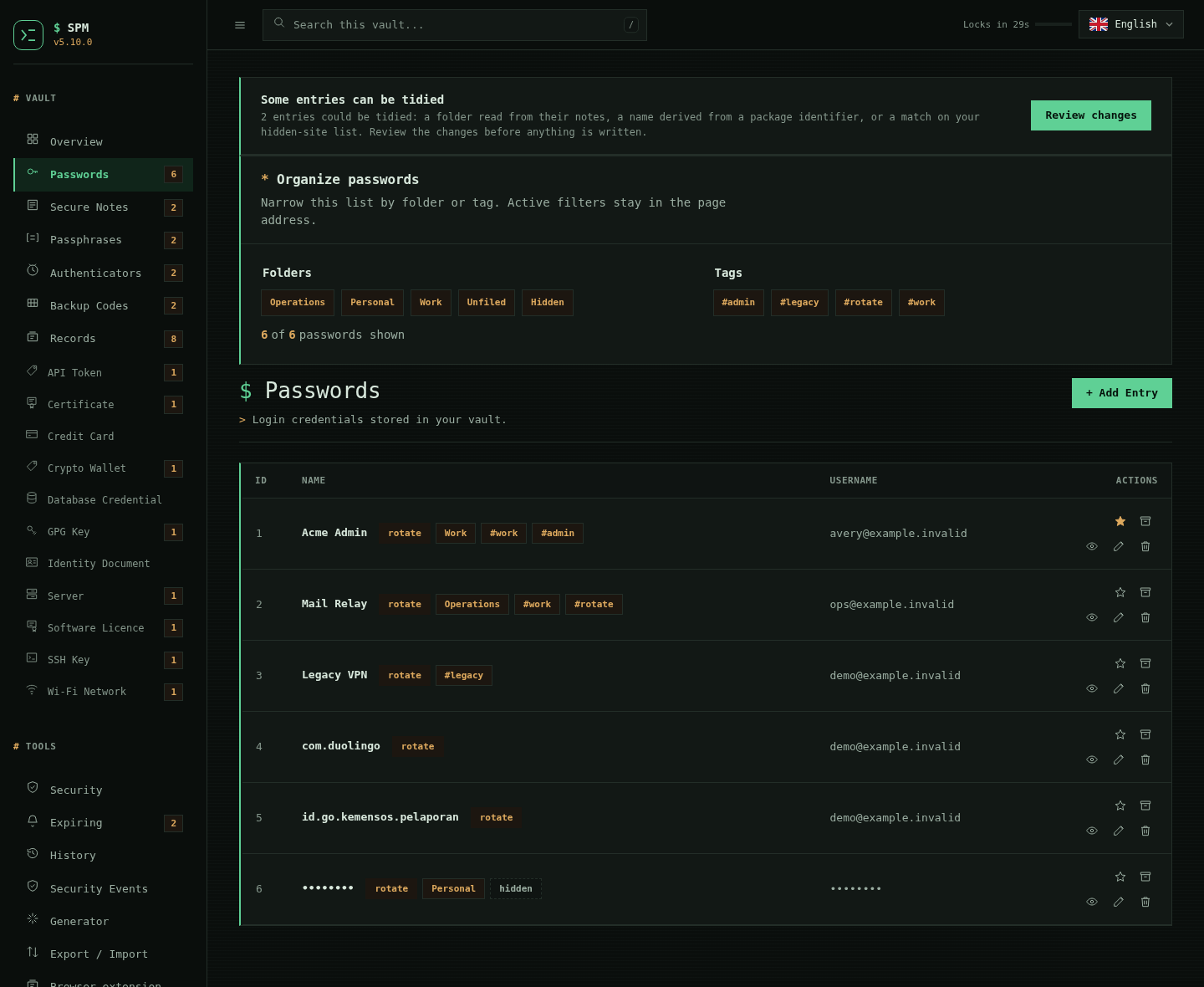
The Passwords page has a dedicated Organize passwords panel. Select one or
more folders and #hashtag tags to narrow the records; folders and tags combine,
active values carry a checkmark, and Clear filters always returns to the full
list. Filter state stays in the URL using repeated folder and tag parameters,
so the same view survives reloads, bookmarks, and back-button navigation. Tags
remain a convention over names and notes, so they need no separate tag column
and survive export and import untouched.
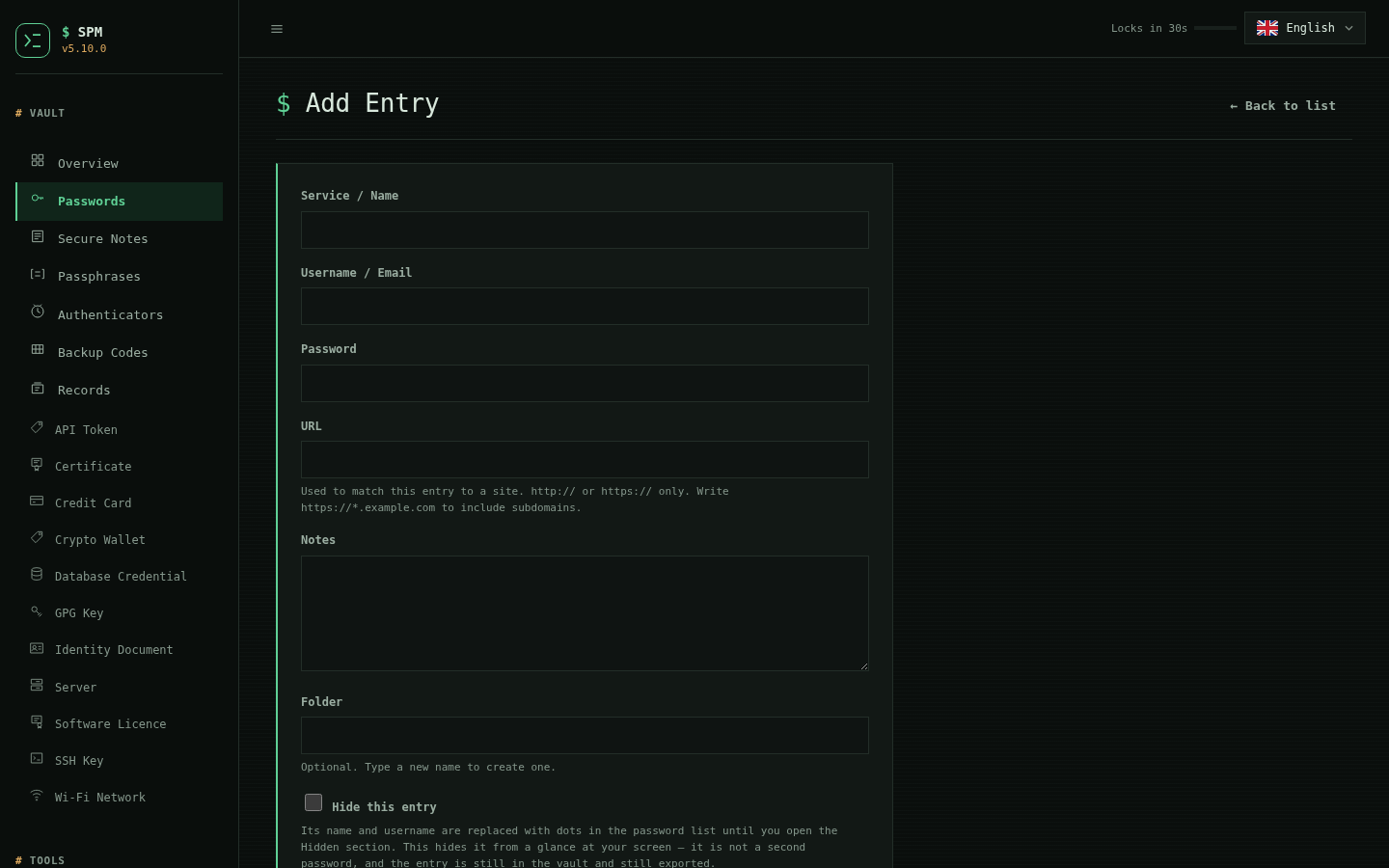
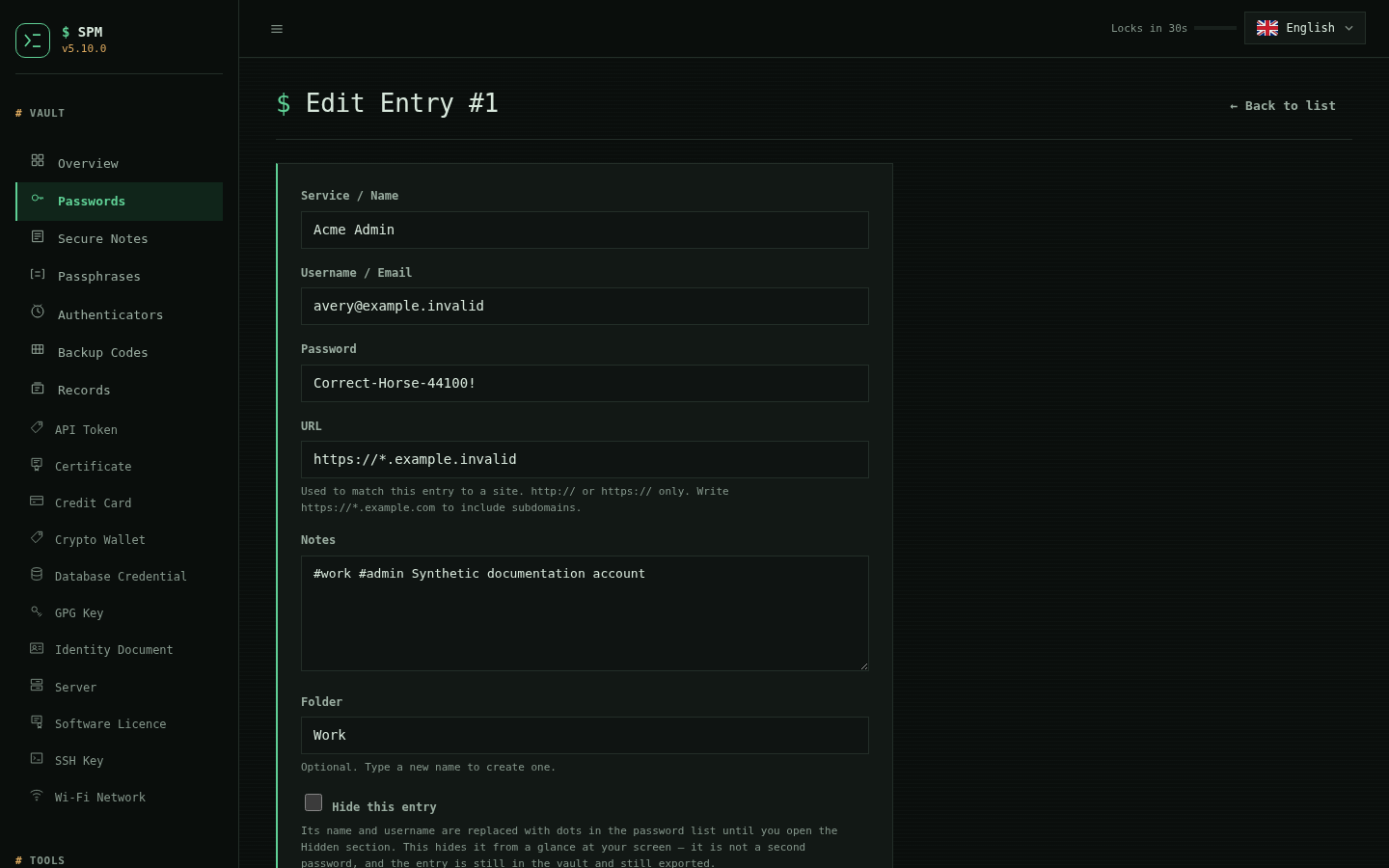
Each record also has a URL, alongside the username / email, password and
notes. It is what binds a credential to a site: the browser bridge matches the
hostname from this field first, and the browser extension will use it to offer
the right entry without guessing from the record's name. Only http:// and
https:// are accepted -- the value is rendered as a link and handed to the
extension, so the scheme is an allowlist rather than free text. Vaults written
before 2.12.0 have no URL field and are read unchanged; the bridge still finds
a URL in the notes the way it always did, so nothing needs migrating.
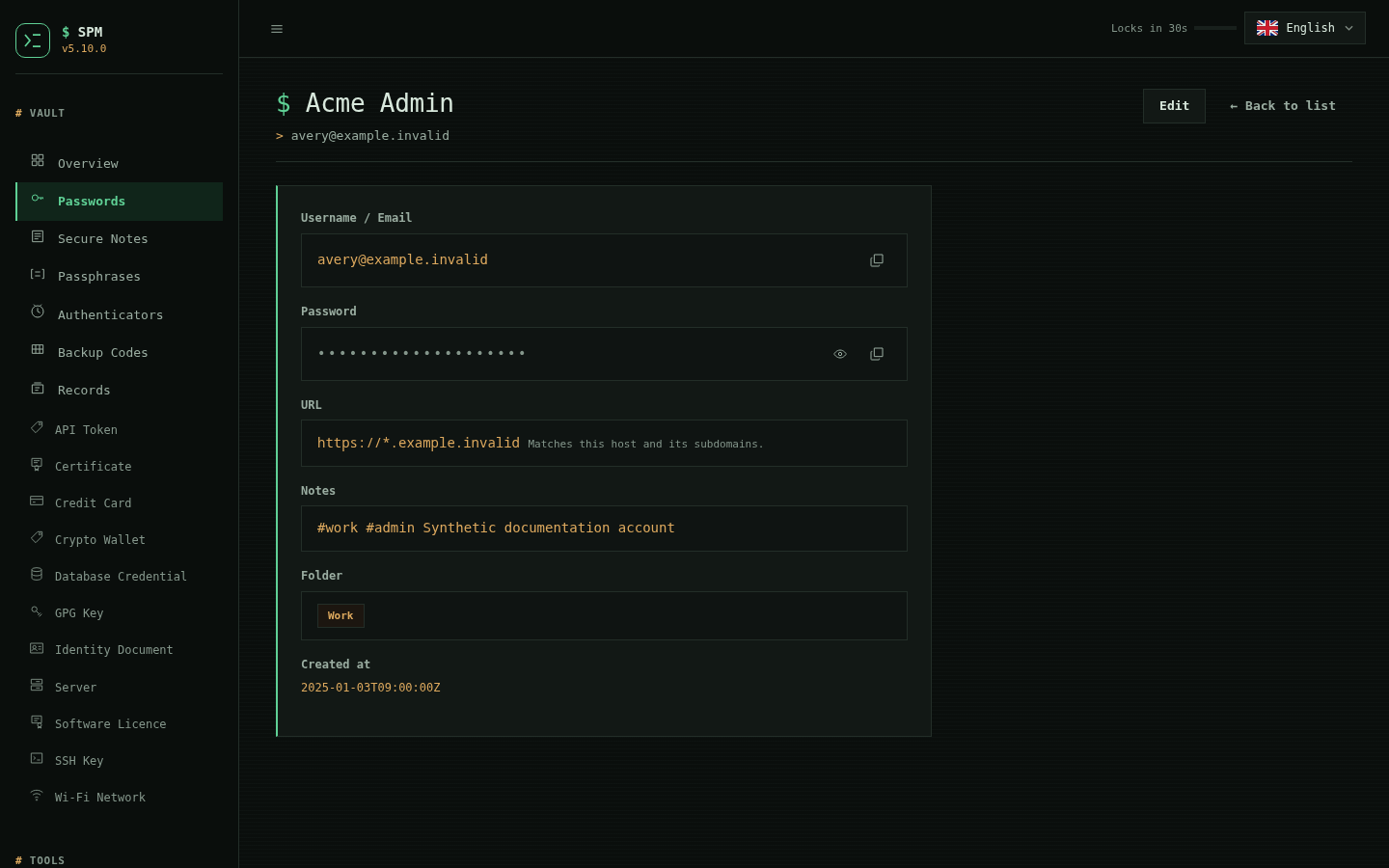
The field also carries an optional subdomain scope:
https://example.com        this host only
https://*.example.com      example.com and every host beneath it
The wildcard is opt in per record and never inferred from a bare hostname.
Without a public suffix list, inferring it would turn a record for foo.co.uk
into a match for everything under .co.uk. https://*.com is refused, because
nothing legitimately covers a whole top-level domain -- that is a floor and not
a substitute for a suffix list, and *.co.uk still parses. A scope is shown on
the entry page as a scope rather than as a link, because it is not a
destination.
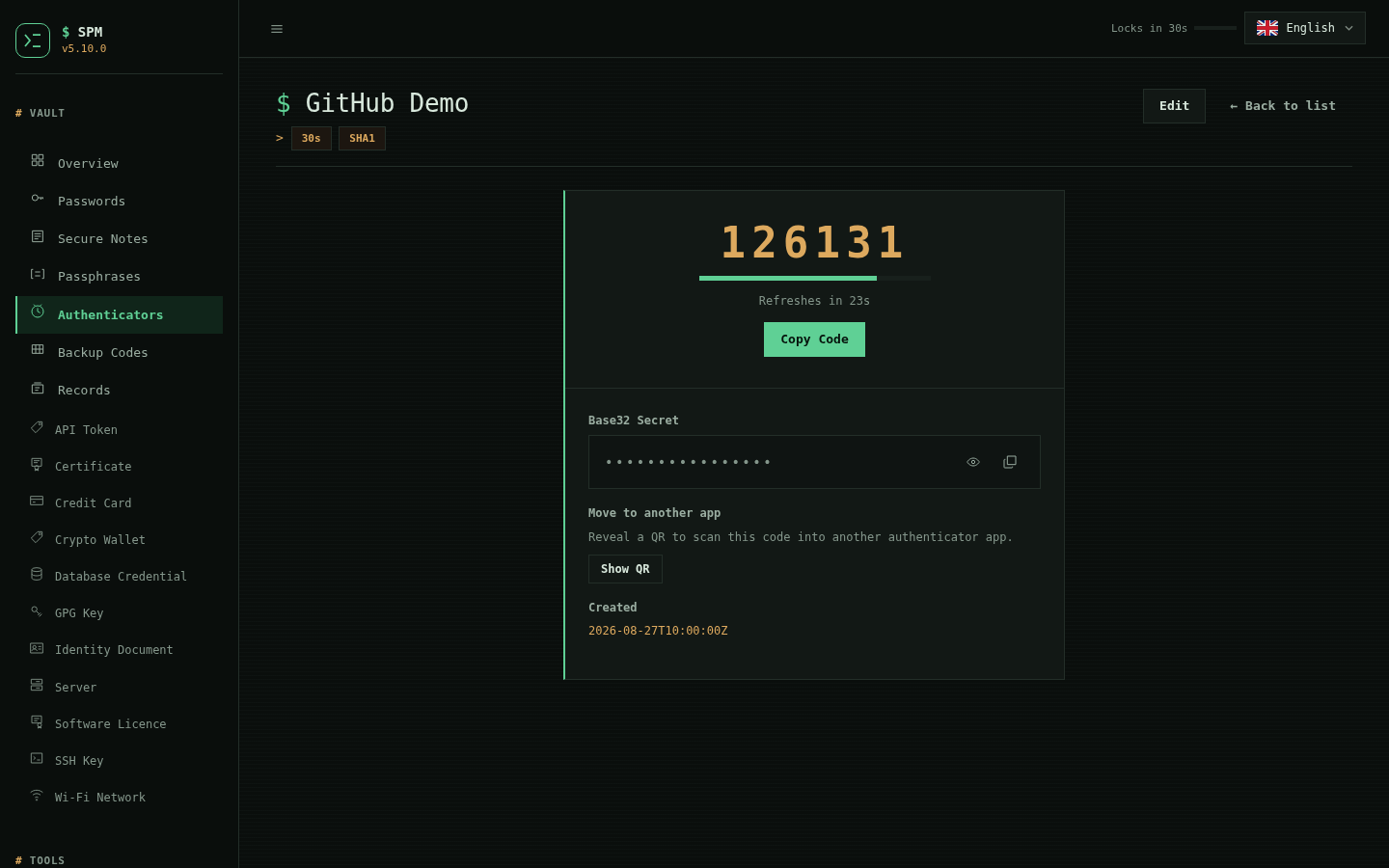
| Password records | Authenticator codes |
|---|---|
 |
 |
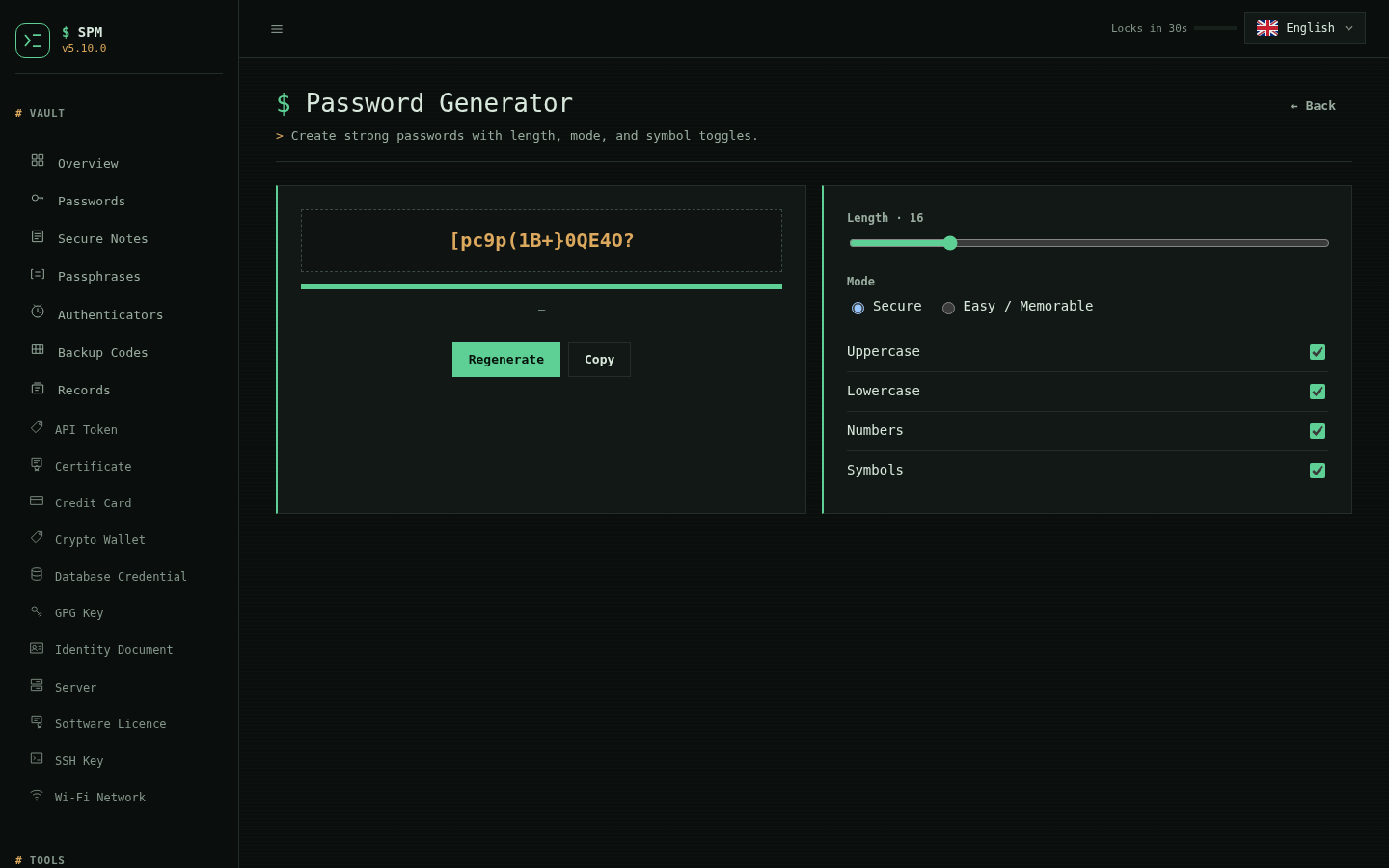
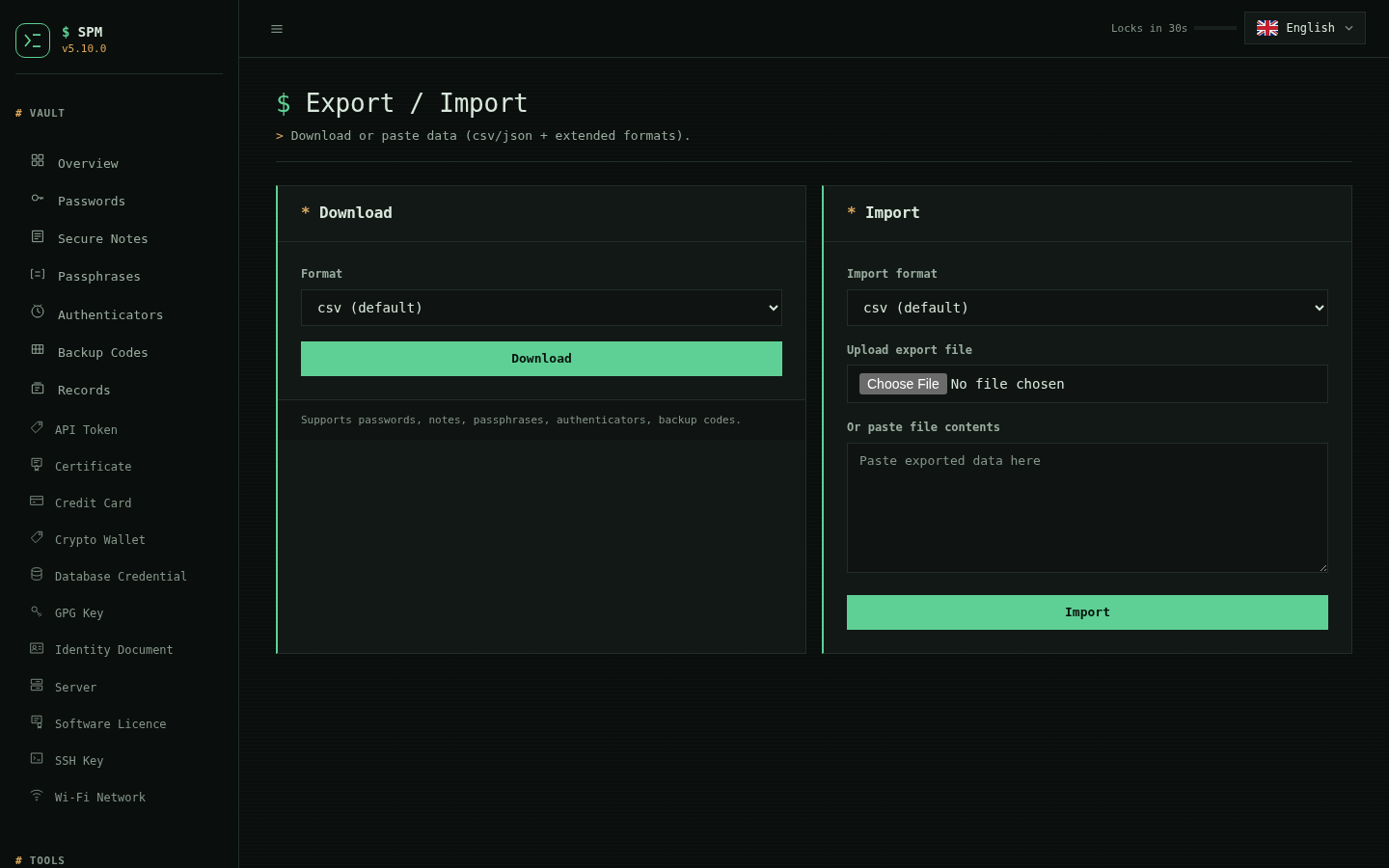
| Password generator | Import and export |
|---|---|
 |
 |
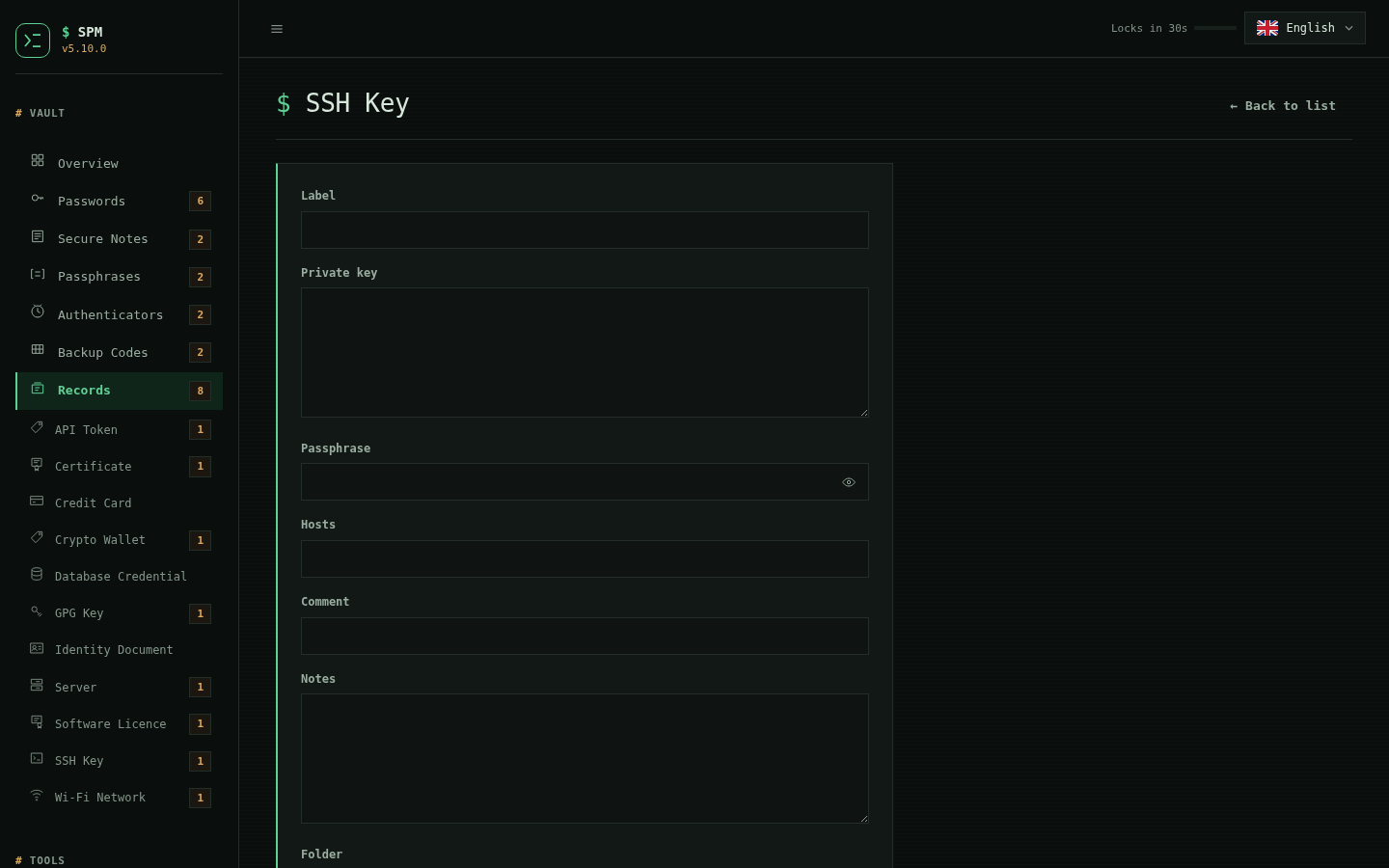
Typed records, SSH keys and GPG keys
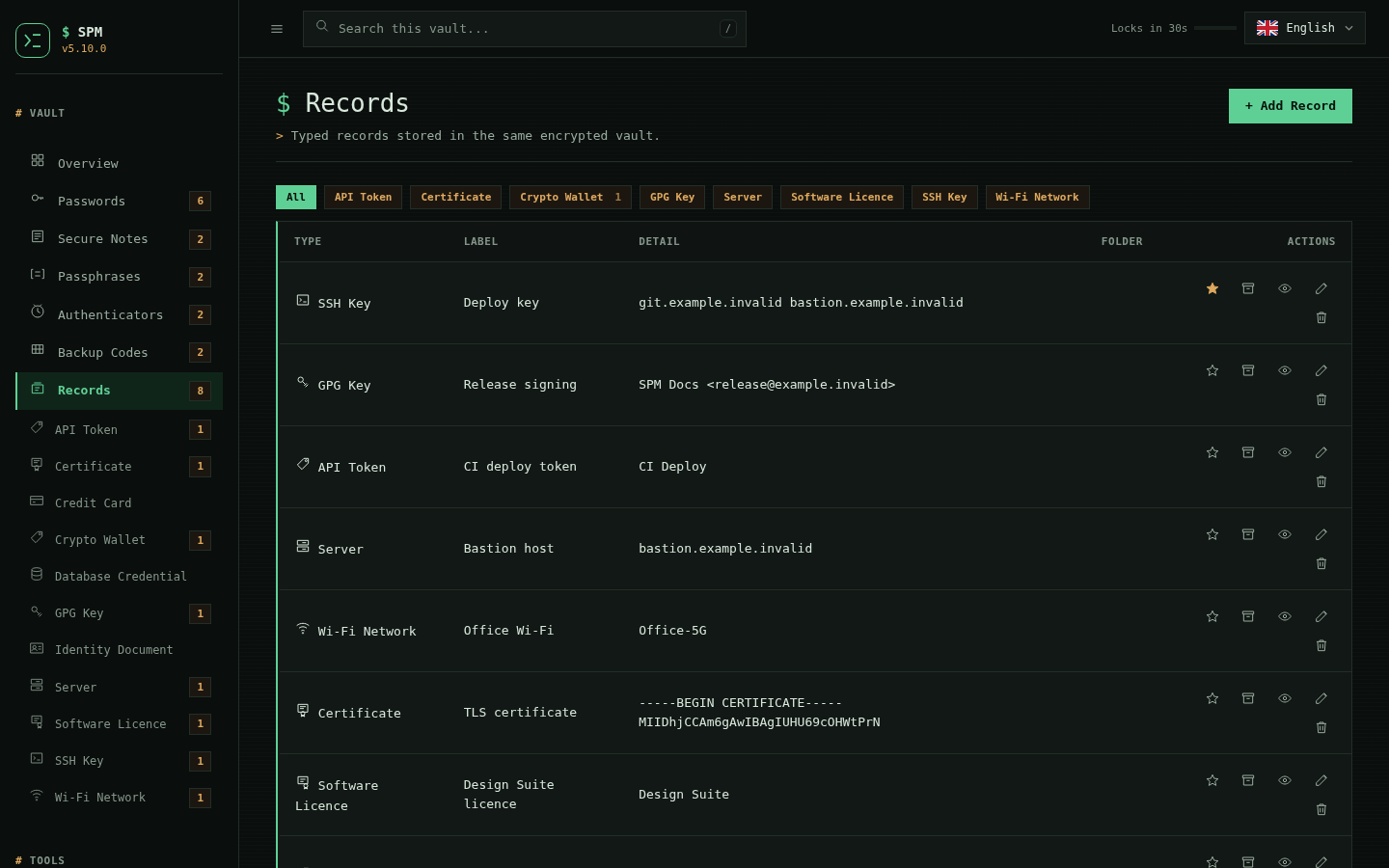
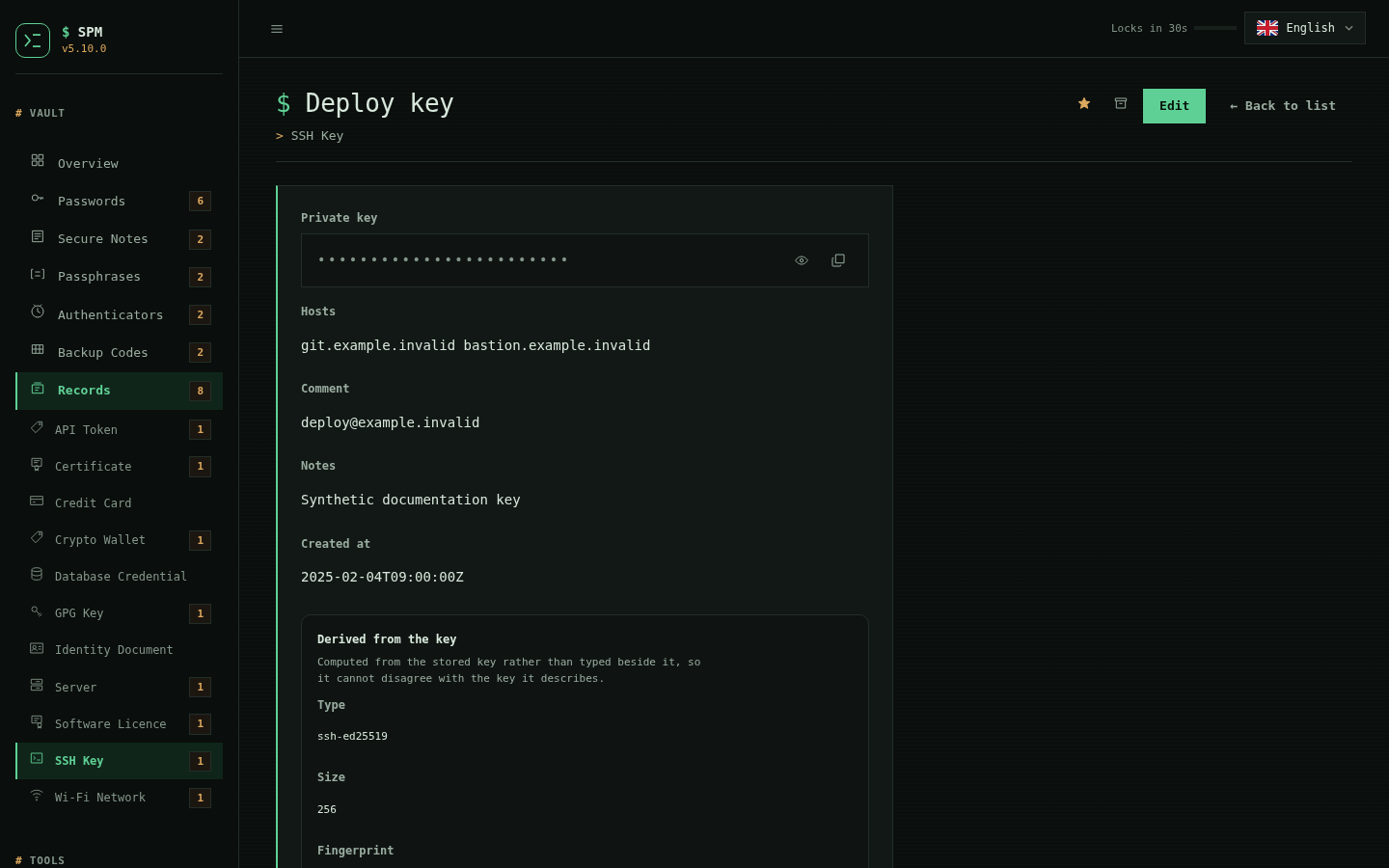
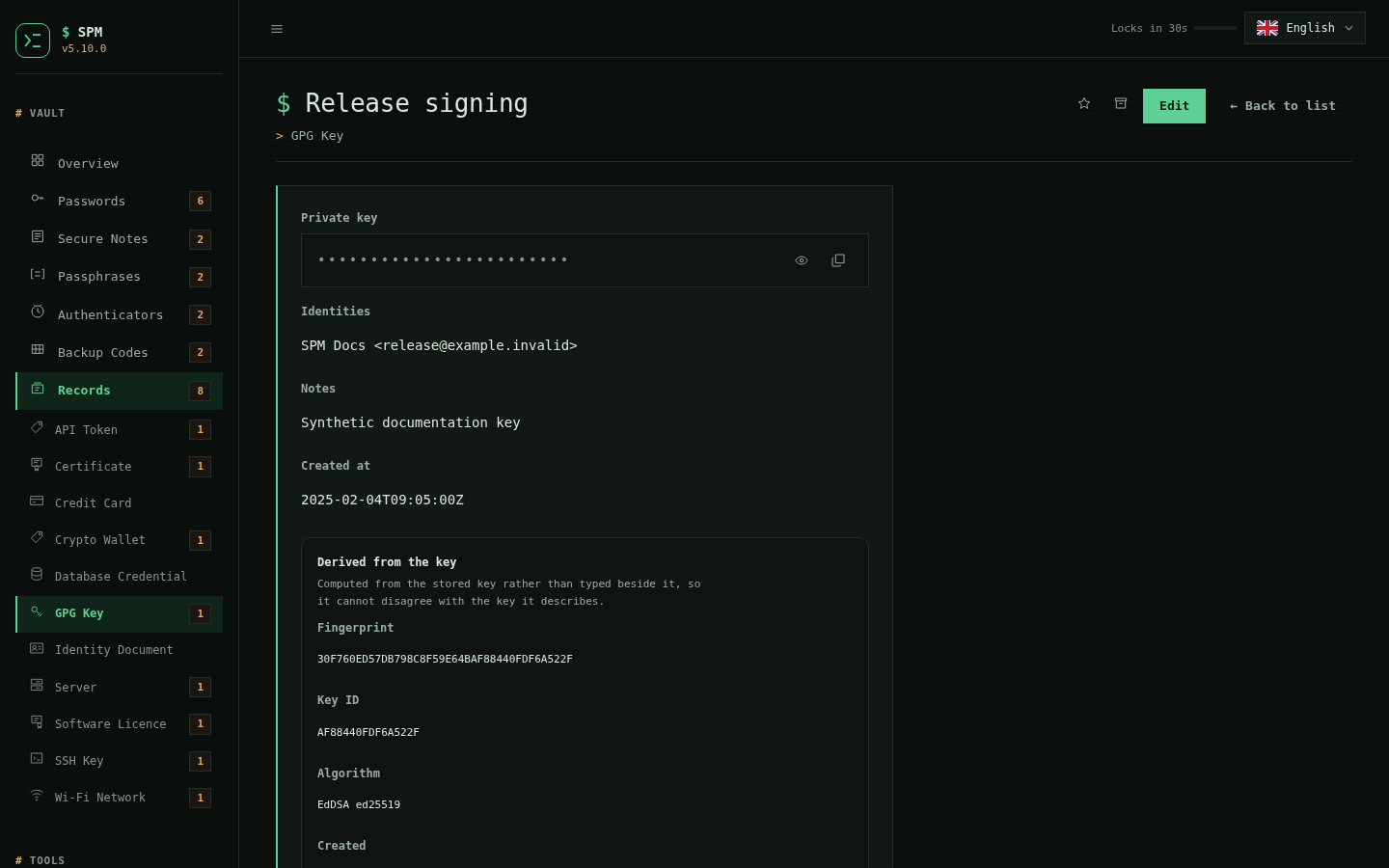
New in 5.0.0. A Records section holds the shapes a password entry cannot: API tokens, database and server credentials, Wi-Fi networks, identities and licences, and SSH and GPG keys. Each type draws its own form from one schema. A key record adds a Derived from the key panel -- the fingerprint, type and size for an SSH key, or the fingerprint, key id and algorithm for a GPG key, read out of the stored key itself rather than typed beside it, so they cannot disagree with the key they describe. The key stays a masked secret; only the public facts are shown.
| Records list | SSH key, fingerprint derived | GPG key, fingerprint derived |
|---|---|---|
 |
 |
 |
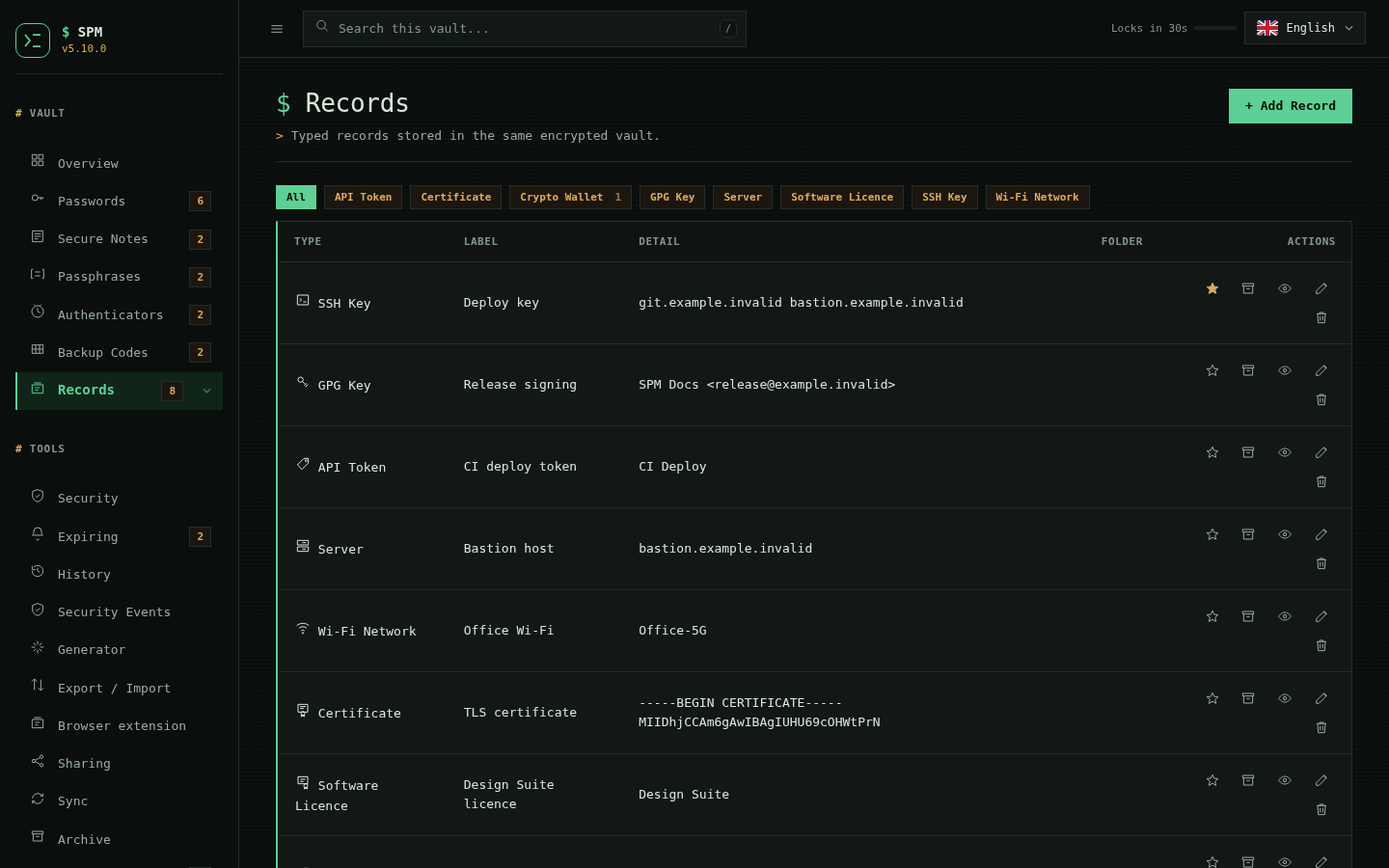
By default the sidebar lists every record type as its own row under Records. New in 5.0.3, a one-click toggle in Settings folds those rows into a collapsible Records menu instead: it stays a single row marked with a disclosure caret until you open it, then expands an All row followed by one row per type, and folds away again when you close it. The choice is remembered per browser. Both layouts are drawn from the same schema, so a new record type appears in whichever one you have chosen.
| Records folded into a collapsible disclosure |
|---|
 |
Lifecycle, safety and certificates
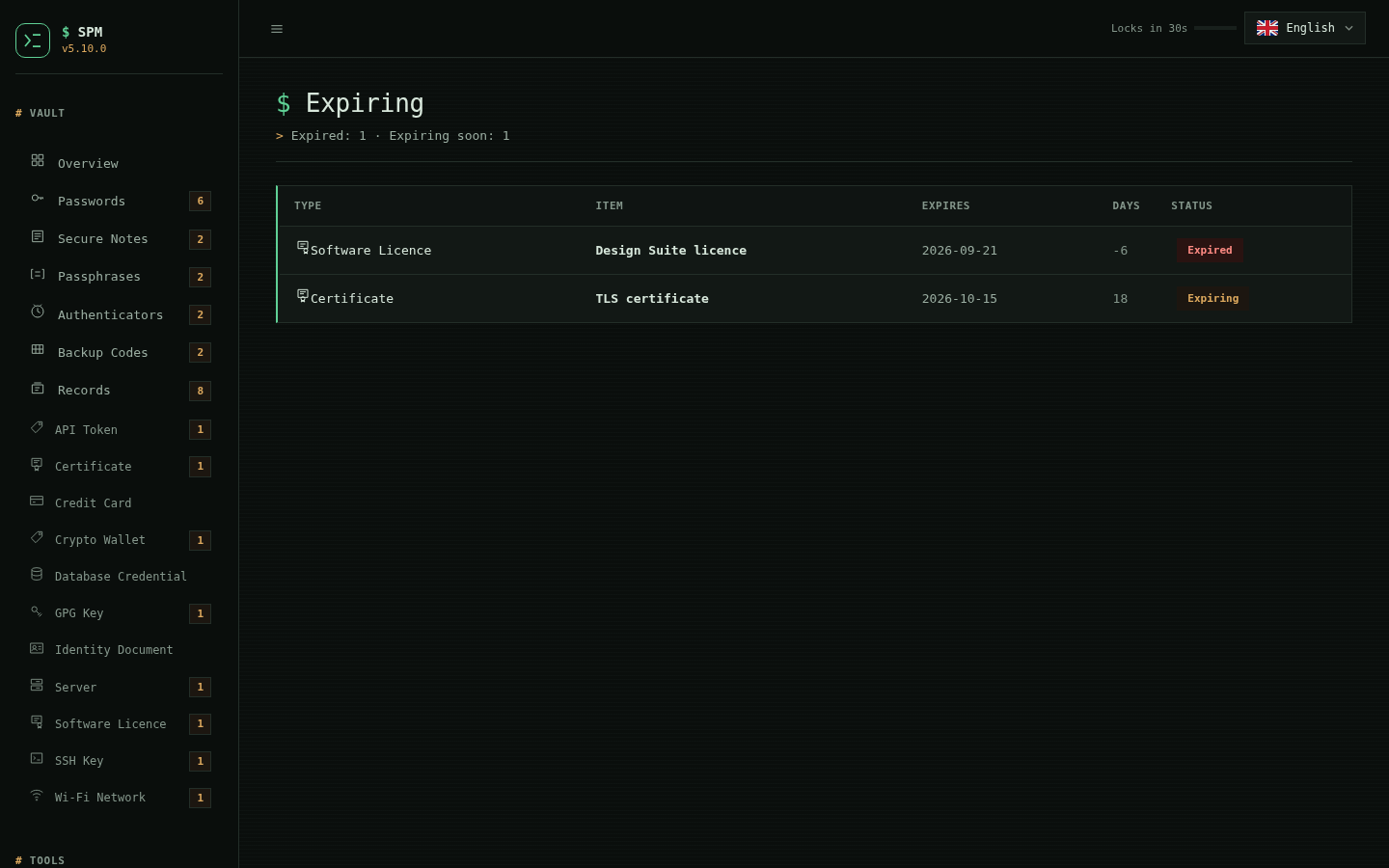
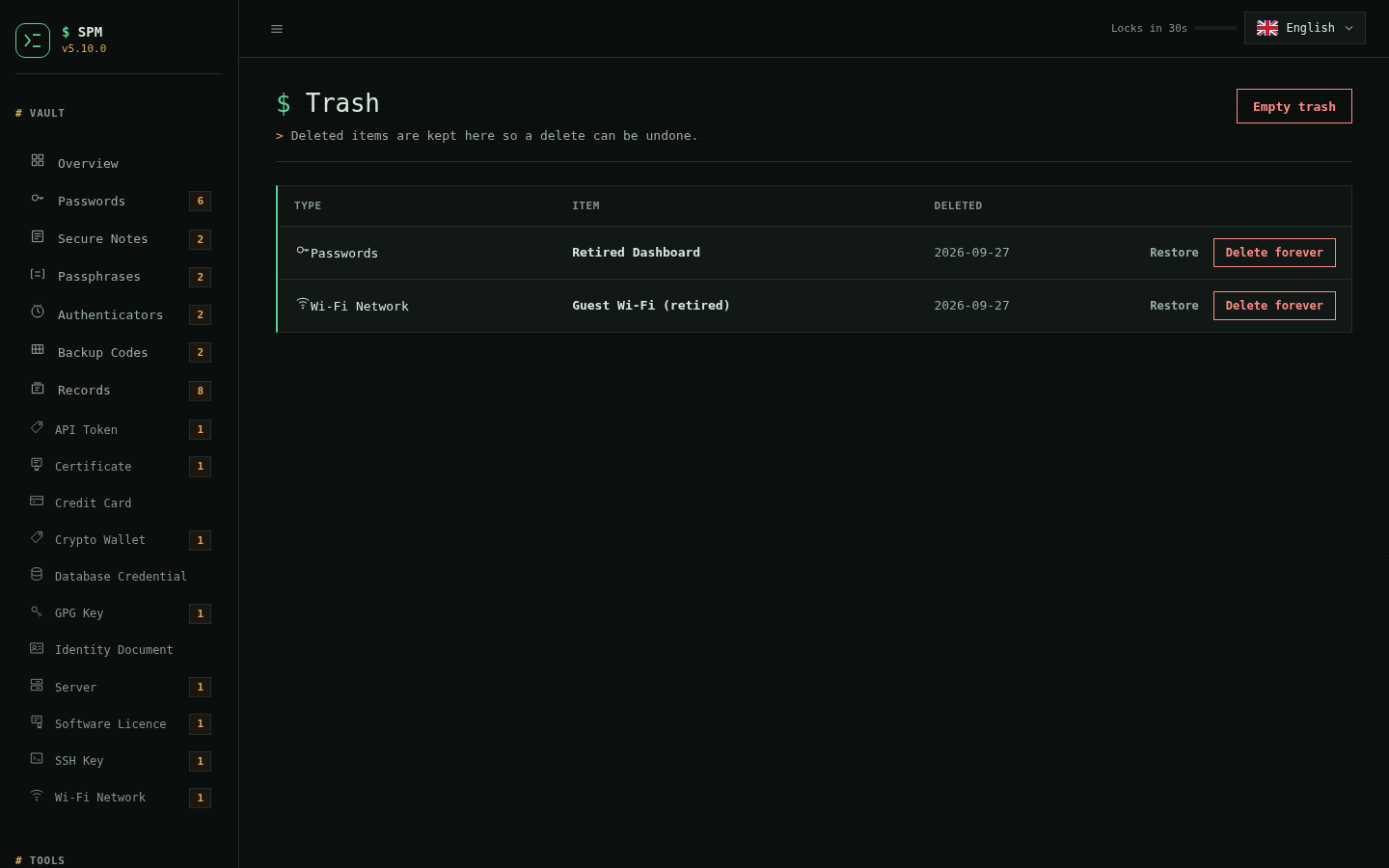
New in 5.1.0. Deleting a password or a record no longer removes it: it moves to
a Trash, from which it can be restored, and permanent deletion is a separate,
deliberate step. A star pins the records you reach for to the top of their
list. An Expiring page — with a sidebar badge — gathers every secret that
carries an expiry date, from API tokens and cards to the new certificate type,
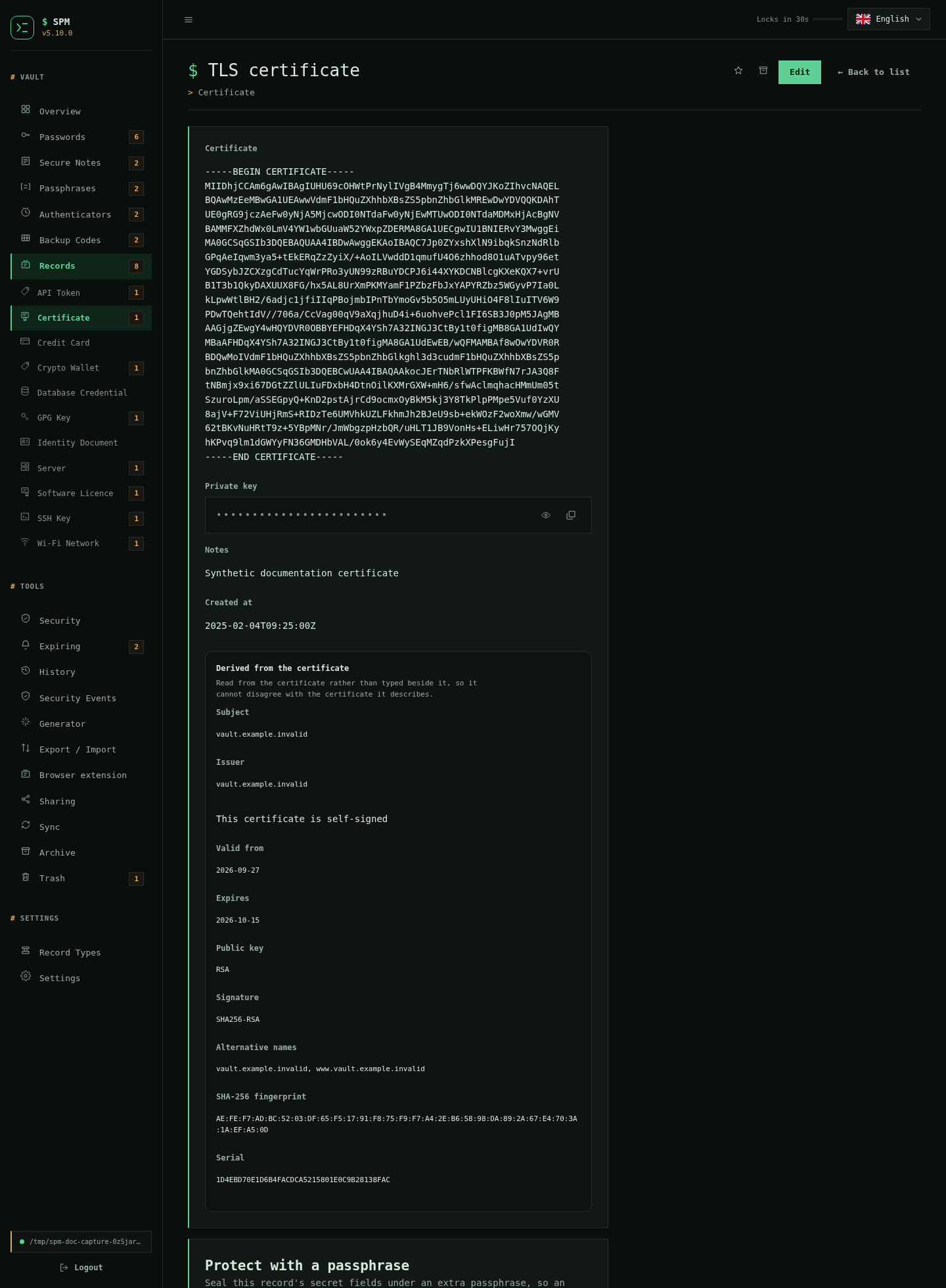
and shows what has expired or is due within thirty days. And a certificate
record describes itself the way an SSH or GPG key does: its subject, issuer,
validity, alternative names, algorithms and SHA-256 fingerprint are derived from
the certificate itself, matching openssl x509 without a certificate library or
the private key.
| Expiring — every dated secret | Trash — restore or delete for good |
|---|---|
 |
 |
| A certificate that describes itself |
|---|
 |
Sharing, custom types and per-record locks
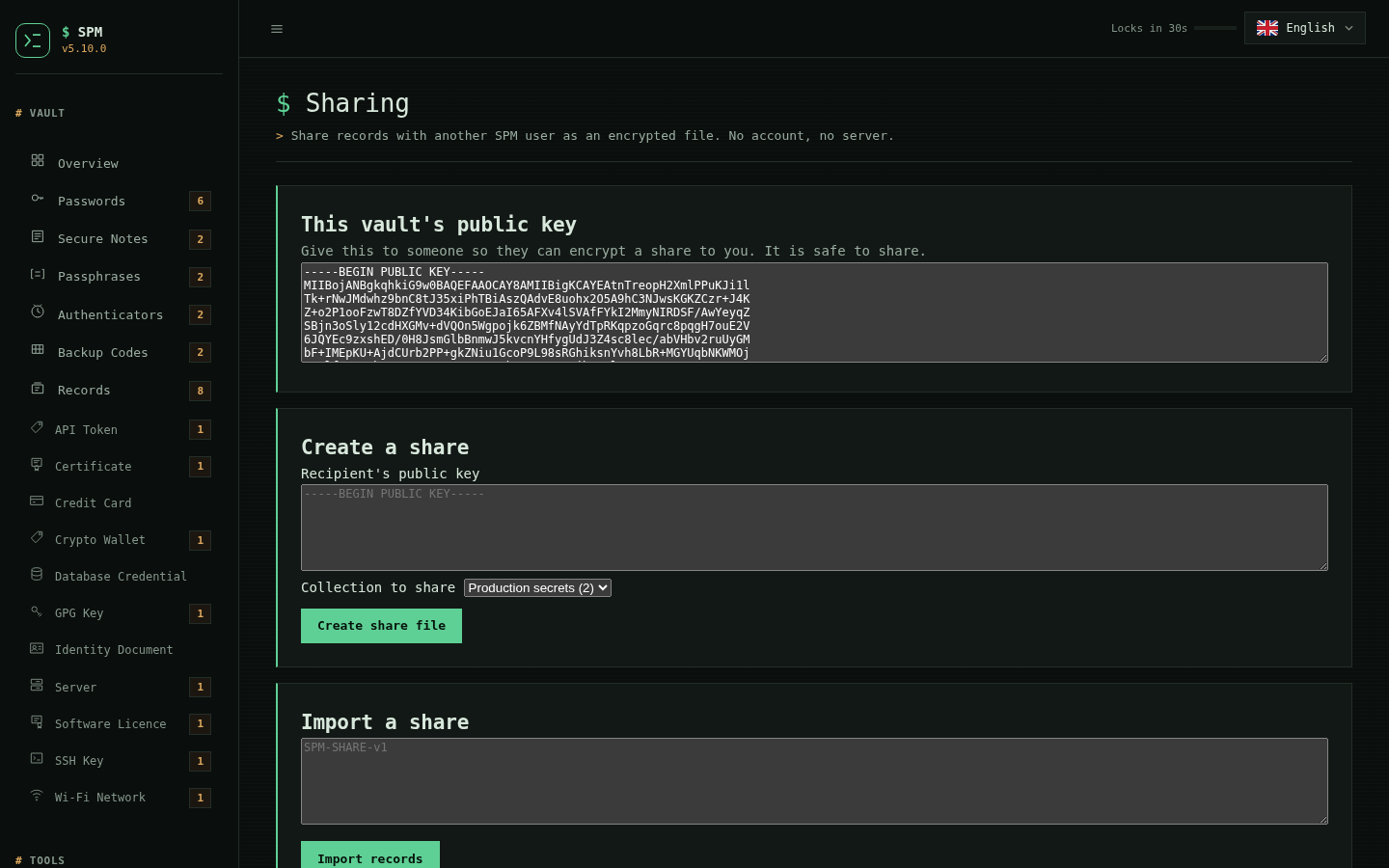
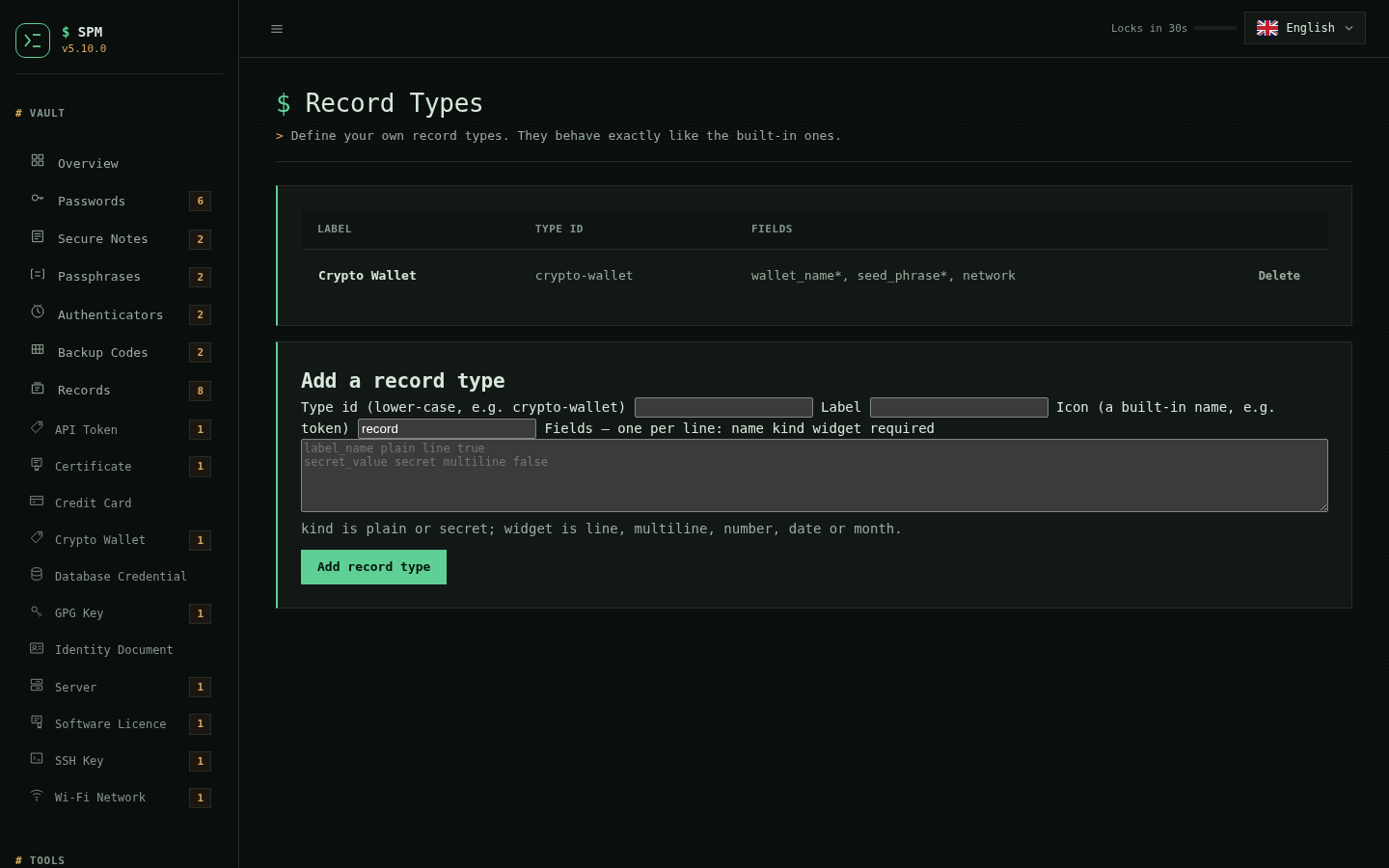
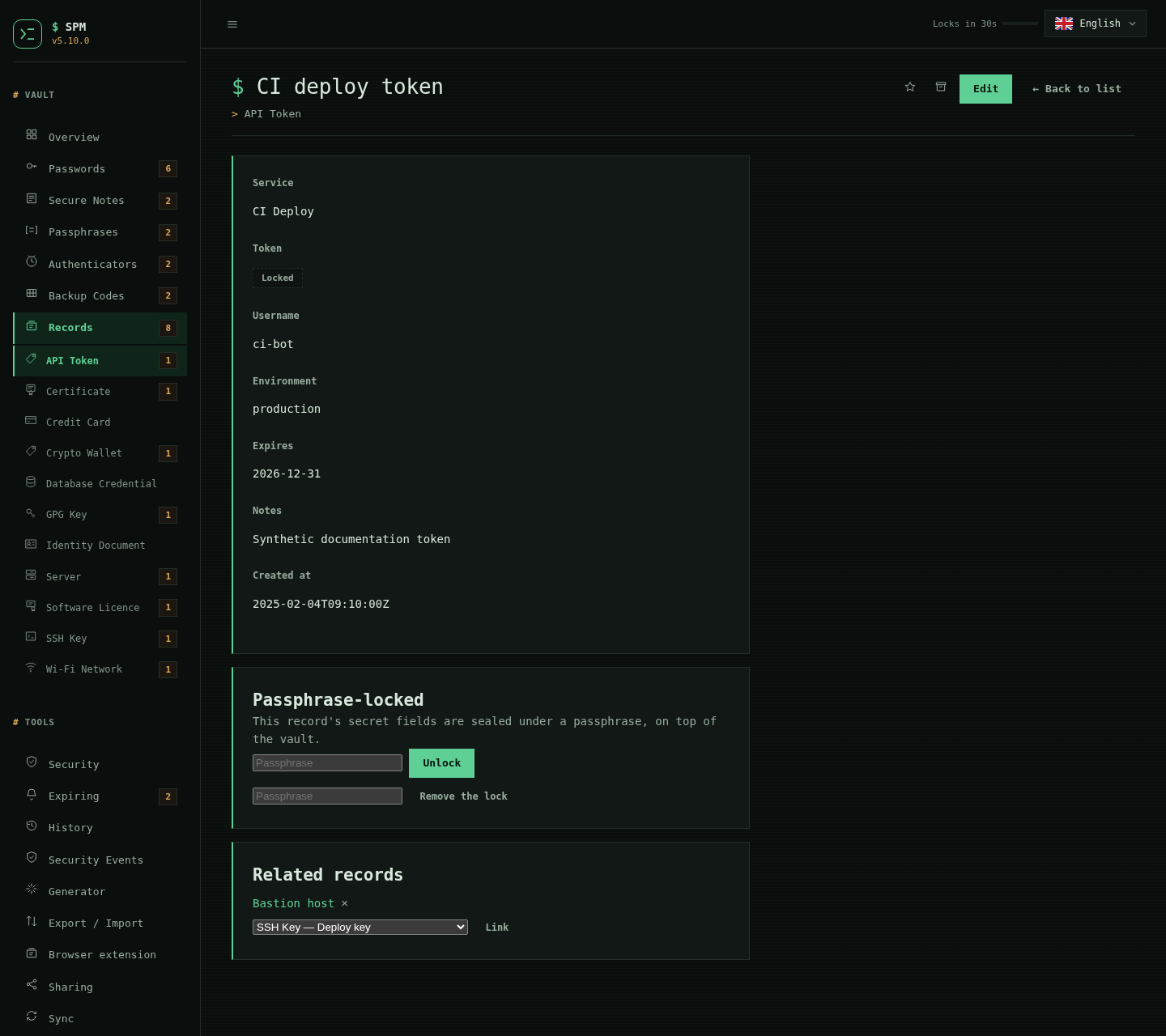
New in 5.2.0. Records can be shared with another SPM user as an encrypted file: each vault has its own sharing keypair, you group records into a collection, and you encrypt that collection to the recipient's public key. No account and no server. You can also define your own record types — they behave exactly like the built-in ones — link records to one another, and seal a record's secret fields under an extra passphrase so an unlocked vault still cannot reveal them.
| Sharing — export a key, create or import a share | Record Types — define your own |
|---|---|
 |
 |
| A record that is passphrase-locked and linked to another |
|---|
 |
LAN sync and device pairing
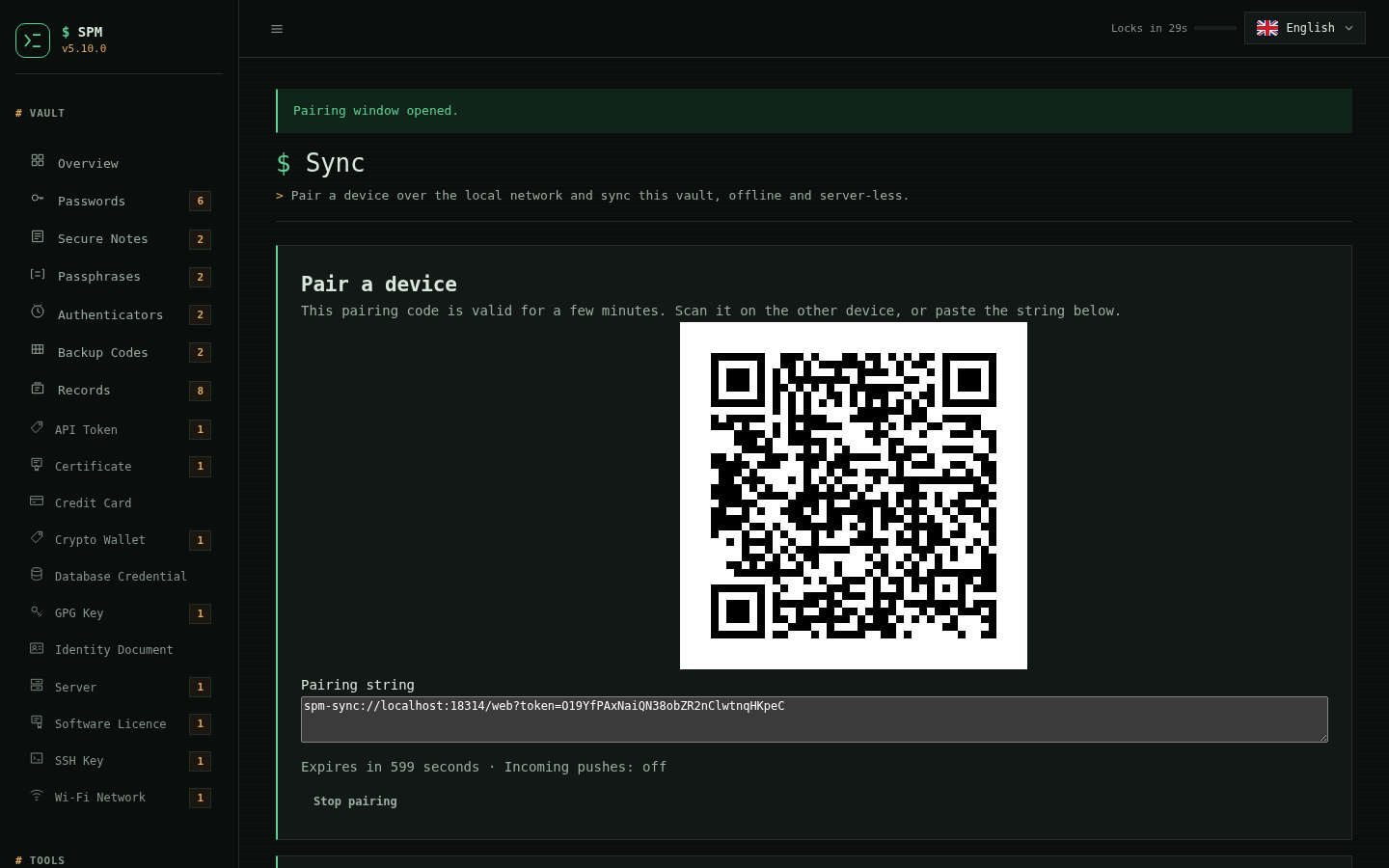
New in 5.3.0. Sync a vault directly between two devices on the same network —
offline and server-less. The Sync page opens a bounded pairing window and
shows a QR code and a spm-sync:// pairing string; the other device scans it
and pulls or pushes over the p2p transport, and only the encrypted vault ever
crosses the wire. From the CLI, spm sync serve prints the same code and runs a
token-gated listener.
| Sync — a pairing QR and string for another device on the network |
|---|
 |
Archive
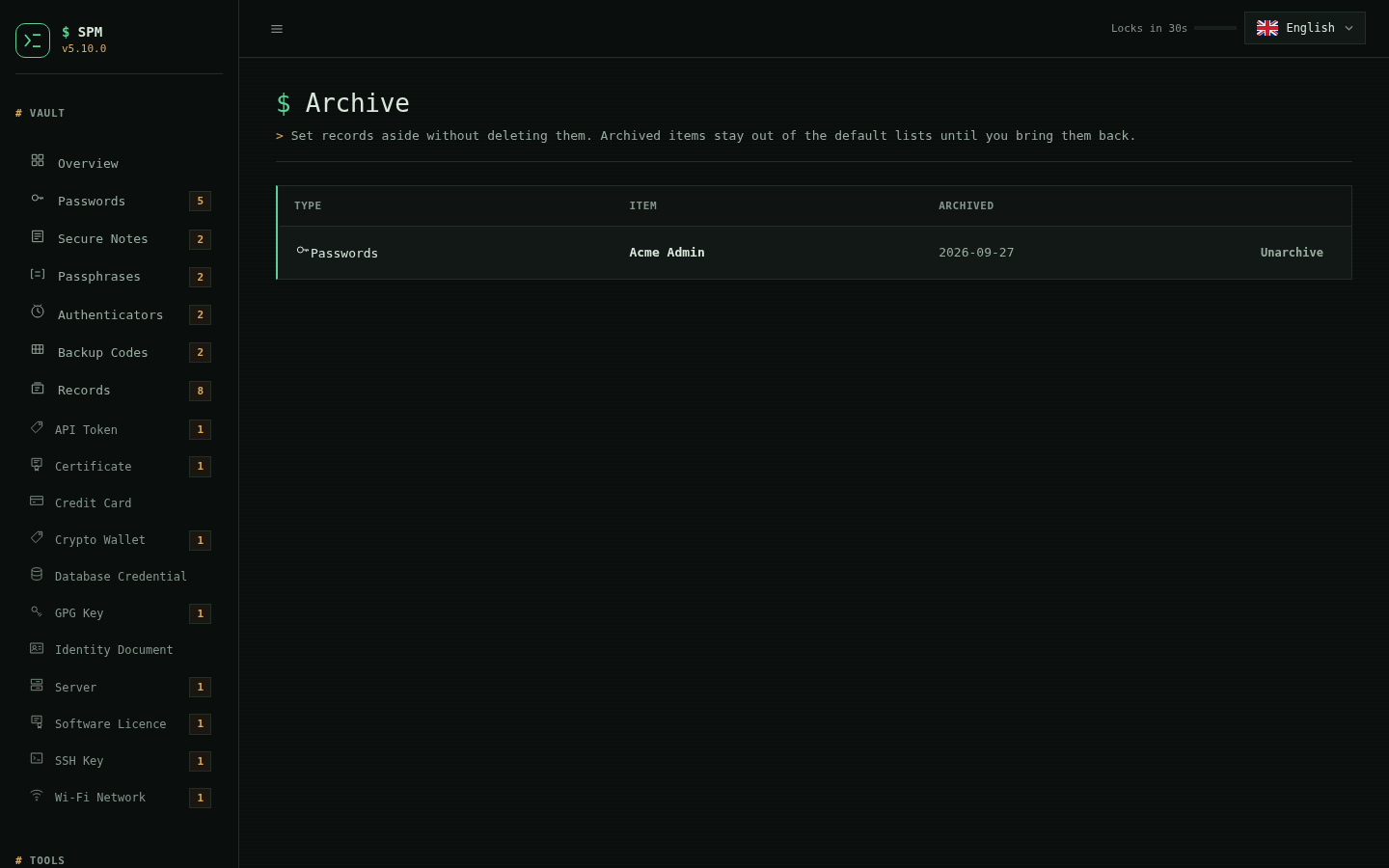
New in 5.4.0. Archiving a password or record sets it aside — out of the default lists, counts and search — without deleting it or putting it on a purge clock. It is a third state beside favourite and trash: independent of the trash, with its own page and a one-click unarchive. Archive an item from its row or detail view; bring it back whenever you like.
| Archive — items set aside, out of the default lists, with a one-click unarchive |
|---|
 |
The desktop launcher and Windows
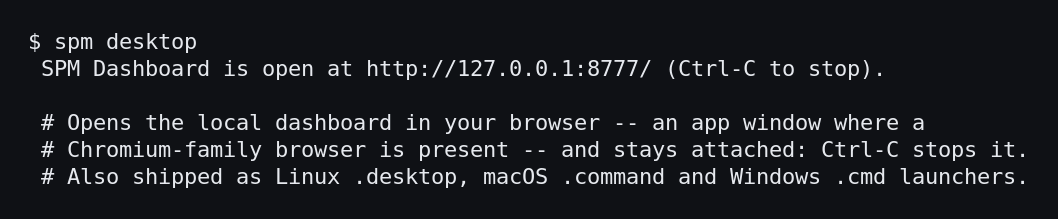
New in 5.5.0. spm desktop starts the local Dashboard and opens it in your
browser — an app window where a Chromium-family browser is present — staying
attached so Ctrl-C stops it. Each release also ships Linux .desktop, macOS
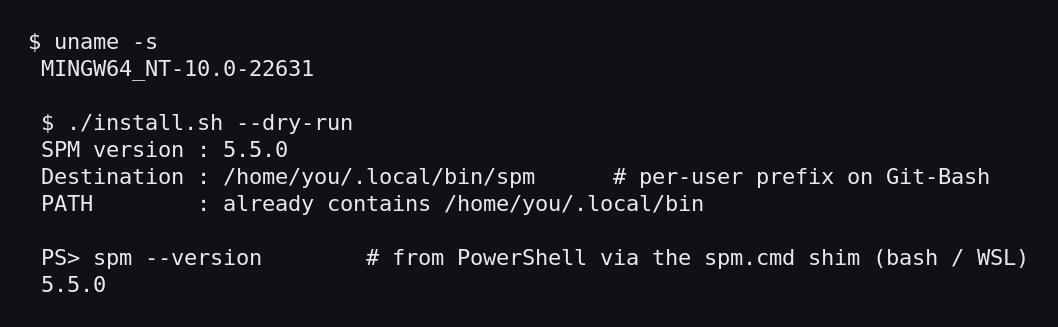
.command and Windows .cmd launchers that run it. SPM also runs first-class on
Windows through Git-Bash or WSL: the installer picks a per-user prefix there,
spm.cmd/spm.ps1 shims run it from a Windows prompt, and the Dashboard opens in
the Windows browser.
The spm desktop launcher |
Installing under Git-Bash / WSL |
|---|---|
 |
 |
Secret scopes, injection, plugins and phishing warnings
New in 5.6.0, on the command line and in the extension.
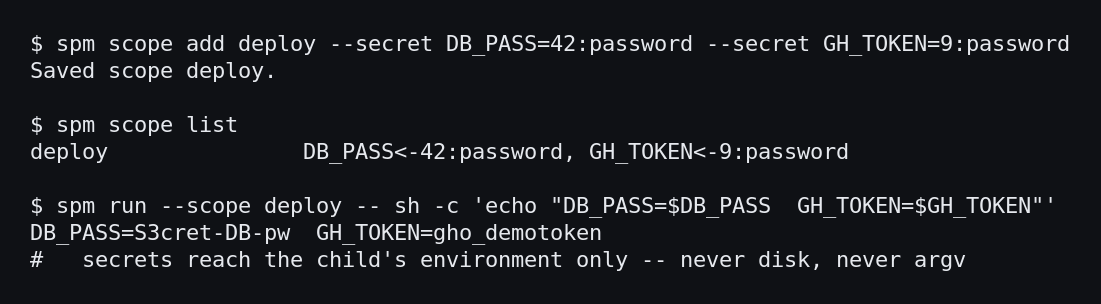
A secret scope is a named, least-privilege allow-list of records. spm scope add stores it in the vault; spm run --scope <name> -- <command> then hands only
those secrets to a command in its environment — never on disk, never on the
argument vector — and spm env prints them for eval. A scope is the one thing a
non-interactive caller reads secrets through.
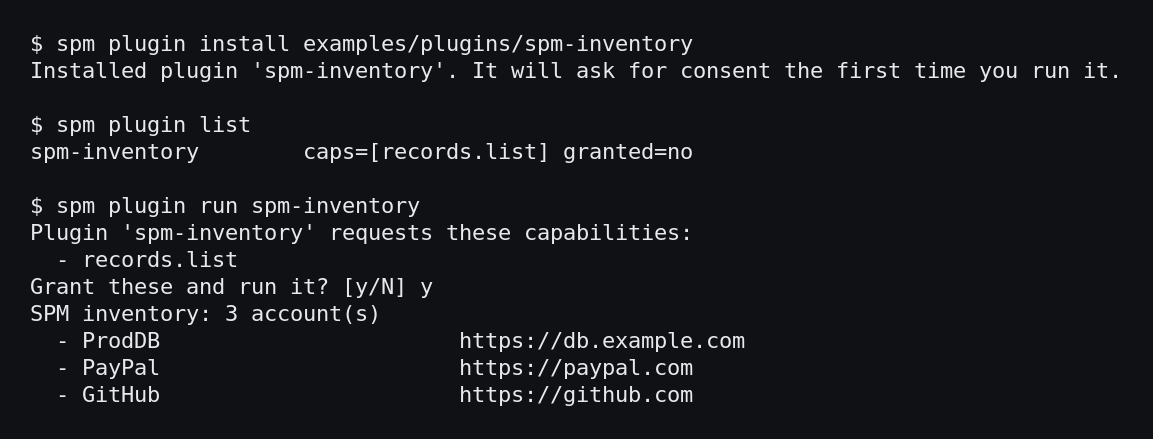
A plugin extends SPM as a separate program with a plugin.json capability
manifest and explicit, manifest-pinned consent. The trusted host mediates every
capability and a plugin never sees the vault key: records.list gives labels but
no secret, and secret.get reaches only the records of one granted scope.
A look-alike warning flags a page bound to no record that resembles one you
use — a homoglyph, a swapped character, or a one-keystroke typosquat. The
extension shows a non-blocking caution before any fill, and spm phishing-check
answers the same question from the shell. No blocklist, no network.
Secret scopes and spm run |
The plugin SDK, under consent |
|---|---|
 |
 |
| A look-alike / phishing warning |
|---|
 |
Per-record rotation, JSON output, and installing the extension
New in 5.7.0, alongside the completed partials.
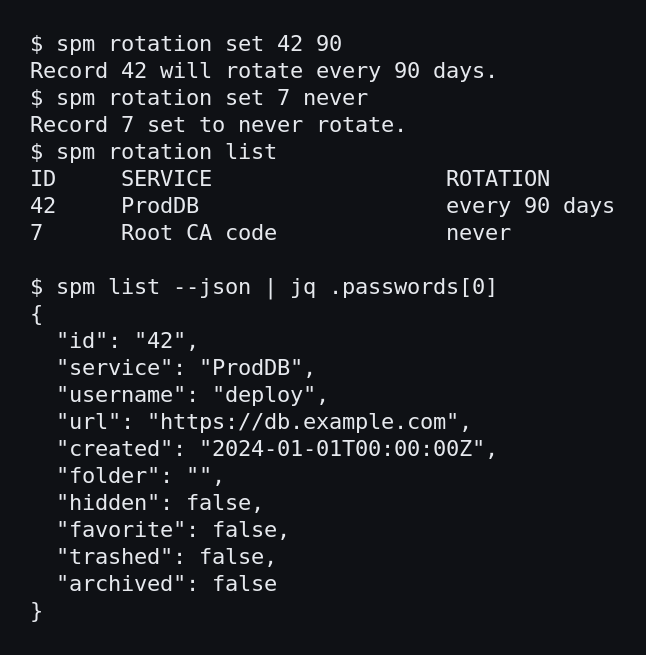
A single record can set its own password-rotation window (or opt out), over
the vault-wide default, and the security score reads it. spm list --json and
spm get <id> --json print the vault in a form scripts can read — list
secret-free, get including the password it already shows. The Dashboard
search gained a grammar: type:, tag:/#tag, folder:, is:favorite/
is:hidden, and expires:<30d/expires:overdue, combinable with free text.
Two more completed this release don't screenshot as a terminal: hardware-backed
recovery — reset the master with a registered security key, offered on the
Dashboard unlock page — and a time-locked emergency kit (--delay-hours) an
offline recipient cannot open before the intended delay.
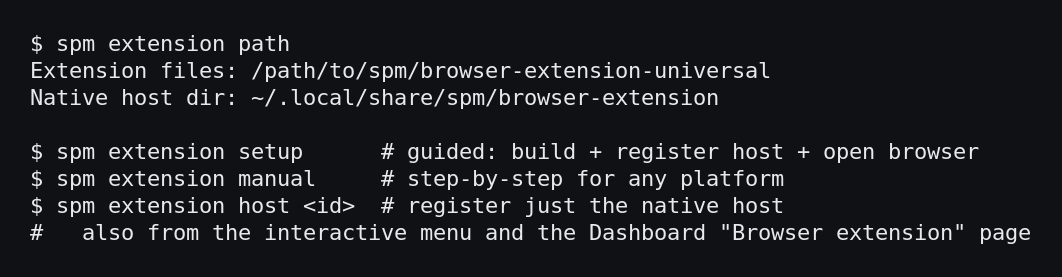
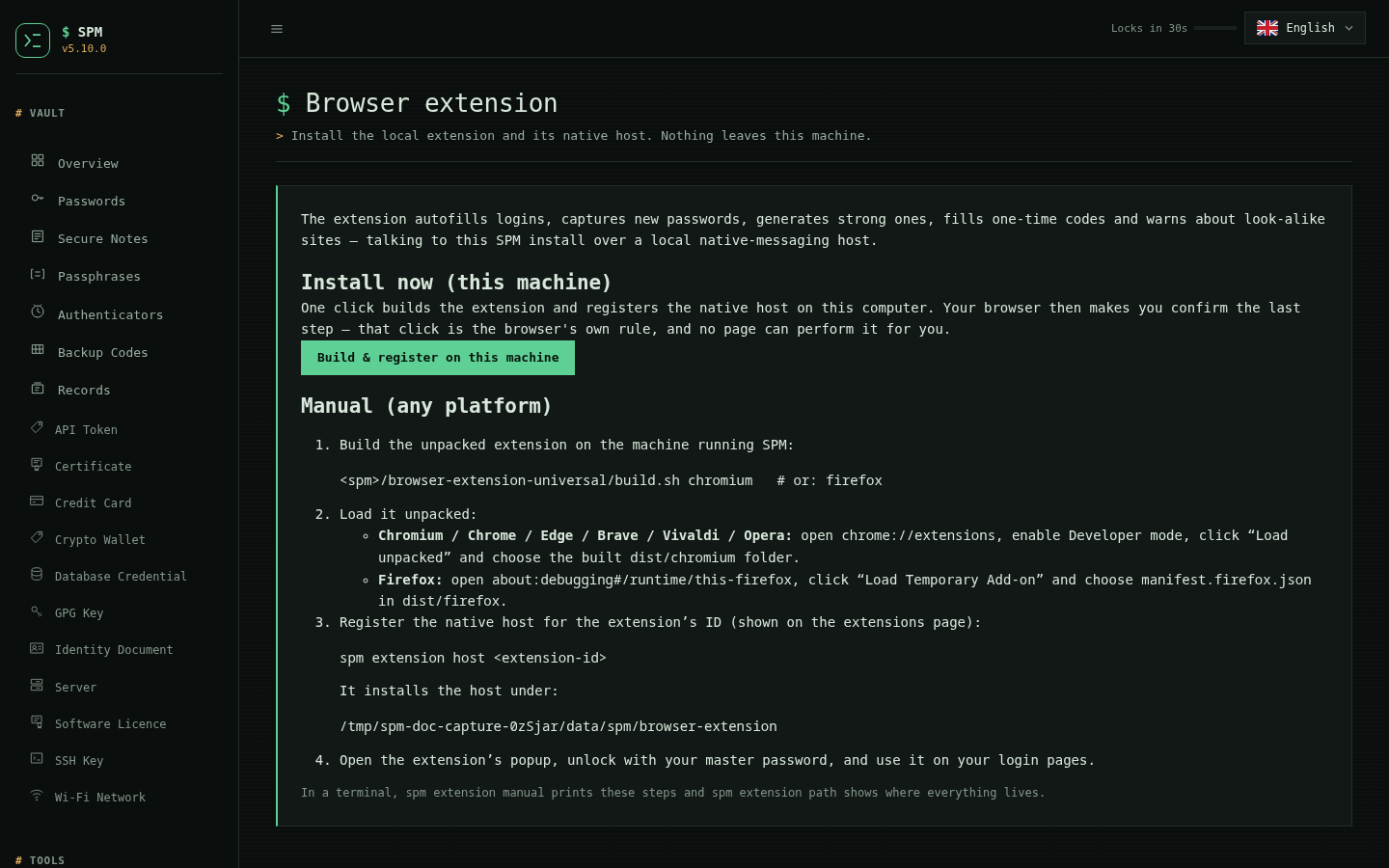
Installing the browser extension is now one step wherever you are: spm extension setup (guided) or manual, an interactive-menu entry, and a Dashboard
Browser extension page. On a local Dashboard (5.7.1+), that page has an
Install now button that builds the extension and registers the native host
for you — leaving only the one step the browser reserves for itself, the
Load-unpacked confirmation that no page can perform. The button is offered only
to a local viewer: a Dashboard published behind a proxy shows the manual steps,
because the extension talks to a same-machine native host and cannot work across
one (5.7.2).
Per-record rotation and --json |
Installing the extension |
|---|---|
 |
 |
| The Dashboard's Browser extension page, with one-click "Install now" |
|---|
 |
Complete web interface gallery
Passwords
| Add | View | Edit |
|---|---|---|
 |
 |
 |
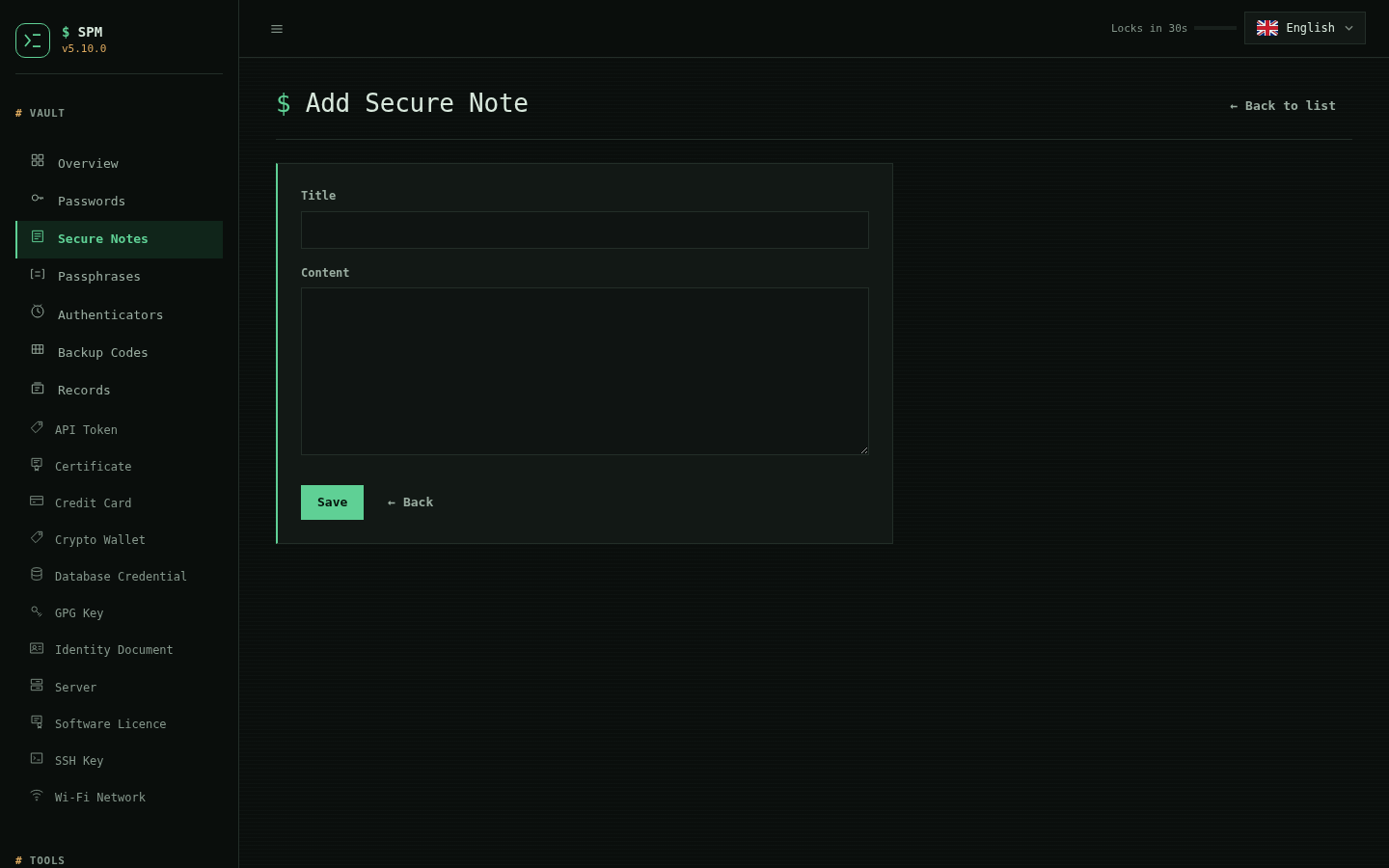
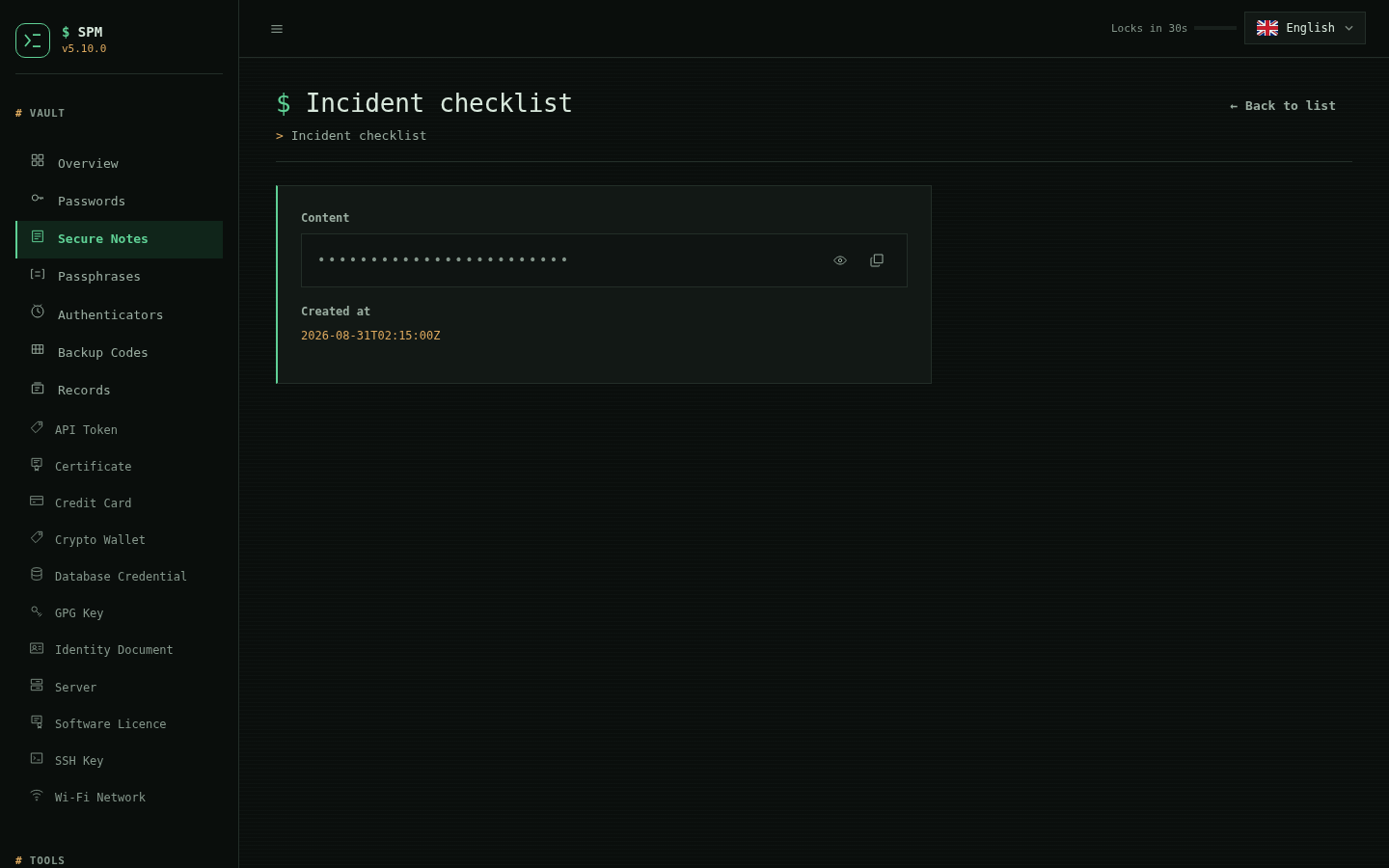
Secure notes
| List | Add | View |
|---|---|---|
 |
 |
 |
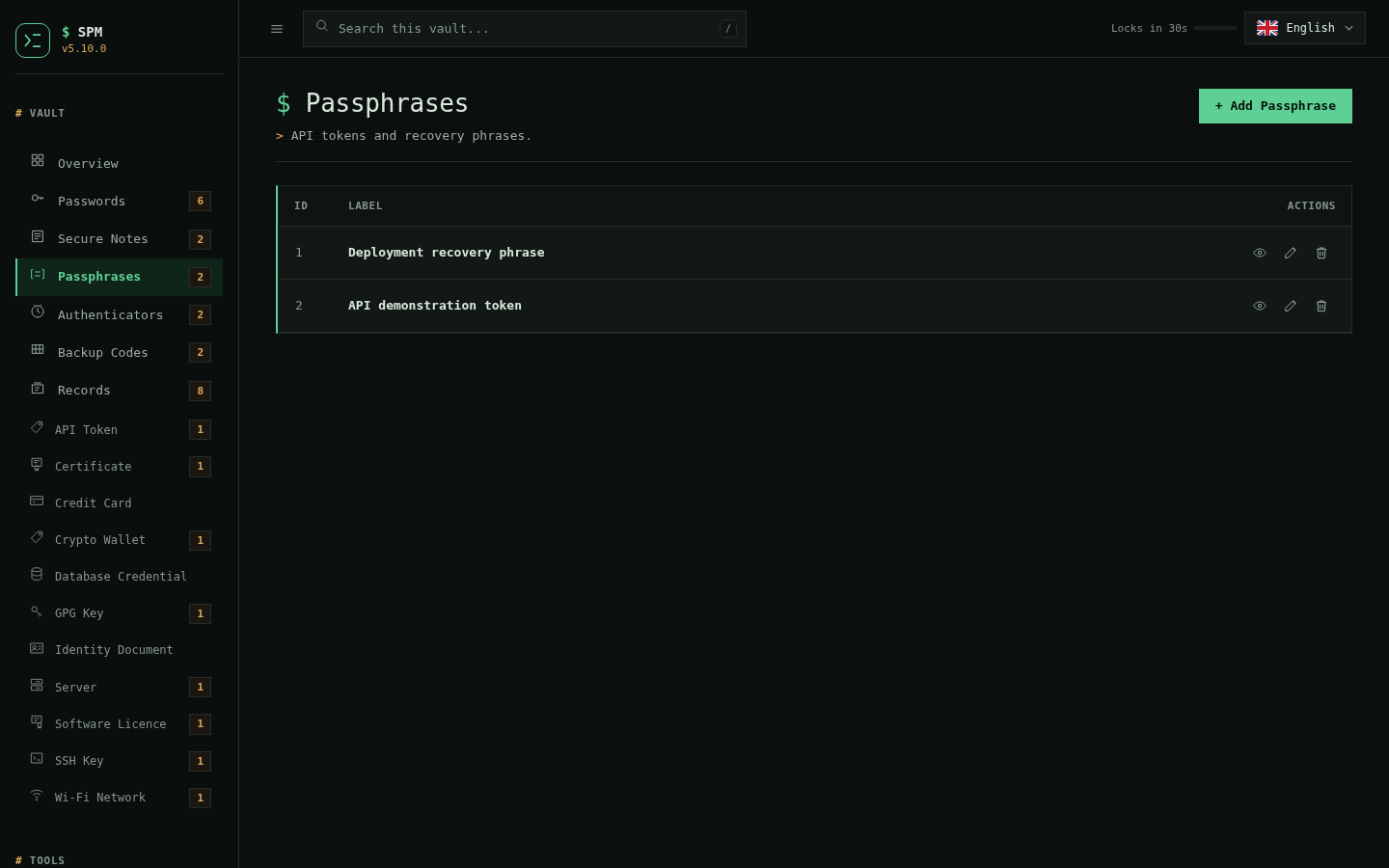
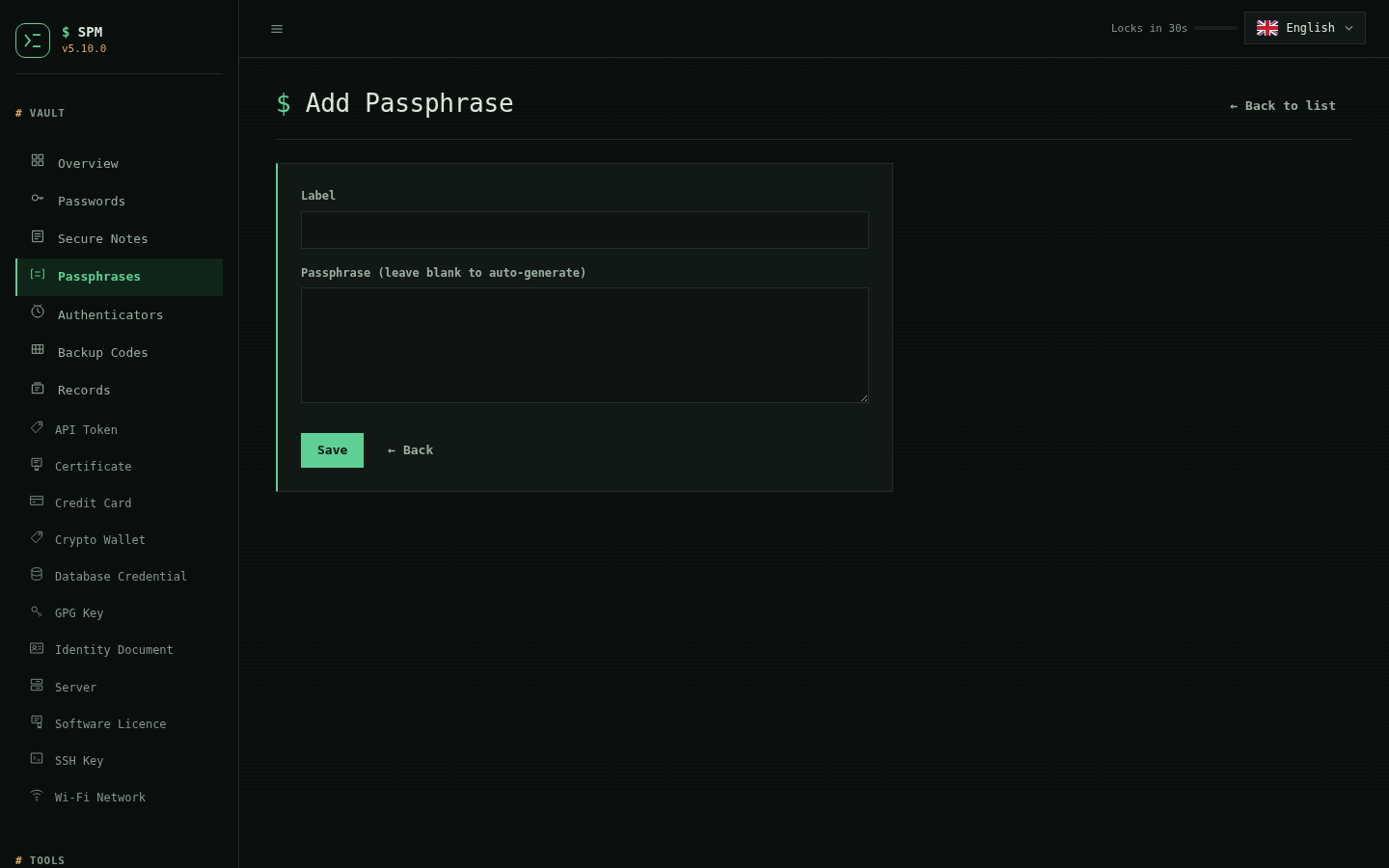
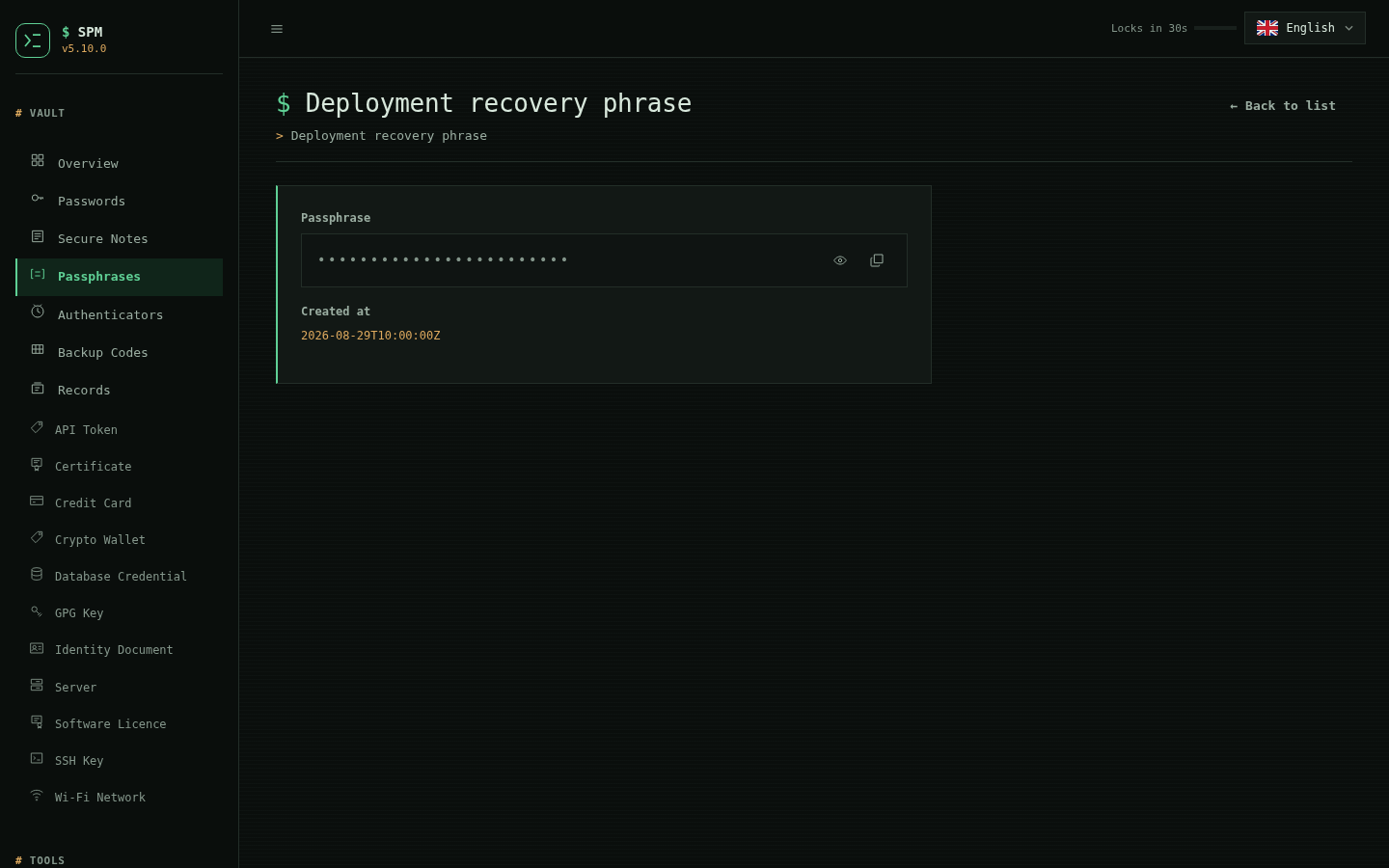
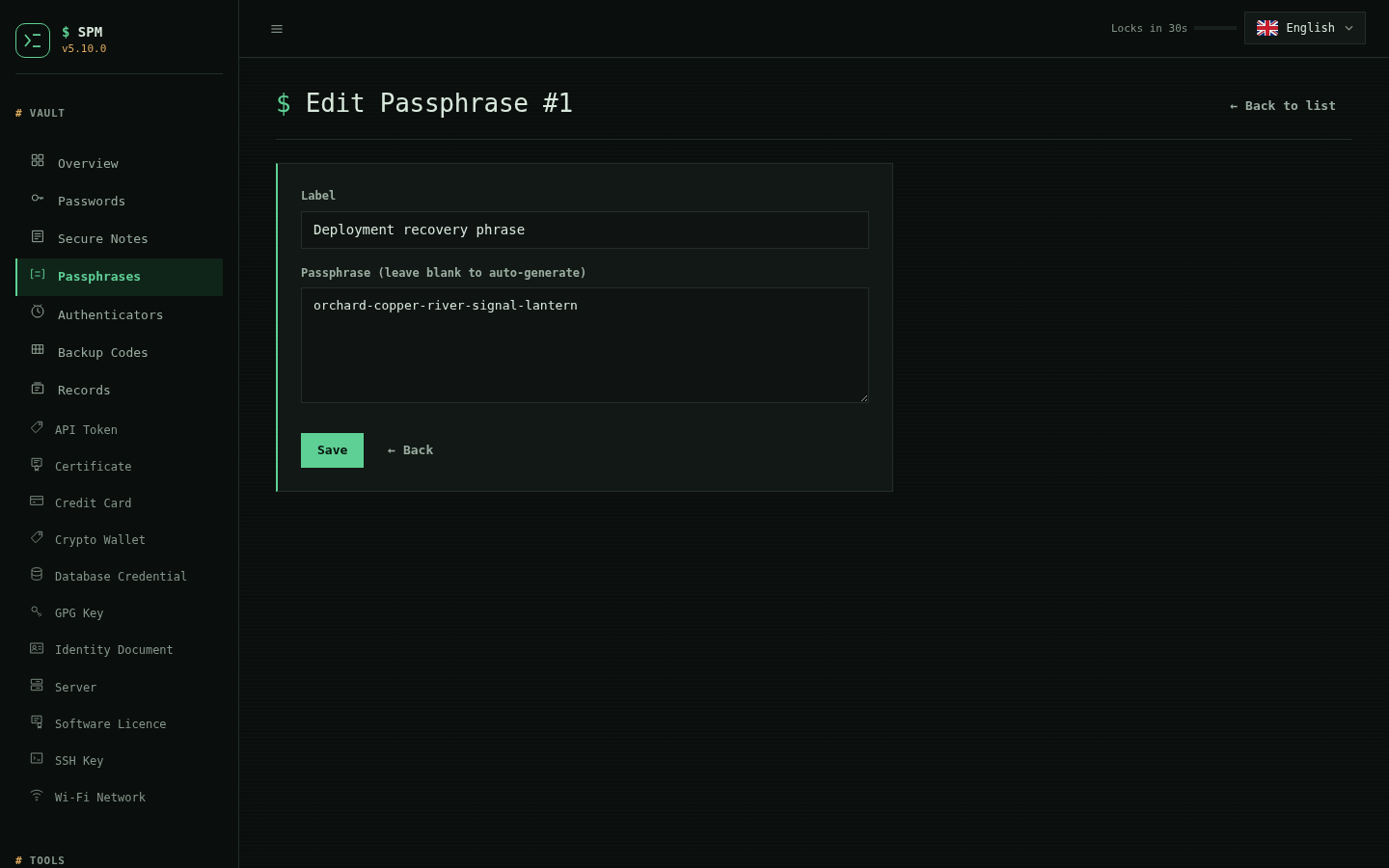
Passphrases
| List | Add | View | Edit |
|---|---|---|---|
 |
 |
 |
 |
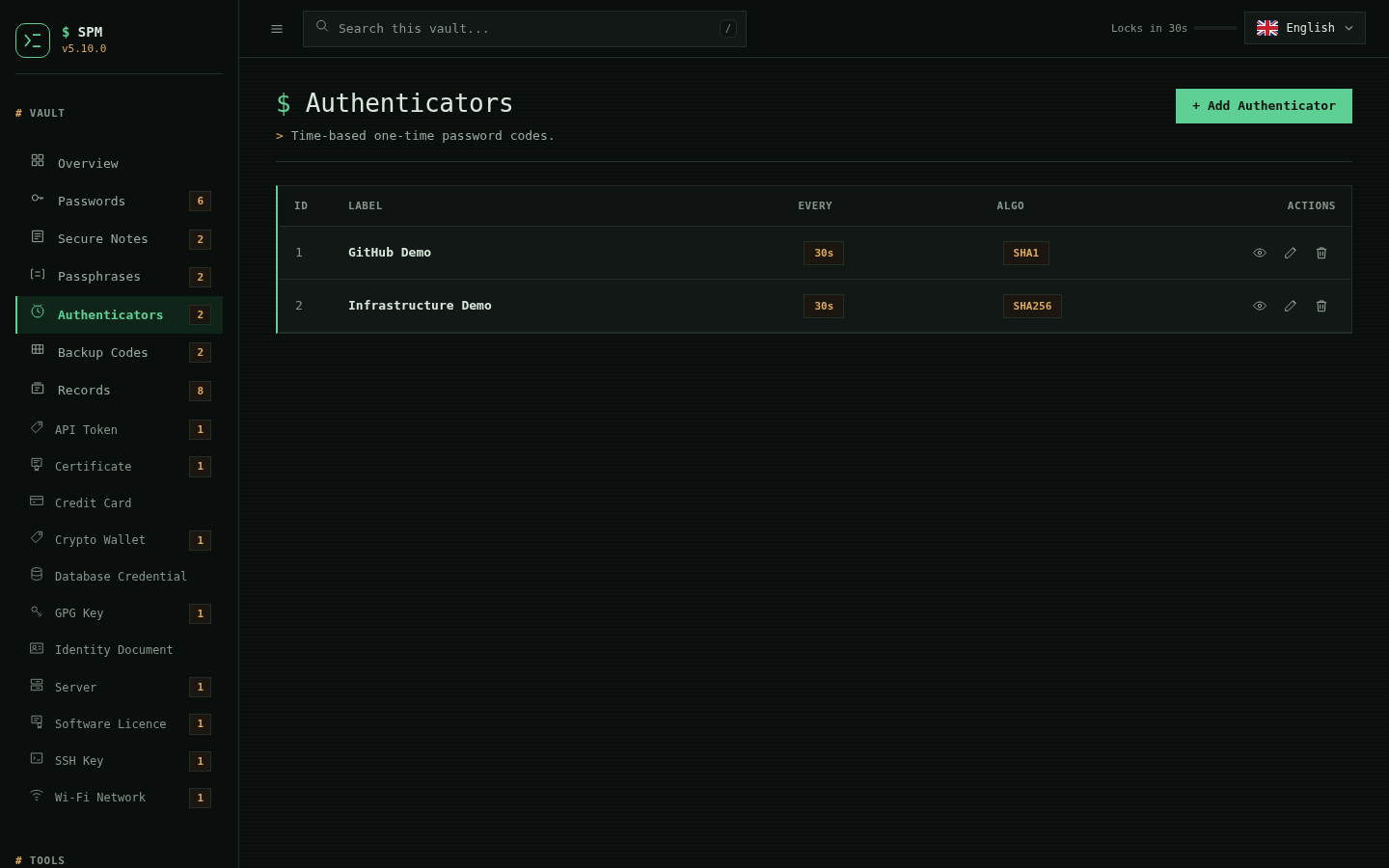
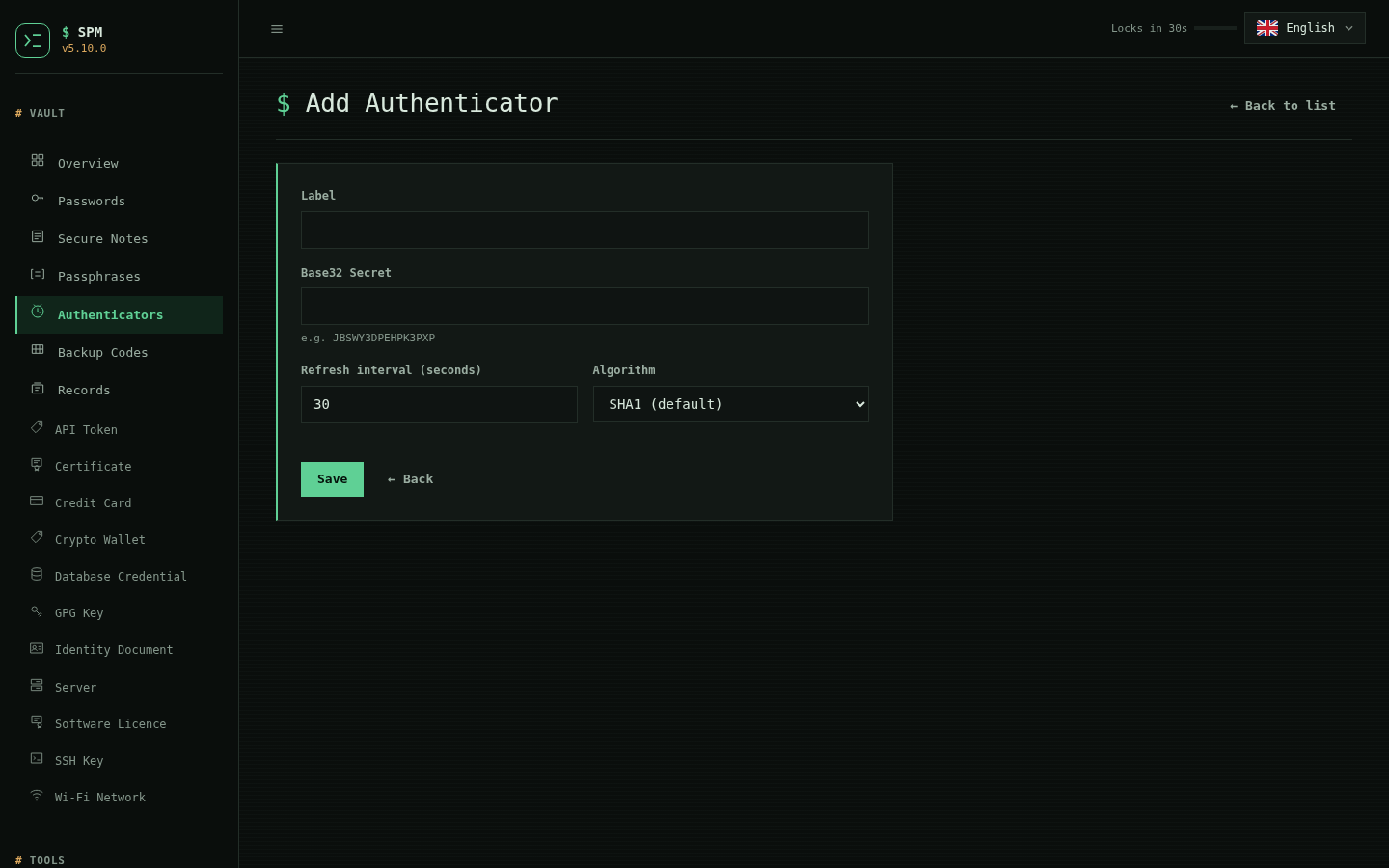
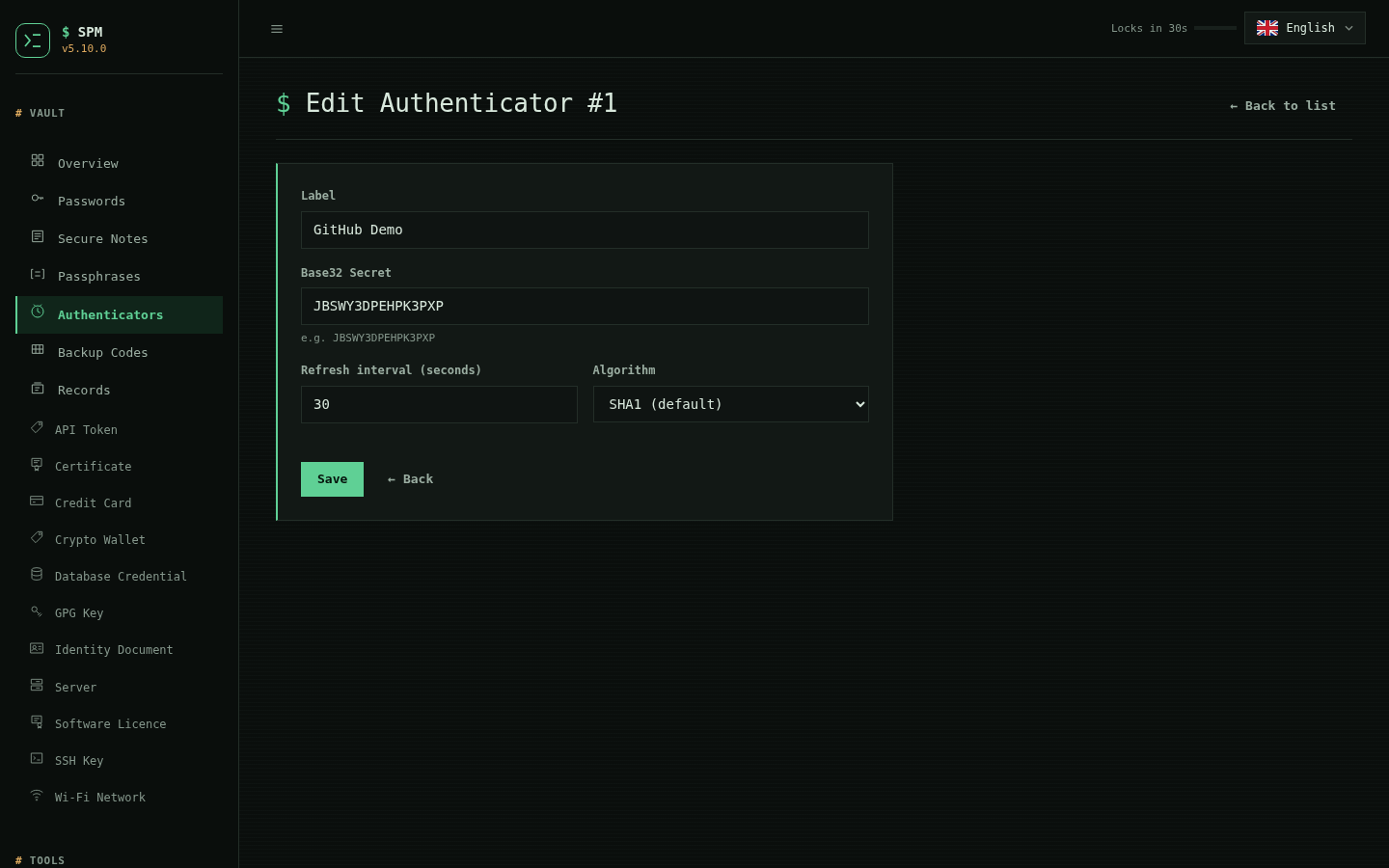
Authenticators
| List | Add | View | Edit |
|---|---|---|---|
 |
 |
|
 |
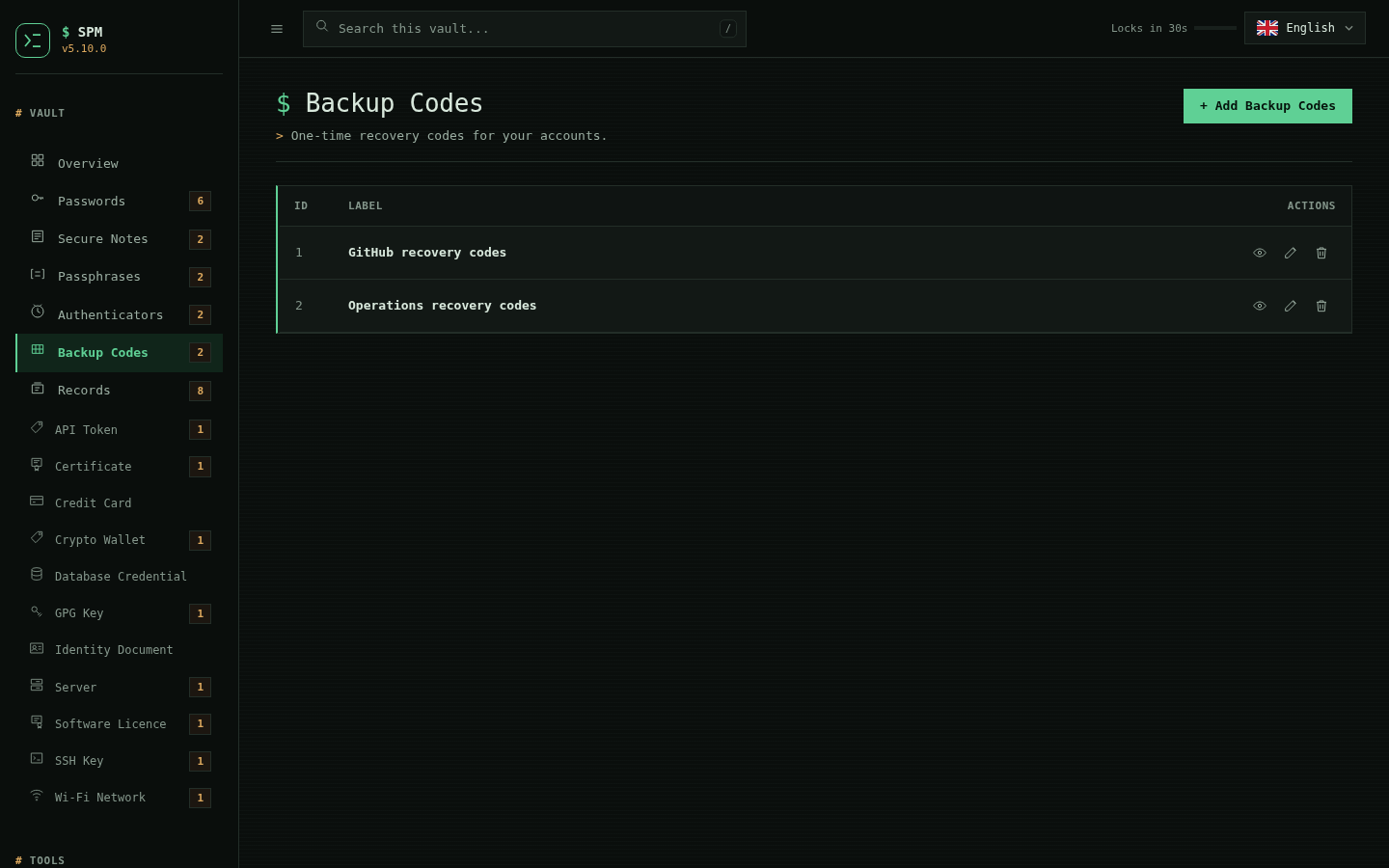
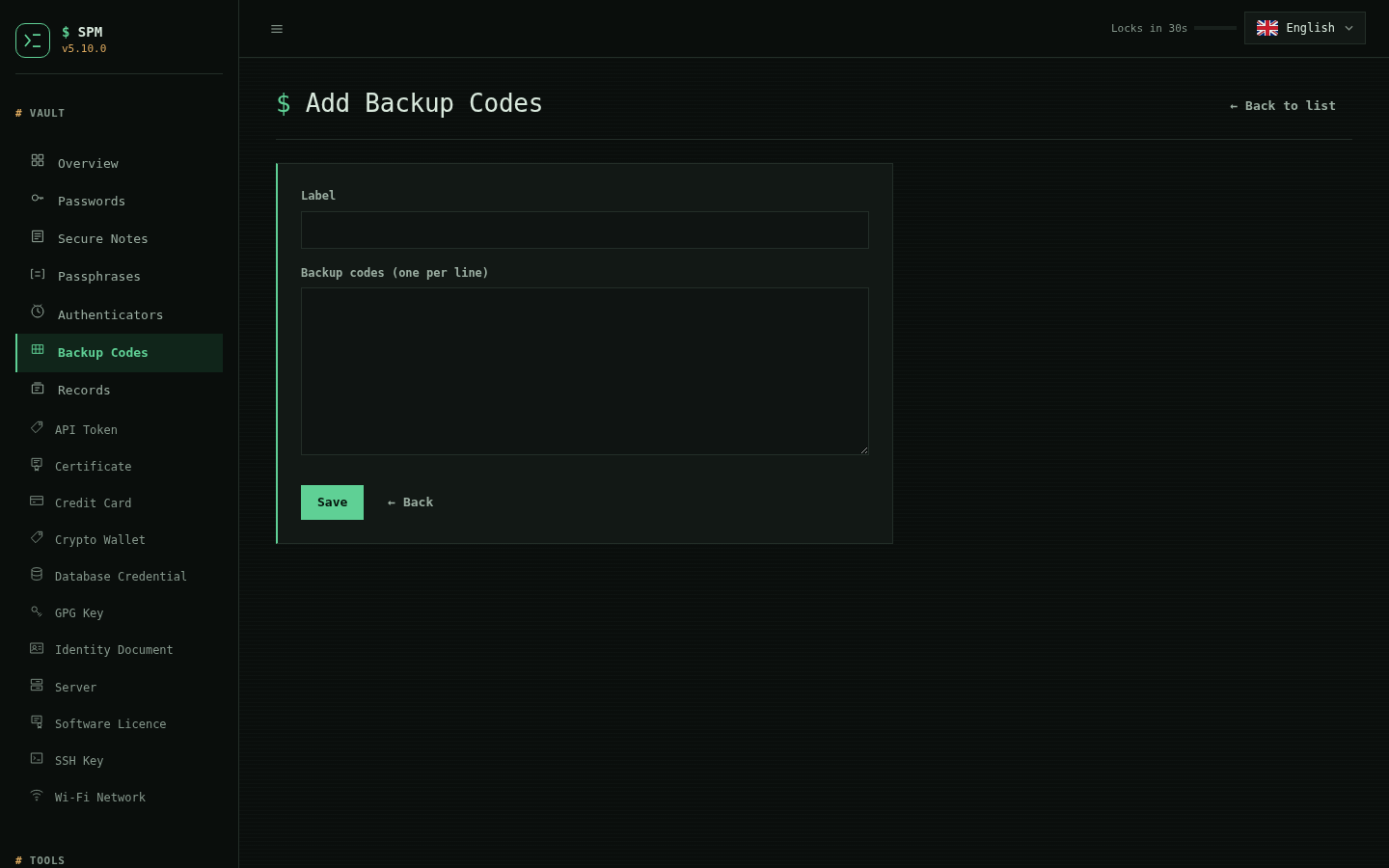
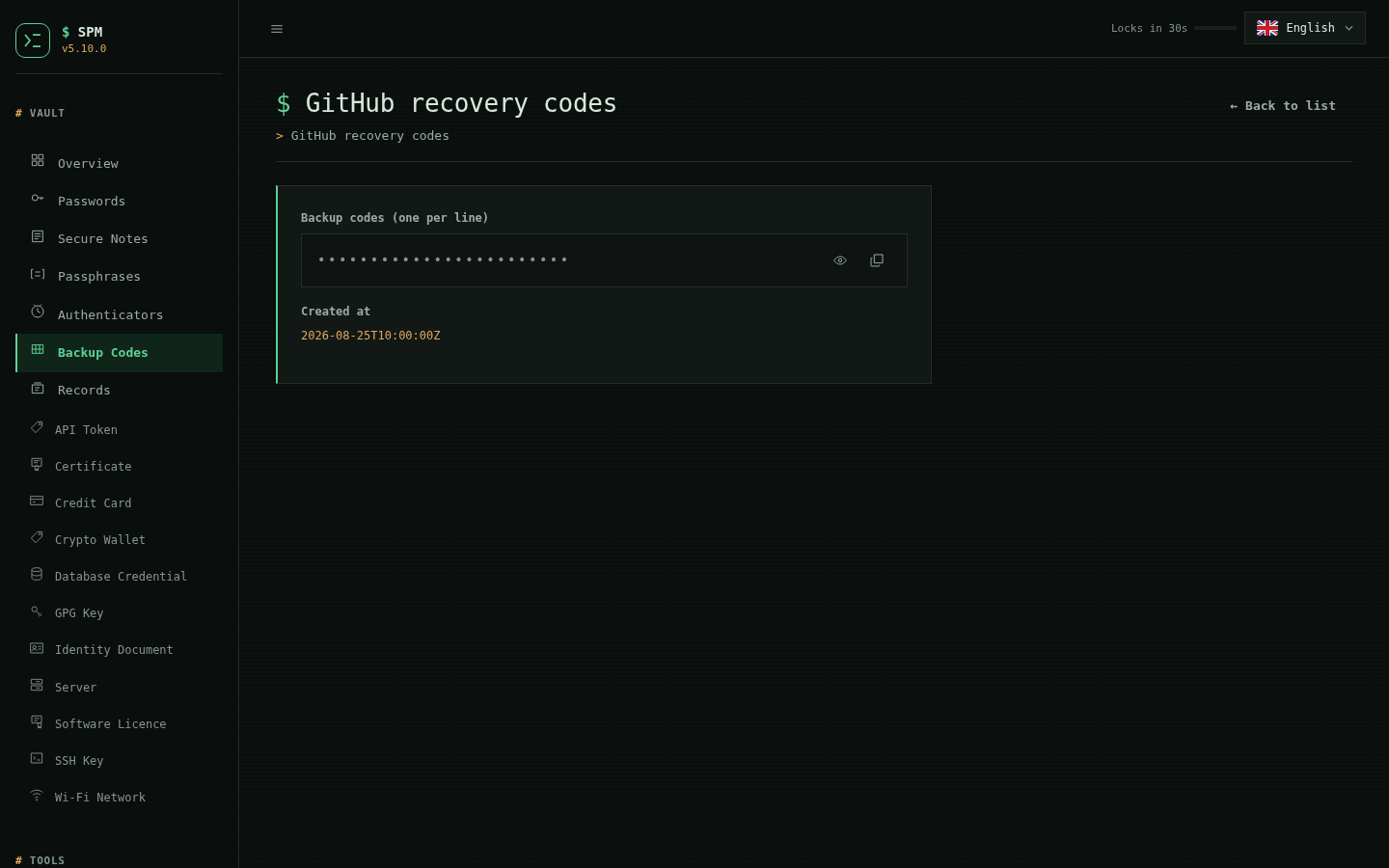
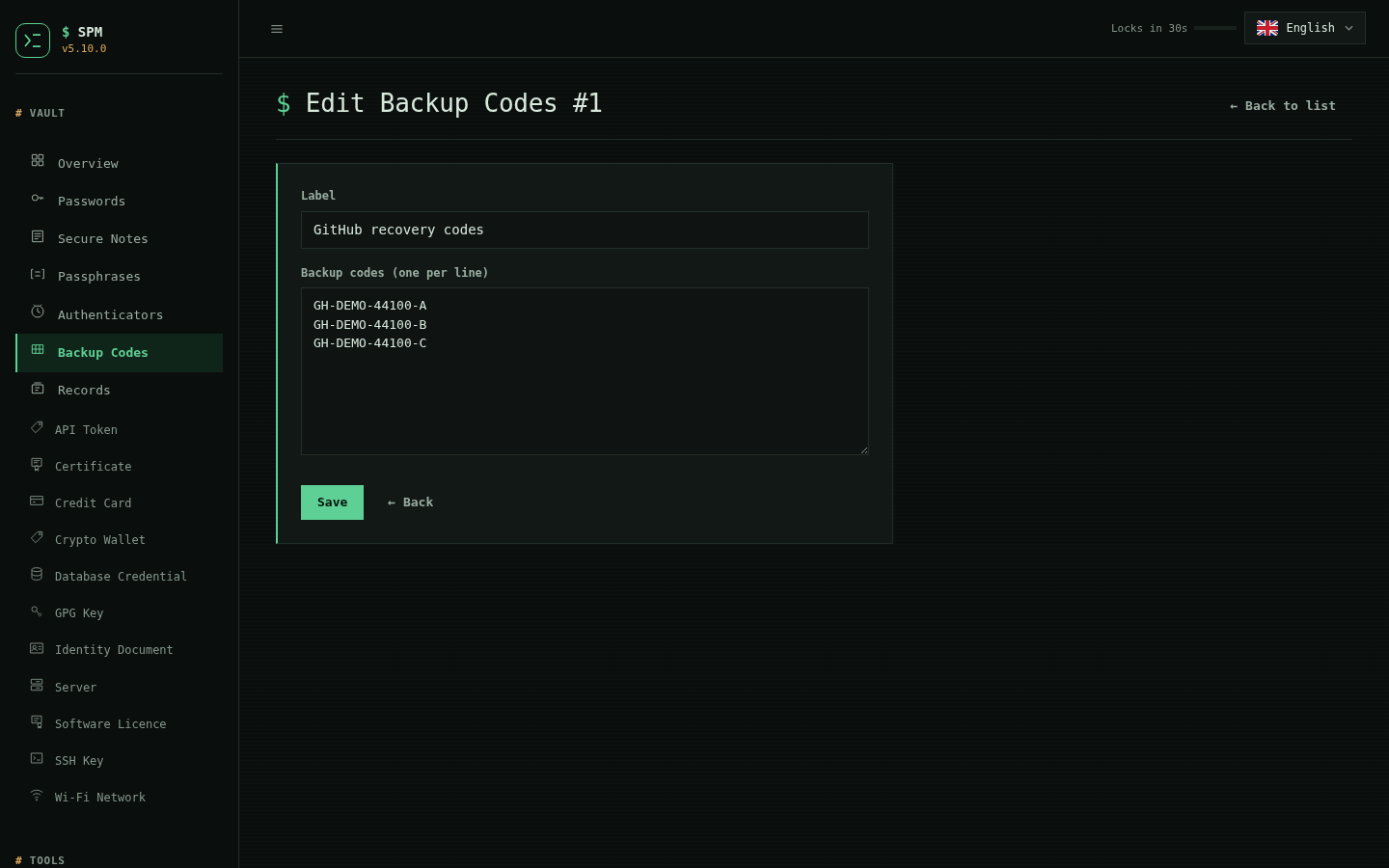
Backup codes
| List | Add | View | Edit |
|---|---|---|---|
 |
 |
 |
 |
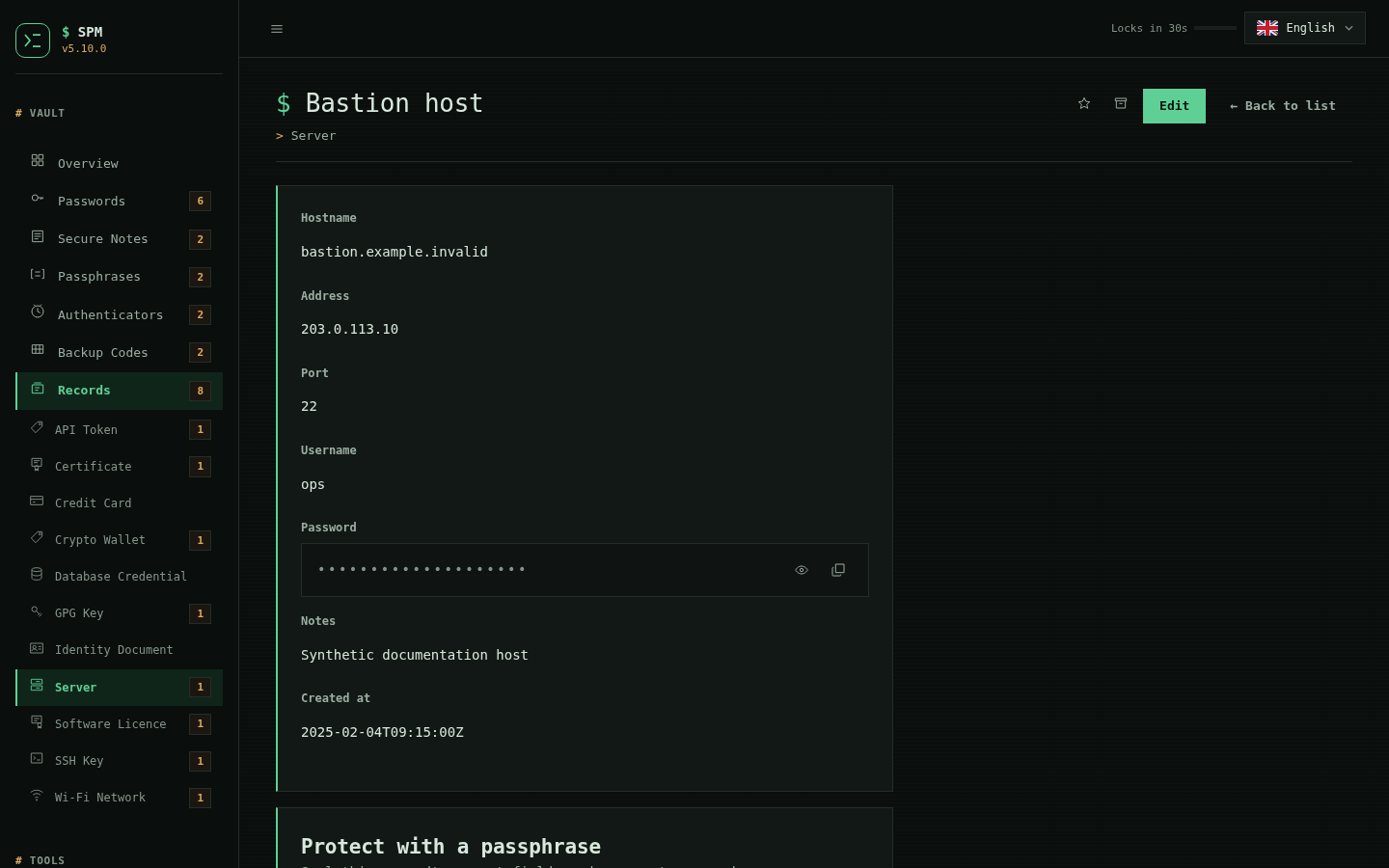
Records
| Add (schema-drawn form) | Server record | Wi-Fi and the rest |
|---|---|---|
 |
 |
|
Settings
| Master password | Biometric unlock |
|---|---|
|
|
Capabilities
- AES-256-CTR vault under an HMAC-SHA256 tag, with atomic writes and advisory locking
- Interactive terminal interface with English, Indonesian, and Japanese modes
- Optional Console-style web interface with inactivity locking
- Password records, secure notes, passphrases, backup codes, and TOTP authenticators using SHA-1, SHA-256, or SHA-512
- Secure and memorable password generation with strength coaching
- Clipboard copy feedback and automatic clipboard clearing
- CLI and web import/export across CSV, JSON, TSV, NDJSON, Markdown, HTML, YAML, XML, SQL, INI, PSV, RST, TOML, Org, SCSV, JSONC, and related variants
- Vault-wide security score for weak, reused, old, incomplete, or malformed records, plus an opt-in k-anonymous Pwned Passwords review that sends only five-character SHA-1 prefixes and lists affected record IDs
- Cross-type search and
#hashtagtags across every record type - SSH private keys as a record type, with the fingerprint, key type, size
and public key derived from the stored key rather than typed in — read
straight out of the
openssh-key-v1container, without the passphrase, without a temporary file, and without shelling out tossh-keygen - Stored SSH keys handed to
ssh-agentover a pipe with a bounded lifetime, never as a file or a command-line argument, with the passphrase delivered over an inherited descriptor and unloading done by the public half alone - OpenPGP secret keys as a record type, with the fingerprint, key id,
algorithm, curve or size, creation date and identities derived from the
stored key in pure Python — matching
gpg's own fingerprint without gpg, without a keyring or agent, and without the passphrase - A URL on every password record, scheme-restricted to
http(s), used to bind a credential to a site for the browser extension - Encrypted history, verified manual/automatic backups, and confirmed rollback, restorable from the interactive menu or SPM Dashboard
- Digest-verified encrypted attachments with a 1 MiB limit
- Named vault profiles and conflict-aware filesystem synchronization
- Recipient-encrypted emergency kits with authenticated contents
- Platform passkey metadata and an exact-domain native browser bridge
- Security keys that open the vault outright: the vault key sealed under the bytes a WebAuthn PRF credential derives, with no master password in that path at all
- Portable and SAVE bundles with recovery private keys excluded by default
- RSA-based self-custodied recovery and built-in doctor diagnostics
Architecture & Security Model
Encryption
- Vault: AES-256-CTR, authenticated with HMAC-SHA256 (encrypt-then-MAC)
- Master password: scrypt, n=65536, r=8, p=1 (64 MiB), recorded in the vault header
- Vault key: 256 random bits, sealed under the master password and not stretched
- Recovery: RSA-2048 private/public key
- Notes: Base64 + encrypted
- Metadata: Stored inside encrypted vault
Recovery Design
spm_recovery_private.pem→ your private key (store offline)<vault>.recovery→ recovery capsule encrypted with RSA public key
SPM Assumes
- Host machine is secure
- User protects master password & private key
- GnuPG/OpenSSL are trusted binaries
SPM Dashboard safeguards
- Login failures are isolated by visitor behind the bundled loopback nginx configuration, synchronized across request threads, expired, and memory-bound.
- Vault mutations are serialized and protected by per-session CSRF tokens.
- Password generation refuses to continue without a cryptographically secure random source.
SPM Does NOT Resist
- Keyloggers / malware
- Root attackers
- RAM extraction
- OS-level compromise
- User mistakes (uploading vault, losing private key)
For more details, see SECURITY.md.
Requirements
SPM automatically checks / installs:
- bash
- gpg
- openssl
- curl
- zip
- mktemp
- Clipboard helpers:
- pbcopy (macOS)
- xclip / wl-copy (Linux)
- termux-clipboard-set (Termux)
Installation
Verified release installer
Download the installer first so you can inspect it, then install the latest
release. The installer downloads both the official ZIP and its matching
SHA-256 file, verifies the archive, checks Bash syntax, and installs spm.
curl -fsSLO https://raw.githubusercontent.com/sansyourways/Sans_Password_Manager/main/install.sh
bash install.sh
Install a specific release or a user-writable prefix:
bash install.sh --version 5.2.0
bash install.sh --prefix "$HOME/.local"
Verifying where a release came from
The installer downloads the archive and its .sha256 from the same host and
compares them. That proves the transfer was intact. It proves nothing about
where the archive came from: whoever can write one file can write the other.
From 3.9.0 each release also carries a build attestation — a signed statement, recorded in Sigstore's public transparency log, that this exact archive was produced by this repository's release workflow. The installer checks it when it can:
Provenance : attestation verified against sansyourways/Sans_Password_Manager
It needs the GitHub CLI 2.49 or newer, signed in. Without it the install continues and says why, so "installed" is never read as "verified" when nothing was verified:
Provenance  : not checked (the GitHub CLI is not installed)
Provenance  : not checked (this GitHub CLI is too old; needs 2.49+)
Provenance  : not checked (the GitHub CLI is not signed in)
Provenance  : 3.8.0 predates build attestations; checksum only
A release at or after 3.9.0 that fails the check aborts the install.
To check by hand, at any time:
gh attestation verify Sans_Password_Manager_v5.2.0.zip \
  --repo sansyourways/Sans_Password_Manager
spm.sh is attested alongside the archive, so a copy lifted out of a release
can be verified on its own without keeping the zip.
Rebuilding a release to check it
The archive is built by release-archive.sh and is
reproducible: entry order is sorted, every timestamp comes from the commit
rather than the clock, and machine-specific fields are stripped. The same
commit rebuilt anywhere gives the same bytes, so the published checksum is
something you can independently arrive at:
git checkout v5.2.0
./release-archive.sh
sha256sum -c Sans_Password_Manager_v5.2.0.zip.sha256
Outside a git checkout, set SOURCE_DATE_EPOCH to the commit's timestamp.
Installing from a package
Every release since 3.12.0 carries two packages besides the archive.
Termux — a real .deb, installed with the package manager rather than a
script:
version=5.2.0
curl -fsSLO "https://github.com/sansyourways/Sans_Password_Manager/releases/download/v$version/spm_${version}_all.deb"
curl -fsSLO "https://github.com/sansyourways/Sans_Password_Manager/releases/download/v$version/spm_${version}_all.deb.sha256"
sha256sum -c "spm_${version}_all.deb.sha256"
dpkg -i "spm_${version}_all.deb"
It installs spm into the Termux prefix, points its launcher at Bash inside
that prefix because Android has no /usr/bin/env, and depends on bash,
gnupg and python, so a package that installs is a package that runs. Like
the archive, it is reproducible: the same commit rebuilt anywhere gives the
same bytes. CI installs it with Termux's package manager and executes both its
version and help commands.
Homebrew — a formula is attached to each release as spm.rb:
brew install --formula "https://github.com/sansyourways/Sans_Password_Manager/releases/download/v5.2.0/spm.rb"
The formula pins the sha256 of that one archive, which is why it is generated per release rather than checked in: a committed formula is either stale or carries a checksum for an archive that no longer matches, and a wrong checksum fails for everyone at once.
What this is not. Neither package is published to a package index. Homebrew core has notability requirements a single-maintainer project does not meet, and Termux's repository has its own submission process; both are decisions to make deliberately rather than side effects of a build. What is here is installable today without either.
Running spm from anywhere
The installer puts the CLI at PREFIX/bin/spm — /usr/local/bin/spm by
default, which is already on PATH on most systems. When it is not, the
installer says so and adds it to your shell profile for you, so a new terminal
can run spm from any directory:
Installed SPM 5.2.0 at /home/you/.local/bin/spm
PATH        : added /home/you/.local/bin to /home/you/.bashrc
                run "exec /bin/bash" or open a new terminal to pick it up
The line it appends is marked with a comment and written only once, so reinstalling or upgrading never duplicates it. The profile is chosen from your login shell:
| Shell | File written |
|---|---|
| bash | ~/.bashrc, or ~/.bash_profile on macOS |
| zsh | $ZDOTDIR/.zshrc, else ~/.zshrc |
| fish | ~/.config/fish/conf.d/spm.fish (uses fish_add_path) |
| anything else | ~/.profile |
Nothing is written when the directory is already on PATH, when you pass
--no-modify-path, when SPM_NO_MODIFY_PATH=1 is set, or when the installer
runs as root — under sudo, $HOME may belong to root rather than to you, so
the installer prints the line to add instead of editing the wrong account's
profile.
The desktop launcher
spm desktop is a one-command way to open SPM: it starts the local Dashboard on
loopback, waits for it, and opens it in your browser — in an app window when a
Chromium-family browser is present, otherwise your default browser. It stays
attached, so pressing Ctrl-C (or closing the launcher) stops the Dashboard. It
is not a bundled app with its own browser engine — the window is your own
browser, which keeps SPM the small bash-and-Python program it is.
Each release also carries desktop-integration launchers (a Linux .desktop
entry, a macOS .command, and a Windows .cmd), all of which just run spm desktop. The installer places the .desktop entry so SPM appears in your
application menu on Linux.
Windows and WSL
SPM is a Bash program, and it runs first-class on Windows through either Git-Bash (Git for Windows) or WSL:
- Install. Run
install.shfrom Git-Bash or a WSL shell. Under Git-Bash it installs to a per-user prefix (~/.local/bin) that is already on yourPATH; under WSL it behaves like any other Linux install. - Run from PowerShell/cmd. Each release ships a
spm.cmdandspm.ps1shim (inpackaging/windows/); put one on yourPATHasspmand it forwards to Bash or WSL, sospm ...works from a Windows prompt. - The Dashboard.
spm desktopopens the Dashboard in your Windows browser — from WSL it reaches the Windows side over WSL2's localhost forwarding, usingwslvieworcmd.exeto launch the browser. - Scoop. The release also generates a Scoop manifest (
spm.json) for installing under Git-Bash/WSL.
To do it by hand, or if you installed from source, add the directory yourself:
echo 'export PATH="$HOME/.local/bin:$PATH"' >> ~/.bashrc
exec "$SHELL"
Confirm it worked:
command -v spm
spm help
Staying up to date
spm update checks GitHub Releases and installs the latest version on demand.
The download is SHA-256 verified and syntax-checked before it replaces the
installed script.
SPM can also check on its own at startup. This is off by default and never enabled implicitly, because the privacy policy limits network activity to things the user chooses to switch on:
spm auto-update status    # show the current mode
spm auto-update notify    # check daily, ask before installing
spm auto-update auto      # check daily, install without asking
spm auto-update off       # never check on its own
The same three modes are available from the interactive menu under Auto-update settings, which also shows when the last check ran and offers a one-off Check now.
| Mode | Behaviour |
|---|---|
off (default) |
SPM never contacts GitHub unless you run spm update |
notify |
Checks at startup, at most once a day, and asks before installing |
auto |
Checks at startup, at most once a day, and installs without asking |
The check is deliberately unobtrusive: it runs only on an interactive terminal,
never during scripted use, times out after a few seconds, and is silently
skipped when you are offline or GitHub is unreachable — being unable to reach
the network never delays access to your vault. Set SPM_UPDATE_TIMEOUT to
change the timeout.
From source
git clone https://github.com/sansyourways/Sans_Password_Manager.git
cd Sans_Password_Manager
chmod +x spm.sh
./spm.sh
Usage
Interactive Menu
./spm.sh
Includes:
- Add / list / get / delete entry
- Edit vault
- Change master password
- Portable bundle
- SAVE bundle
- Secure notes
- Recovery
- Doctor diagnostics
- Vault history (pick an encrypted snapshot by number and restore it)
- Per-record password history (
spm password-history <id>)
SPM Dashboard
./spm.sh web
- Runs on localhost by default; Global/custom binds require an explicit risk confirmation
- Background mode verifies that its PM2 process is online and reports startup errors
- SPM never changes firewall rules automatically; restrict any remote port to trusted clients
- Vault stays encrypted locally
- Master password required
- Features:
- View entries
- View notes
- View passphrases
- View backup codes
- Edit entries
- Local copy-to-clipboard with inline toast feedback
- Language dropdown (EN/ID/JP) that translates the dashboard/import card and remembers your choice via cookie
- Detail pages (/view, /edit, authenticator viewer/editor, generator) inherit that language selection so every screen stays localized
- A Settings group holding the Idle Lock timer, the gear-marked
Master Password page and Biometric Unlock. Changing the master password re-encrypts the vault,
rewrites the recovery file first so
spm forgotkeeps working, and signs out every other browser session - Dark-only Console presentation with a command-style vault status overview, visible keyboard focus, and mobile record layouts
- Restrained motion for causal feedback—toast arrival, mobile navigation,
import progress, and authenticator-code changes—with a fully static
prefers-reduced-motionexperience - A consistent inline SVG icon system for navigation, vault objects, status, and actions; the geometric assets inherit Console colors and work fully offline without icon fonts or third-party requests
Console deliberately favors dense, auditable rows over spacious cards. Very long vault labels still wrap and can make mobile records tall; this is preferable to shrinking text or forcing page-level horizontal scrolling.
The idle lock
The Dashboard locks itself after a period of inactivity. Settings → Idle Lock offers 15s, 30s, 1m, 2m, 5m, 10m and 15m, stored per vault; 30 seconds is the default and was the only option before 4.0.0.
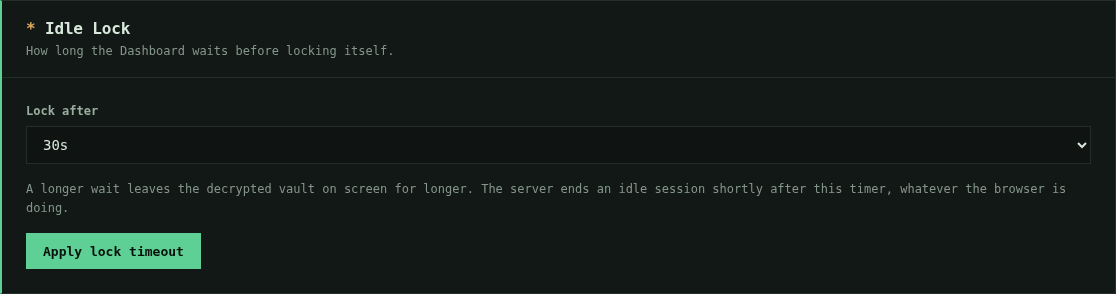
It is a short list rather than a free-text field on purpose. A number typed
into a box invites 86400; a list is a policy someone chose from. A value
edited into ~/.config/spm/web-lock-<scope>.conf by hand is treated as absent
rather than obeyed, because this setting decides how long a decrypted vault
sits on an unattended screen and an unreadable one has to fail towards the
short end.
There are two timers, and the setting moves both. The countdown you can see runs in the browser, which means it protects nobody whose JavaScript does not execute — not hypothetical, since a CDN rewriting inline scripts disabled it outright once. The server-side idle expiry is the control that still holds in that case, and it now follows your setting upward, always staying longer than the lock it backs. At the default it is unchanged, at 300 seconds. A session is still capped absolutely at 12 hours regardless of either.
Publish the SPM Dashboard on a domain with HTTPS
Choosing bind option 4) Domain/subdomain with HTTPS puts nginx in front of
the vault: nginx terminates TLS on the public interface, and the vault itself is
bound to 127.0.0.1 where nothing on the network can reach it directly. SPM
writes the vhost, obtains a Lets Encrypt certificate, and reloads nginx for you.
./spm.sh web
  → 2) Run in background using PM2
  → 4) Domain/subdomain with HTTPS (nginx + Lets Encrypt)
You are asked for:
| Prompt | Notes |
|---|---|
| Domain or subdomain | e.g. vault.example.com. A scheme or trailing path is stripped. |
Also cover www.? |
Both names go on one certificate. |
| Proxied through Cloudflare? | Answer honestly — it changes the generated config, not just a message. |
| How to prove ownership | HTTP file on port 80, or a DNS TXT record via the Cloudflare API. |
| Contact email | Passed to Lets Encrypt for expiry notices. Blank registers without one. |
| Port | The loopback port nginx proxies to. |
Choosing the validation method
HTTP (default for a plain DNS record) answers a challenge file on port 80. It needs port 80 reachable from the internet and nothing in front rewriting or challenging that request.
DNS (default behind Cloudflare) writes a TXT record through the Cloudflare API instead. Nothing has to be reachable on port 80, and the CDN cannot interfere because no HTTP request is involved — which makes it the only method that reliably works behind a proxy. It also certifies a name whose A record does not exist yet, and it never touches your existing site: no HTTP vhost is installed until the certificate is already in hand.
DNS validation asks once for a Cloudflare API token needing exactly:
| Group | Access |
|---|---|
| Zone → Zone | Read |
| Zone → DNS | Edit |
Nothing broader is required, and a broader token would let anything holding
that file repoint your entire domain. The token is read with hidden input and
written straight to ~/.config/spm/cloudflare.ini at mode 0600 — it never
appears on screen, in shell history, or in the process list. Keep that file:
certbot reads it again at every renewal, so deleting it breaks unattended
renewal. Renewals then work regardless of your CDN settings.
Only Cloudflare is wired up today. Other DNS providers have certbot plugins, but SPM does not drive them yet.
Before you start, the DNS record for every name must already resolve to this host (or to Cloudflare, if proxied), and ports 80 and 443 must be reachable from the internet. Port 80 is required even though the site ends up on 443: it is how the ACME HTTP-01 challenge is answered. SPM prints what each name resolves to and compares it against this host's address before it asks Lets Encrypt for anything.
With HTTP validation, setup runs in three phases, because nginx must already
answer on port 80 to serve the challenge, while a TLS server block naming a
certificate that does not exist yet fails nginx -t:
- an HTTP-only vhost serving
/.well-known/acme-challenge/ certbot certonly --webrootfor every name- the real vhost — HTTP redirects to HTTPS, HTTPS reverse-proxies to the vault
With DNS validation there are only two, because nothing needs to be served for the challenge: the certificate is obtained first, then the finished vhost goes in. Your existing site stays untouched until the certificate exists.
Every install is validated with nginx -t before the reload, and a
configuration that fails validation is rolled back to whatever was there before,
so a bad generate can never take down other sites on the same host.
HTTP challenge and certificate failures also restore the prior vhost and
enabled-site link. If the target belongs to another application, SPM requires
the literal confirmation replace before staging any change.
Set SPM_ACME_DRY_RUN=1 to exercise the whole challenge path against Lets
Encrypt's staging behaviour without spending a certificate against the rate
limit. A dry run stops before enabling TLS and restores the previous vhost.
If the domain is behind Cloudflare
Answering yes has consequences worth stating plainly, and SPM asks you to confirm them:
- Cloudflare can read every request in plaintext. It terminates TLS at its edge and re-encrypts to your host, so the login POST carrying your master password and every secret the vault renders pass through it decrypted. End-to-end encryption between your browser and your host requires DNS-only mode (grey cloud).
- SPM installs a real-IP snippet so nginx logs and rate limits see the visitor's
address from
CF-Connecting-IPrather than a Cloudflare edge address. - Set your zone's SSL/TLS mode to Full (strict) afterwards so the edge verifies the certificate SPM just issued instead of accepting any origin.
- Universal SSL does not cover
www.vault.example.com. Cloudflare's free certificate covers the apex and one level of subdomain, so awww.alias on an already-nested subdomain has no certificate at the edge and browsers fail the handshake. SPM detects this and offers to drop the alias. Advanced Certificate Manager or a custom certificate lifts the limit. - If Bot Fight Mode or a managed challenge is enabled on the zone, the edge answers with a challenge page before the vault is reached. Exempt the hostname if logins stall.
Two Cloudflare settings break HTTP issuance outright, and both are on by
default in many zones. Neither affects DNS validation, which is the simplest
reason to choose it behind a proxy. SPM fetches the challenge file through the public
internet before calling certbot and names whichever one it hits, rather than
leaving you with certbot's bare unauthorized:
- Always Use HTTPS redirects the plain-HTTP ACME challenge to HTTPS — but the certificate does not exist yet, so that request cannot succeed. Turn it off until issuance completes.
- Bot Fight Mode / Browser Integrity Check / WAF answer Let's Encrypt's
validator with a challenge page, which it cannot solve. Add a Configuration
Rule disabling them for
/.well-known/acme-challenge/*, or set the record to DNS-only (grey cloud) until the certificate is issued.
Because the check runs before the request, a zone misconfiguration costs you nothing against the Let's Encrypt rate limit.
The choice is saved, so the next run offers the same domain again.
Install the SPM Dashboard as an iOS app
SPM Dashboard ships an app icon and a web app manifest, so iPhone and iPad can add it to the Home Screen and launch it like a native app — full screen, with no Safari address bar. Nothing is installed from an app store and nothing leaves your host; the icon simply opens the same local server that is already running.
1. Start SPM Dashboard in background mode — this is not optional.
./spm.sh web
Choose mode:
  1) Temporary (foreground, Ctrl+C to stop)
  2) Run in background using PM2      <- choose this
  3) Stop background web server (PM2)
  0) Back
Choose 2. The Home Screen icon is only a bookmark: it opens the server, it
does not start it. Option 1 runs the server in the foreground, tied to the shell
you launched it from, so it stops on Ctrl+C and dies the moment you close the
terminal or drop an SSH session — and the icon would then open a page that fails
to load. Option 2 hands the server to PM2, which keeps it running after you log
out. Use option 3 when you want to stop it.
Note the address it prints; that is what you open in Safari.
If you want the server to come back after a reboot, tell PM2 to remember it — SPM starts the process but does not persist it for you:
pm2 save
pm2 startup   # prints a command to run once, as root
2. Open the vault in Safari, then tap the address bar menu and choose Share.
Safari is required. Chrome, Firefox, and other iOS browsers cannot add a web app to the Home Screen.

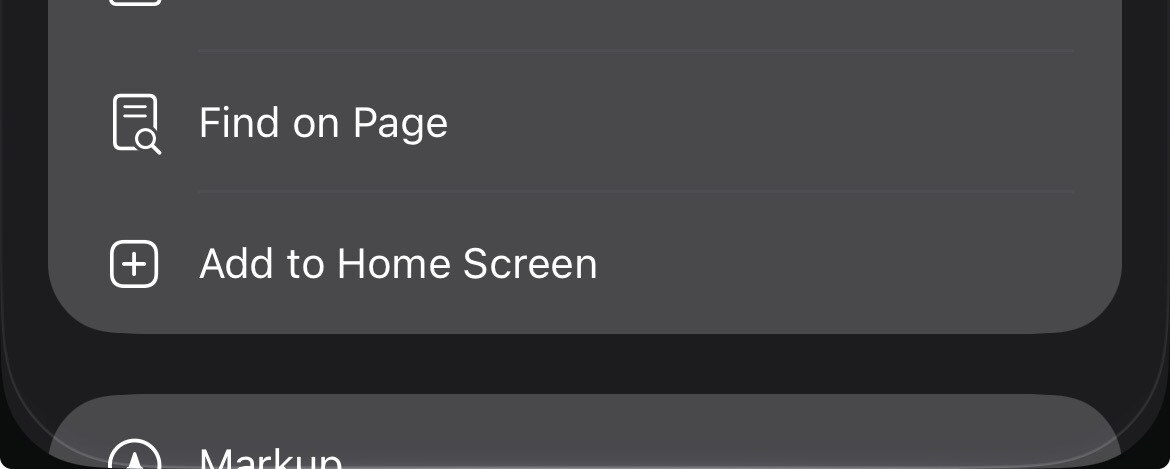
3. Scroll the share sheet and tap Add to Home Screen.
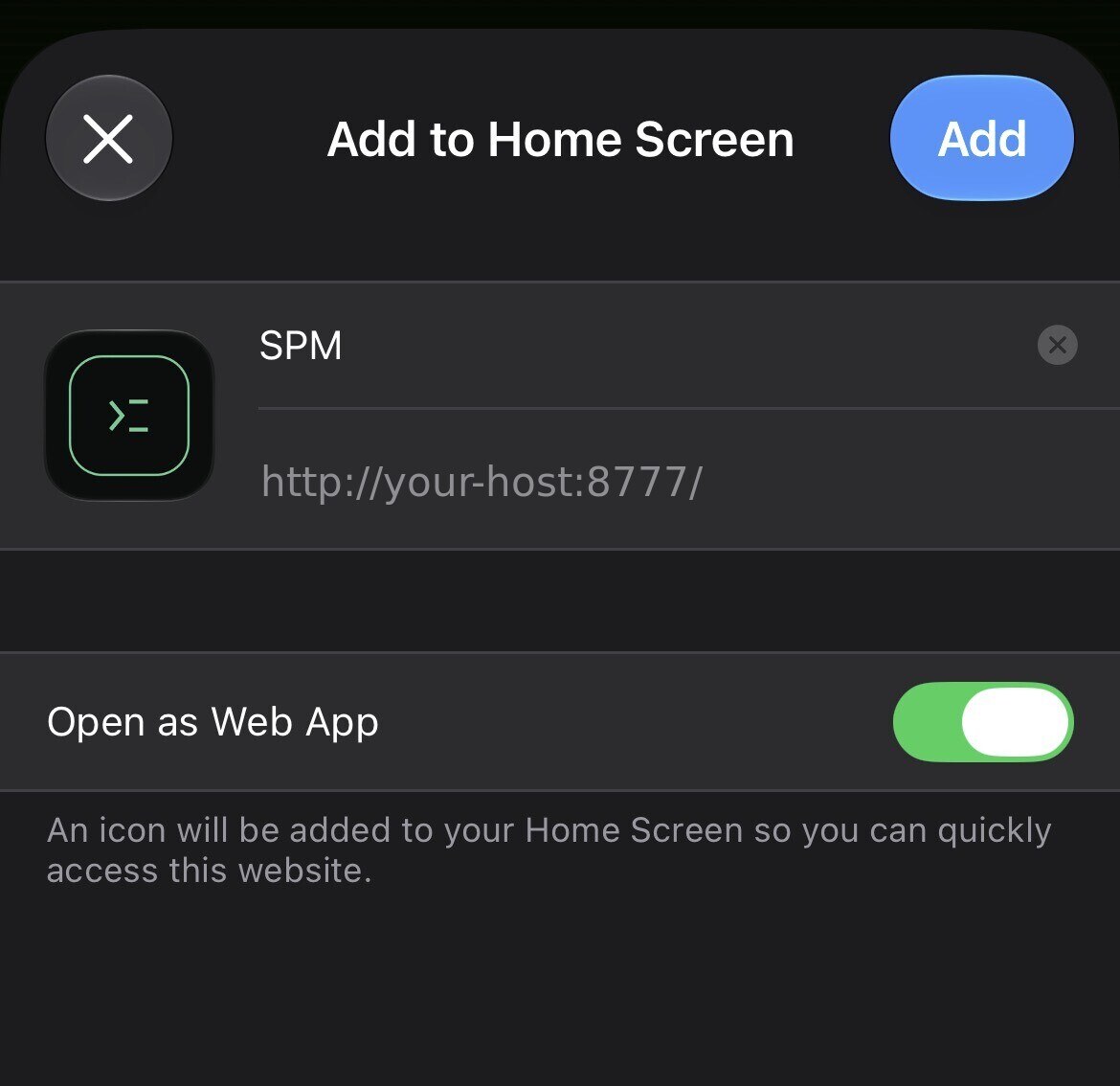
4. Leave Open as Web App enabled, then tap Add.
The icon and the name SPM are filled in automatically from the manifest. Keep
the toggle on: it is what makes the vault open full screen instead of in a Safari
tab. The address shown here is your own host — the example below is redacted.
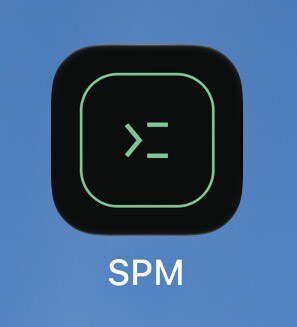
5. The vault now has an icon on your Home Screen.
Notes
- You will be asked to unlock again on first launch. iOS gives Home Screen web apps their own cookie storage, separate from Safari, so the app does not inherit an existing Safari session.
- There is no address bar in the installed app, so you cannot visually confirm the origin the way you can in a tab. Only install from an address you trust.
- The icon does not start the server. If SPM Dashboard is not running when you tap the icon, the page simply fails to load. This is why step 1 uses PM2 background mode rather than the foreground option.
- The icon is cached when you add it. If you upgrade SPM and the artwork changes, remove the Home Screen icon and add it again to pick up the new one.
- Serving outside localhost is your decision to make.
./spm.sh webbinds to localhost by default and requires an explicit confirmation to bind elsewhere. SPM speaks plain HTTP and never edits firewall rules, so anything reachable beyond your own machine should be restricted to trusted clients — ideally over a VPN or an SSH tunnel rather than an open port. - Android and desktop Chrome read the same manifest and offer an equivalent Install app / Add to Home screen action.
CLI Commands
./spm.sh init
./spm.sh add
./spm.sh list
./spm.sh get <id>
./spm.sh delete <id>
./spm.sh change-master
./spm.sh portable
./spm.sh save
./spm.sh restore
./spm.sh export [csv|json] [output-file]
./spm.sh import [csv|json] <input-file>
./spm.sh forgot
./spm.sh notes-add
./spm.sh notes-list
./spm.sh notes-view <id>
./spm.sh notes-delete <id>
./spm.sh passphrase-add
./spm.sh passphrase-list
./spm.sh passphrase-view <id>
./spm.sh passphrase-delete <id>
./spm.sh backup-codes-add
./spm.sh backup-codes-list
./spm.sh backup-codes-view <id>
./spm.sh backup-codes-delete <id>
./spm.sh record types
./spm.sh record add <type>
./spm.sh record list [type]
./spm.sh record view <type> <id> [--reveal]
./spm.sh record delete <type> <id>
./spm.sh ssh import <keyfile> [label]
./spm.sh ssh list
./spm.sh ssh show <id>
./spm.sh ssh public <id>
./spm.sh ssh load <id> [minutes]
./spm.sh ssh unload <id|--all>
./spm.sh ssh agent
./spm.sh gpg import <keyfile> [label]
./spm.sh gpg list
./spm.sh gpg show <id>
./spm.sh doctor
./spm.sh web
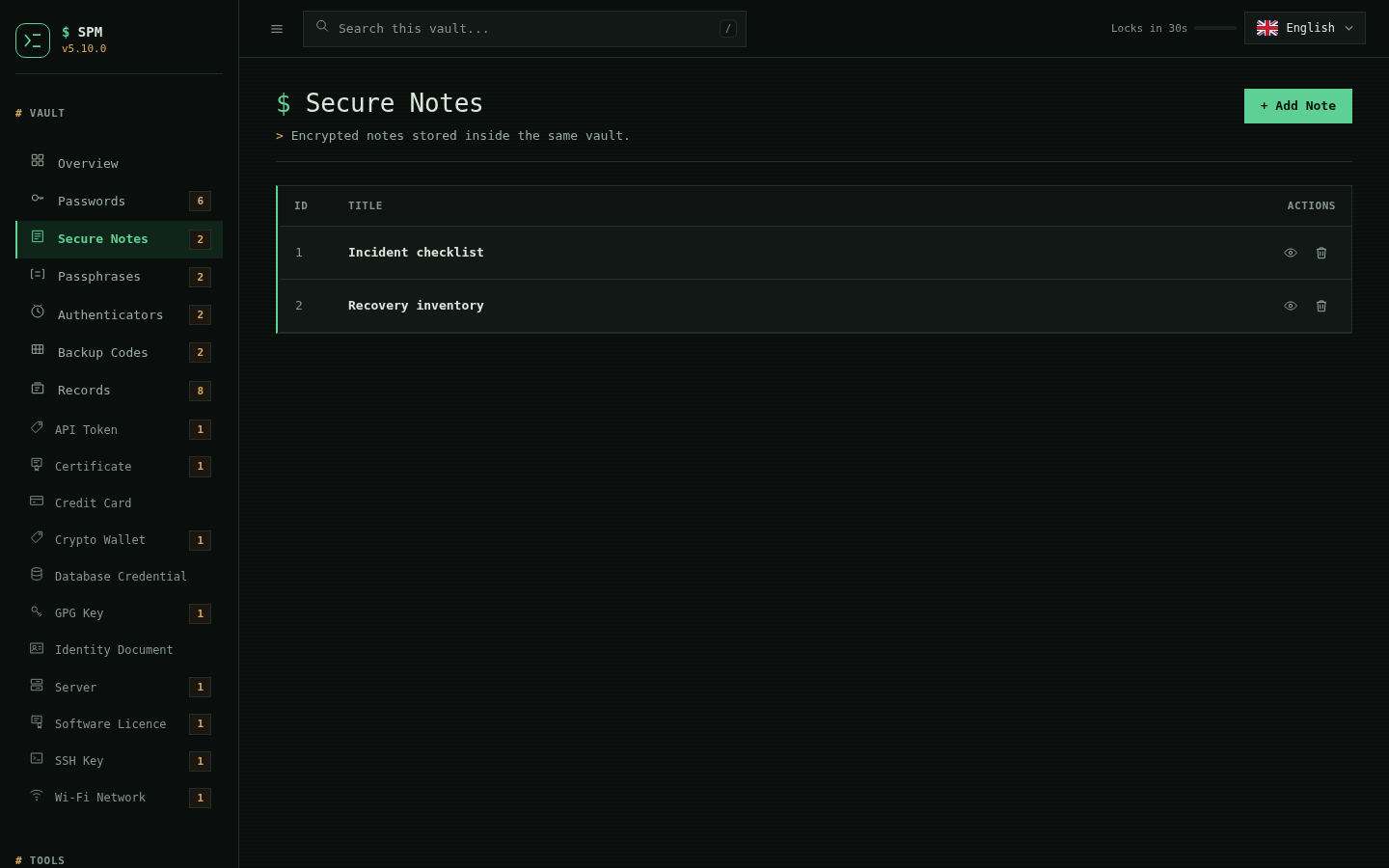
Secure Notes
./spm.sh notes-add
./spm.sh notes-list
./spm.sh notes-view 1
./spm.sh notes-delete 1
Stored inside encrypted vault.
Typed records
A password is one shape: a service, a username and a secret. Most of what people keep in a password manager is not that shape. An API token has an environment and an expiry. A database credential has a host, a port and an engine. A Wi-Fi network has an SSID and a security mode. Putting any of them in a password entry means the extra parts go in the notes field, where nothing can search them, redact them or check them.
SPM stores nine of those shapes properly:
| Type | What it is for |
|---|---|
api-token |
Service tokens, with the environment and expiry that decide when to rotate |
db-credential |
Engine, host, port, database, user and password for one connection |
credit-card |
Cardholder, number, expiry, CVV and PIN |
identity |
A passport, licence or national ID, with its issue and expiry dates |
software-license |
A licence key, who it is licensed to, and how many seats |
wifi |
Network name, password and security mode |
server |
Hostname, address, port and the account you log in with |
ssh-key |
A private key, its passphrase, and the hosts it opens |
gpg-key |
An OpenPGP secret key, its passphrase, and its identities |
From the command line
./spm.sh record types
./spm.sh record add wifi
./spm.sh record list
./spm.sh record list wifi
./spm.sh record view wifi 1
./spm.sh record view wifi 1 --reveal
./spm.sh record delete wifi 1
record add reads the schema and prompts for its fields in order. Secret
fields turn the echo off the way the master password prompt does; a notes
field reads until Ctrl+D.
record view masks every secret field by default and prints them only with
--reveal, so reading a record over a shared screen does not put its secrets
in the scrollback.
Ids are allocated per type, so wifi 1 and server 1 both exist and each type
counts from one. Every command that takes an id takes the type with it — an id
on its own is half an address.
In the Dashboard
Records in the sidebar lists every typed record in the vault, with chips to narrow the list to one type. + Add Record asks which kind of thing this is and then draws the form for that type. A record's page shows its fields with every secret masked behind the same reveal-and-copy control the password pages use, and it can be edited or deleted from there.
The list, the forms, the masking and the type filter are all drawn from the same schema the CLI prompts from. Neither surface has its own list of fields, which is what keeps them from disagreeing about a record.
Records are counted on the overview beside the other kinds of entry, and the search box finds them by label, id, folder, any non-secret field, or the name of a custom field. Secret fields are deliberately not searched: if a query could match a password, the number of results would answer "is this string in the vault?" for anyone who reached an unlocked session. Password entries follow the same rule. A hidden record shows as dots in search results, the way it does everywhere else.
What a typed record is, in the vault
One row, shaped like a secure note:
REC:<type> <id> <label> <payload-b64> <created> <attrs>
Six tab-separated columns, with the secret-bearing payload in field 3 — where a note keeps its body and a password entry keeps its password. The payload is the record's fields as JSON, base64-encoded, so a value holding a newline stays one value and one row.
The type travels in the row tag rather than inside the payload, so counting
records, listing one type, or describing a damaged row never requires decoding
anything — and a vault stays greppable by someone holding nothing but the
plaintext and grep.
Typed records carry folders, custom fields and the hidden flag exactly as
password entries do, and they cross all twenty export formats in the same
fields column. A custom field may not reuse a schema field's name: both
travel in that one column and are told apart on the way back by whether the
name is in the schema, so SPM refuses the collision rather than letting one of
the two disappear.
Adding a type
A type is data, not code. RECORD_SCHEMAS in the trusted core names a type's
fields, says which of them hold secrets and which are required, and gives it an
icon. Everything else — the CLI prompts, the Dashboard form, the list, the
redaction, the exports — reads that. Adding a tenth type is a dictionary
entry, an icon in the sprite and its translations.
A schema may also name a deriver: a function that reads the record's own
fields and returns facts about them. ssh-key uses one; see below.
SSH keys
An SSH private key is a password by another name: it opens accounts on
machines, it is long-lived, and losing control of it is losing the machines.
It is usually kept as a file in ~/.ssh, at whatever permissions the last
tool to touch it left behind, backed up by whatever backs up the home
directory, and copied between laptops by hand.
SPM stores it as a record like any other — encrypted with the rest of the vault, masked on screen, carried across exports, hideable, and searchable by everything about it except the key itself.
./spm.sh ssh import ~/.ssh/id_ed25519 "work laptop"
./spm.sh ssh list
./spm.sh ssh show 1
./spm.sh ssh public 1          # the authorized_keys line, to paste on a server
./spm.sh ssh load 1            # hand it to the running ssh-agent for 15 minutes
./spm.sh ssh load 1 60         # or for an hour
./spm.sh ssh agent             # what the agent holds, and what came from here
./spm.sh ssh unload 1
ssh import reads the key file, and reads the comment from the matching
.pub file beside it when there is one. It refuses a file that is not a
private key, so pointing it at a .pub by mistake is an error rather than a
record whose secret field holds something public.
ssh list prints one line per stored key with its type, size and fingerprint.
ssh show prints those plus the full public key. Neither prints the private
key, and neither has a --reveal: to see the private half you read it as the
record it is, with ./spm.sh record view ssh-key 1 --reveal.
The public half is derived, never typed
SPM does not ask you for the fingerprint or the public key, and does not store either one. It computes them from the stored private key every time it shows them.
This is possible without the passphrase because of how OpenSSH writes keys. An
openssh-key-v1 file is a container: a magic string, the cipher and KDF used
to protect the private half, and then the public key in the clear,
followed by the encrypted private section. Encrypting a key protects the part
that signs; the part that identifies was never secret — it is the same string
you put in authorized_keys. So SPM parses the container, takes the public
blob, and hashes it:
SHA256:<base64(sha256(public blob)) without padding>
which is exactly what ssh-keygen -l prints. The regression suite compares
the two on every run when ssh-keygen is installed, for ed25519, RSA and
passphrase-protected keys.
The point of deriving rather than storing is that a stored fingerprint is a claim, and claims drift. If someone edits the private key field, a stored fingerprint keeps describing the key that used to be there — and a fingerprint is precisely the thing you check when you want to know which key this is. A derived one cannot be wrong about its own key: if it renders at all, it is the fingerprint of the bytes in the record.
RSA sizes are counted in bits from the modulus, not in bytes of the field. A 2048-bit modulus is often stored with a leading zero byte, and counting bytes would report it as 2056-bit — a number that would look plausible and be wrong.
What SPM will not do with a key it cannot read
If the key is not a format SPM understands, or the container is truncated, or the algorithm named on a public line disagrees with the blob underneath it, SPM derives nothing and says so. It does not guess, and it does not refuse to store the record — the key is still your key, and a manager that drops a secret because it cannot describe it is worse than one that keeps it quietly. The record's page says SPM cannot derive anything from this key, and gives the reason.
Old PEM keys (-----BEGIN RSA PRIVATE KEY----- and friends) are stored and
recognised as keys, but their public half is inside the encoding rather than
beside it, so nothing is derived from them.
Handing a key to ssh-agent
A key in the vault is still a key you have to get to ssh, and the usual way
to do that is ssh-add ~/.ssh/id_ed25519 — which is a key that lives on disk.
ssh load hands the stored key straight to the agent instead:
./spm.sh ssh load 1        # 15 minutes
./spm.sh ssh load 1 60     # an hour
./spm.sh ssh load 1 0      # until the agent dies
./spm.sh ssh unload 1
./spm.sh ssh unload --all
./spm.sh ssh agent
The key travels over a pipe. It is never written to a file, and it is never an
argument to anything — ssh-add reads it on stdin, which is what the trailing
- in ssh-add -t 900 - means. There is no moment during a load when the
private key exists anywhere a second process could read it.
The default lifetime is 15 minutes, and it is not an arbitrary number: it
is the longest idle lock the Dashboard offers. A key you loaded and forgot is
the same problem as a vault you unlocked and walked away from, so it expires
on the same terms. 0 means no expiry, and has to be typed.
A passphrase is asked for only when the key has one. The container says
whether it is sealed, so SPM knows before it asks — it does not prompt for a
passphrase a key does not have, and does not discover the need for one by
watching ssh-add fail. When it does ask, the passphrase reaches ssh-add
through SSH_ASKPASS, over an inherited file descriptor, from a shell
builtin: not a file, not an argument, not an environment variable.
Unloading never touches the private key. ssh-add -d names a key by its
public half, and SPM derives that already — so taking a key out of the agent
costs nothing more than the string you would have put in authorized_keys.
SPM will not start an agent. If none is running, ssh load says so and
stops. Launching a background process the user did not ask for and cannot see,
which then holds a private key for as long as the session lives, is not a
password manager's decision to make.
ssh agent lists what the agent holds and marks which of it came from this
vault. The match is on fingerprints, derived at both ends from the same bytes,
so a key relabelled in either place still lines up.
Why the Dashboard has no Load button
Every other thing an SSH key record can do is on both surfaces. The agent is the exception, deliberately.
An ssh-agent belongs to a session on a machine, not to a vault. The Dashboard
is a server, and it can be published on a domain
and reached from a different machine entirely — where "load this key into the
agent" would load it into the agent of the host, not of the person clicking.
That is not what the button appears to say, and a control that quietly acts on
the wrong machine is worse than one that is not there.
So the agent is driven from the terminal, where "the agent" means the one in front of you. The Dashboard still shows everything about the key that does not depend on where you are standing.
In the Dashboard
An SSH key record looks like every other typed record: + Add Record → SSH Key, with the private key and passphrase as masked secret fields behind the same reveal-and-copy control the password pages use.
Below the fields, the record page shows a Derived from the key panel — type, size, fingerprint and public key, in monospace, as read-only text. Nothing in that panel is editable, because nothing in it is stored: it is recomputed from the private key field each time the page is drawn. A sealed key adds a line saying the private half is passphrase-protected, which SPM knows from the container's cipher name without ever attempting the passphrase.
The panel is not special-cased for SSH. A schema names a deriver, the record page asks the core for that record's derived rows, and renders whatever comes back. A future type that has facts worth computing gets the same panel by adding one dictionary entry.
Where the key goes
Nowhere it was not already. The private key is a secret field of a record:
it is in the vault ciphertext, and it reaches the Dashboard page only inside
the reveal control, exactly like a password. It is never written to a
temporary file, never passed as a command-line argument — argv is readable by
every process on the machine — and never handed to ssh-keygen or any other
external program to be parsed. Everything SPM says about a key, it works out
itself, from bytes it already has decrypted in memory.
GPG keys
An OpenPGP secret key is the other long-lived key people keep in a file: it
signs commits and releases, it decrypts mail, and its fingerprint is an
identity other people have verified and signed. It usually lives in ~/.gnupg,
where it is entangled with a keyring, an agent, and trust state — which makes
it awkward to keep a second copy of, or to move to a new machine, without
copying the whole apparatus.
SPM stores the key itself as a record, the same way it stores an SSH key: encrypted with the rest of the vault, masked on screen, carried across exports, hideable, and searchable by everything about it except the key.
./spm.sh gpg import ~/backup/signing.asc "signing key"
./spm.sh gpg list
./spm.sh gpg show 1
gpg import reads an ASCII-armored secret key. Export one from GnuPG with
gpg --armor --export-secret-keys <id>. It refuses a public key (the
--export form without -secret-keys), because a gpg-key record whose
secret field held only a public key could neither sign nor decrypt — the one
thing it is kept for.
The public facts are derived, never typed
As with SSH, SPM does not ask for the fingerprint, the key id, or the algorithm, and does not store them. It computes them from the stored key each time, and it does so without gpg — no keyring, no agent, no passphrase.
An OpenPGP secret key is a public key with the secret material appended, and the fingerprint is a hash of only the public part. So SPM parses the packet stream itself and hashes the public half:
- v4 keys: SHA-1 of
0x99 ‖ length ‖ public-key material— the definition gpg uses, which is why the fingerprints match to the hex digit. - v6 keys: SHA-256, per the newer format.
The regression suite generates throwaway keys with gpg and checks SPM's
fingerprint against gpg's own for an ed25519 key, a passphrase-protected
ed25519 key, and an RSA key — with the passphrase never handed to anything.
Whether the secret half is passphrase-protected is read from the packet's
protection byte, not discovered by trying the passphrase — the same way the
SSH side reads a cipher name. And the key's identities (the Name <email>
user IDs) and its subkey count come out of the same parse.
Two ways to be wrong that SPM is not
An elliptic-curve key's size is its curve, not the length of a point. An
Ed25519 point encodes as 263 bits; reporting "263" would look like a key size
and be wrong. SPM reads the curve from the key's OID and reports ed25519,
nistp256, and so on — matching what gpg prints. It is the same mistake as
measuring an RSA key by the bytes of its modulus, which the SSH side already
avoids.
A truncated key does not get a plausible fingerprint. Walking the key's internal length fields without checking them lets a cut-off key hash a shorter slice than intended and produce a fingerprint that is wrong and looks right — and a fingerprint is exactly the thing you check to confirm which key you are holding. Every length is bounds-checked, so a truncated or corrupt key derives nothing and says why, rather than answering confidently and wrongly.
A key SPM cannot read is still kept
An unrecognised format, a truncated packet, or a key this build does not understand all derive nothing and say so on the record's page — and the record is still stored. Dropping a secret because it cannot be described is worse than keeping it quietly.
In the Dashboard
A GPG key record looks like every other typed record: + Add Record → GPG Key, with the secret key and its passphrase as masked secret fields. Below them is the same Derived from the key panel the SSH records use — fingerprint, key id, algorithm, creation date, identities and subkey count, as read-only text, recomputed on every draw. The panel is not special-cased for either type: a schema names a deriver, the record page asks the core for that record's rows and its heading, and renders what comes back. GPG landed as a dictionary entry.
Unlike SSH, there is nothing GPG-specific left out of the Dashboard — there is no agent equivalent here that depends on which machine you are sitting at.
Export
./spm.sh export csv spm_export.csv
./spm.sh export json
Exports passwords, secure notes, passphrases, backup codes, and authenticators. Defaults to spm_export_<timestamp>.csv when no filename is provided; if you omit the extension on a custom name, it is auto-added. Advanced formats available: tsv, ndjson/jsonl, md, html, txt, yaml/yml, xml, sql, ini, psv, rst, toml, org, scsv, csv-noheader, jsonc. Web mode also has an Export/Import card with the same formats and supports direct file upload for import. The format selector respects your EN/ID/JP language choice so menu text stays localized across sessions.
What an export carries
Every format writes the same columns, in this order:
type, id, label, username, secret, notes, created, extra, url, folder, fields
folder is plain text. fields is a JSON array of {"name": ..., "value": ...}
objects — the custom fields, written readably rather than as the encoded form
the vault stores, because an export is meant to be opened in a spreadsheet.
From 4.1.0 the CLI writes and reads folder and fields too. Before that
only the Dashboard did, so a vault exported and re-imported through
spm export / spm import came back with every folder and every custom field
silently gone — on all twenty formats. If you have an export taken with 4.0.1
or earlier, it does not contain those columns; re-export it.
Round trips are checked field by field, on every documented format, rather than by counting records: a format that returned the right number of rows with a column missing used to pass.
Import
./spm.sh import csv my_export.csv
./spm.sh import json backup.json
Imports passwords, secure notes, passphrases, backup codes, and authenticators from supported export formats (csv/json primary; advanced formats accepted as listed above). Entries are appended and IDs auto-renumbered. Imports fail if no supported records are detected.
Importing from Bitwarden
Web mode reads all three Bitwarden vault exports. Pick the matching entry in the import format list:
| Bitwarden export | Choose |
|---|---|
.json (unencrypted) |
Bitwarden — JSON export |
.csv |
Bitwarden — CSV export |
.json password-protected |
Bitwarden — password-protected JSON |
The password-protected option asks for the password you set when exporting. It is used to read the file and is never stored.
Logins become password entries with their username, URI and notes. A login's
TOTP becomes an authenticator: an otpauth:// URI is unpacked into its
secret, period and algorithm rather than stored whole, which would not
generate codes. Secure notes become notes. Cards and identities have no SPM
equivalent, so they are kept as readable notes rather than dropped. Folder
names and Bitwarden custom fields are appended to each entry's notes.
Choosing plain json or csv for a Bitwarden file also works — the format is
detected. That matters because before 3.4.3 a Bitwarden CSV imported as a
single empty note and every login was silently lost while the dashboard
reported success.
Two limits, both reported rather than guessed at. An export protected with
Argon2id cannot be read: there is no Argon2 implementation SPM can reach
without a third-party dependency, which is the same wall described in
ROADMAP.md. Re-export without a password, or as CSV. A password-protected
export also needs the cryptography Python package for AES-256-CBC; where it
is absent the import says so instead of failing obscurely. The unencrypted
JSON and CSV paths need nothing beyond the standard library. Web mode overlays the entire Export/Import card with a loader during uploads. Status messages and overlay text follow the selected language (EN/ID/JP) so users get consistent feedback during uploads.
Importing from LastPass, Chrome/Edge and 1Password
Since 5.9.0 web mode reads three more managers' CSV exports directly. Pick the matching entry in the import format list:
| Export | Choose |
|---|---|
LastPass .csv |
LastPass — CSV export |
Chrome / Edge saved-passwords .csv |
Chrome / Edge — passwords CSV |
1Password .csv |
1Password — CSV export |
Logins become password entries with their username, URL and notes. A stored TOTP
becomes an authenticator (its otpauth:// URI or base32 secret is unpacked the
same way a Bitwarden TOTP is). LastPass secure notes (the ones with the
http://sn sentinel URL) become notes, and LastPass folders and 1Password tags
are appended to each entry's notes rather than dropped. As with Bitwarden,
choosing plain csv for one of these files also works — the format is detected,
so a wrong dropdown choice imports correctly rather than partially. These paths
are import-only and need nothing beyond the standard library.
The review step
Since 3.8.0 an upload in web mode is read and shown before anything is written. The review page lists every record the file would add — its type, service, username and a masked secret you can reveal one at a time — and names any row SPM has no record type for, so nothing is dropped without being named. The vault is untouched until Import these records is pressed; Cancel leaves it exactly as it was.
The review is held on the server for five minutes and can be confirmed once. Refreshing or re-sending the confirmation will not import the same file twice. Parsed rows are deliberately not round-tripped through the browser: doing so would hand a decrypted password-protected export back to the page that uploaded it.
The CLI spm import is unchanged and still writes in one step.
Folders and custom fields
A password record can carry a folder and any number of custom fields — an account number, a PIN, a security answer, anything that has no box of its own. Both are on the Add and Edit forms in web mode.
Folders are free text with the ones you already use offered as suggestions, not a fixed list: a folder is created by naming one, and a dropdown of only what exists would make the first folder impossible to make.
Custom-field values are masked on the view page behind the same reveal control as the password. People put account numbers and security answers in these, and a page that printed them in clear while masking the password beside them would be protecting the wrong half.
Both travel with the record through export and import, as their own readable
folder and fields columns rather than as the encoded form the vault stores.
What this changed in the vault
Format 4 appends one optional column to a password row. A record that uses neither is written exactly as format 3 wrote it, so upgrading rewrites nothing it does not have to.
An older SPM can still read a format-4 vault. It must not write one, so from 3.11.0 SPM refuses to write a vault stamped newer than it understands:
this vault is format 5 and this SPM understands 4; upgrade SPM rather than
writing it back and losing what it holds
Without that, an older build would open a newer vault, keep only the columns it knows, and write it back stamped with its own version — the vault reads fine afterwards, which is what makes it dangerous. Note the guard only helps from 3.11.0 onward: a 3.10.0 or earlier build has no such check, so do not open a format-4 vault with one and save.
Security keys
Biometric unlock resumes a session your master password opened. A security key opens the vault, cold, with no master password typed, remembered or held anywhere. The two are independent: you can enrol either, both, or neither.
Set a relying-party id (SPM_WEB_RP_ID) and Settings → Security Keys
appears. Enrol a key there and the sign-in page offers Unlock with a security
key.
What it needs
A WebAuthn authenticator that supports the PRF extension (CTAP2
hmac-secret). Most current FIDO2 keys do; a platform authenticator may or may
not. Enrolment refuses a key that cannot derive a secret rather than storing
one that could never open the vault.
The credential is created as discoverable with user verification required. Discoverable, so the sign-in page can ask the browser for whatever it holds instead of publishing which credential ids exist. User verification required, because possession of the key alone would otherwise be possession of the vault.
How the vault key is sealed under a device
A PRF credential derives 32 deterministic bytes from a salt: the same key and
salt always give the same bytes, and no other key gives them. SPM seals the
vault key under those bytes and writes the result to <vault>.hardware, mode
0600, beside the vault.
Beside it rather than inside it, for the reason that decides the whole design: a cold unlock has to read the enrolled keys before anything is decrypted, so they cannot live in the encrypted vault.
One salt per vault, not one per key. The salt must be chosen before the ceremony, and the ceremony is what reveals which key answered. It costs nothing: the PRF result is per credential, so two keys given the same salt derive two different secrets and seal two different envelopes, and neither opens the other's.
If that file is taken, what it discloses is which credential ids are enrolled and a vault key sealed under 32 bytes that exist only inside an authenticator. There is no password in that path for an offline attacker to work on.
What a security-key session can and cannot do
It reads and writes the vault normally. A write keeps the key envelope it found rather than sealing a new one, so your master password still opens the vault afterwards.
Two things are refused, both because they need a password the session never had:
| Refused | Why |
|---|---|
| Changing the master password | there is nothing to compare the typed "current password" against, and accepting one would let anyone holding the key set the password that also opens the vault |
| Restoring a snapshot | a restore installs a vault sealed under a different vault key -- the key every enrolled credential wraps -- so it would invalidate the only credential the session holds |
Sign in with your master password to do either.
If the vault file is replaced while a security-key session is open, the session ends: there is no password in it to re-derive a key from. The reason is written to the security events log, which is readable while locked.
What is recorded
Security key events cover enrolment, removal, a key that does not open this
vault, and a vault replaced under a live session. Like every other event, they
carry no device label and no record identity -- only what happened.
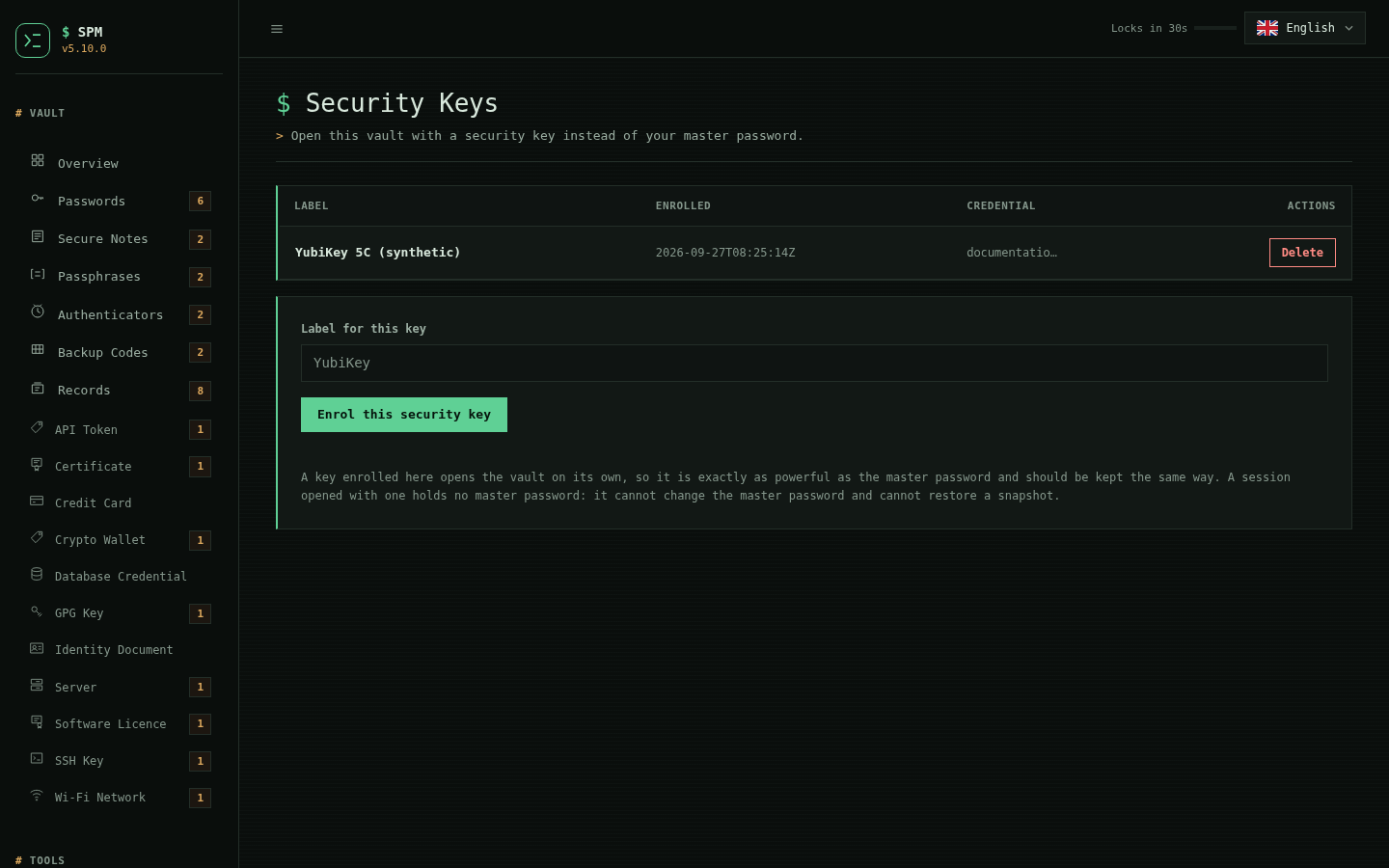
Treat an enrolled key like the master password
It opens the vault on its own. That is the whole point of it and the whole cost of it. Losing it is not a lockout as long as you still know your master password; a key someone else has is a vault someone else has.
Secret Key
A Secret Key is 128 random bits, generated once, kept off the vault file, and mixed into the key derivation alongside your master password. It is off by default; you turn it on per vault.
./spm.sh secret-key            # status: bound or not, and where the key is
./spm.sh secret-key enable     # generate one and rewrap the vault under it
./spm.sh secret-key show       # print it again (asks for the master password)
./spm.sh secret-key import     # store it on a second machine
./spm.sh secret-key rotate     # replace it; the old one stops working
./spm.sh secret-key forget     # drop this machine's copy, vault stays bound
./spm.sh secret-key disable    # go back to the master password alone
What it is for
Your vault legitimately leaves this machine. sync pushes it to a directory, a
host over rsync, or an rclone remote. save and portable write it into a
bundle. Every write leaves a .bak beside it and a snapshot in your history.
If you run the Dashboard on a domain, the file is on a machine reachable from
the internet.
Any one of those copies, in the wrong hands, is a file someone can attack offline for as long as they like -- and the only thing standing in their way is how good your master password is. With a Secret Key there is nothing left in the file to guess at. A weak password and a strong one become equally unbreakable to whoever holds only the copy.
What it is not for
It is no defence against a compromise of the machine that holds both. Anything that can read your vault can read the Secret Key beside it in the data directory -- malware, a stolen unlocked laptop, an attacker who reaches code execution through the Dashboard. It protects copies in transit and at rest elsewhere. It does not protect the machine they came from.
Where the key is kept
Not beside the vault. .recovery and .hardware sit next to the vault file
because they are useless to a thief on their own; a Secret Key is the opposite,
and its whole value is that it does not travel with the copies. It lives under
your data directory instead:
~/.local/share/spm/secret-keys/<scope id> mode 0600
Nothing that copies a vault reaches in there. The sync transports move one
file. The bundle exporter writes the vault, not your data directory. doctor
audits the file's permissions along with everything else sensitive.
The binding is to the vault's path, so moving the vault means the stored key is
not found at the new location. That is what secret-key import is for, and it
is why enable prints the key and tells you to write it down: the file is a
convenience, the paper copy is the one that matters.
SPM_SECRET_KEY supplies it from the environment instead, for headless runs
and for a machine that has the vault but not yet the key.
Losing it is not a lockout
Recovery does not go through the master password at all. The recovery file seals the vault key, and split recovery reconstructs the vault key; neither derives anything from what you type. So a recovery file, or a threshold of Shamir shares, still opens a vault bound to a Secret Key you no longer have, and lets you rewrap it under a new password and a fresh key.
An enrolled security key is the same: it wraps the vault key directly, so a
security-key unlock does not need the Secret Key either. Worth knowing plainly
-- enrolling a key creates a second door the Secret Key does not lock. The
.hardware file lives beside the vault, so a copy of the vault alone still
does not carry it.
How the vault records it
One field on the header line that already carries the derivation parameters:
KDF scrypt n=65536 r=8 p=1 salt=<base64> sk=1
Absent means no, which is what every vault written before 4.10.0 says by saying
nothing -- so old vaults keep opening and nothing about the format version
changes. The field is not authenticated, and like the cost parameters it fails
closed: strip sk=1 and the reader derives a different key, the envelope's tag
rejects it, and you are told the secret does not open this vault. There is no
downgrade to a weaker vault that still opens.
When it is missing
A vault bound to a key this machine does not hold is a named state, never a
wrong password. The CLI, the Dashboard and doctor all say so, and the
Dashboard does not count it against the sign-in lockout -- retyping a password
that was already correct cannot help.
How the vault is sealed
From 4.0.0 a vault is encrypted with AES-256-CTR and authenticated with HMAC-SHA256, and the master password is stretched with scrypt. Before that, both layers were gpg symmetric messages.
The file is still one file, with the same shape:
SPM-VAULT-AEAD1
KDF scrypt n=65536 r=8 p=1 salt=<base64>
KEY <base64: the vault key, sealed under the master password>
DATA
<base64: the vault, sealed under the vault key>
Why the master password and the vault key are treated differently
The vault is sealed under a random 256-bit vault key, and only that key is sealed under your master password. gpg stretched both — sixty-five million SHA512 iterations each — which is right for a password someone can guess and pure waste for a value that is already uniformly random. Stretching now happens once, where the guessable secret is:
| Details | before 4.0.0 | 4.0.0 | 4.10.0 |
|---|---|---|---|
| master password | SHA512 × 65,011,712 | scrypt, n=32768, r=8, p=1 (32 MiB) | scrypt, n=65536, r=8, p=1 (64 MiB) |
| vault key → data | SHA512 × 65,011,712 | none needed | none needed |
| cipher | AES-256 | AES-256-CTR | AES-256-CTR |
| authentication | none | HMAC-SHA256, encrypt-then-MAC | HMAC-SHA256, encrypt-then-MAC |
| offline guessing | — | ~8 per second per core | ~3 per second per core |
Measured on a 200-record vault, a cold read went from 663 ms to 168 ms at 4.0.0, and a read with the vault key already held from 248 ms to 11 ms.
4.10.0 spends some of that back deliberately: doubling scrypt's memory adds roughly 180 ms to a cold read and costs an offline guesser rather more than it costs you, since you pay it once per unlock and they pay it once per attempt. Nothing is stranded by the change -- the header carries the parameters a vault was written with, so a vault written at n=32768 keeps opening and moves up on its next write, without a format change and without a new vault key. 2**17 was measured (128 MiB, ~547 ms) and not taken: scrypt's cost is memory, and SPM runs on phones under Termux where a vault that will not open on the device it lives on is worse than a slower guesser.
The KDF line records the derivation by name and by parameters, and the
unwrap uses the vault's own numbers rather than the running build's constants.
That is what lets the cost parameter be raised, or the function replaced, without
stranding vaults written before the change.
Argon2id, where a backend can provide it (5.8.0)
Because the KDF line names the derivation, a vault can be sealed with
Argon2id instead of scrypt, and the header simply says so:
KDF argon2id m=65536 t=3 p=1 salt=<hex, base64-wrapped>
Argon2id (m=65536 KiB = 64 MiB, t=3 passes, p=1) is capability-gated: SPM
uses it only where a backend is present that keeps the master password off the
argument vector — the argon2 reference CLI (which reads the password on
stdin) or the argon2-cffi module (which never leaves the process). scrypt
stays the default because it is reachable on every platform SPM supports; opting
a vault into Argon2id is a deliberate spm kdf argon2id, and it only succeeds
where a backend exists. openssl kdf is not used as a backend: it takes the
password only as an argv value, which ps can read.
spm kdf status      # this vault's KDF, and whether a backend is installed
spm kdf argon2id    # rewrap to Argon2id (needs a backend)
spm kdf scrypt      # rewrap back to scrypt (opens on any SPM)
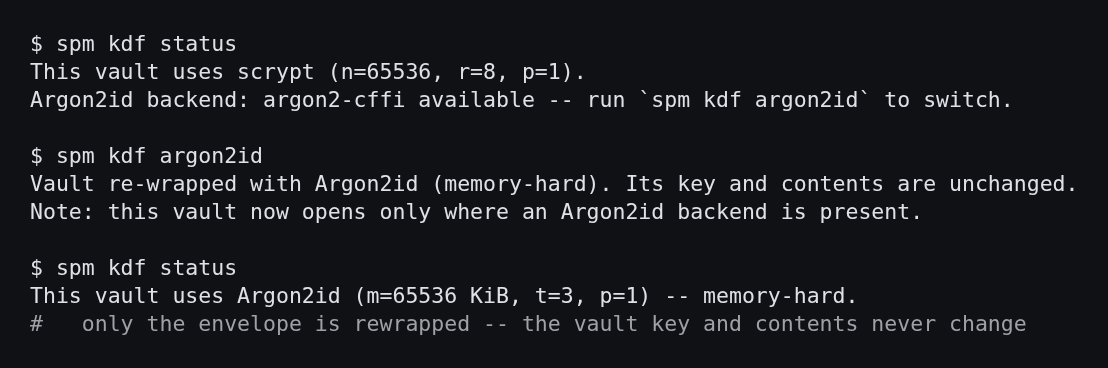
Switching rewraps only the master-password envelope, so it costs one rewrap, not
a re-encryption; the vault key, the ciphertext, the recovery file and every
.bak are unchanged. An Argon2id vault carried to a machine with no backend
refuses to open with a message that names the fix — the argon2 CLI or
argon2-cffi — rather than reporting a wrong password, and doctor warns about
it before an unlock is attempted. The Argon2id salt is stored as hex because the
reference CLI takes the salt as a command-line argument that cannot carry a NUL.
The cost parameters on that KDF line are read before the vault's MAC is
checked (they derive the key that does the checking), so they are bounded the
way scrypt's are: Argon2id memory above 1 GiB, or a time or parallelism cost
outside 1..16, is refused before any memory is reserved, so a tampered header
cannot drive an unbounded allocation on open (5.8.1).
| Details | scrypt (default) | Argon2id (opt-in, 5.8.0) |
|---|---|---|
| parameters | n=65536, r=8, p=1 (64 MiB) | m=65536 KiB, t=3, p=1 (64 MiB) |
| reachable on | every platform SPM supports | where the argon2 CLI or argon2-cffi is present |
| password path | openssl -pass fd: / hashlib, never argv |
argon2 CLI stdin, or argon2-cffi in-process |
| header name | scrypt |
argon2id |
The vault is authenticated now
gpg's symmetric mode gave the vault no integrity, so a modified vault and a
wrong master password produced the same refusal — SPM's event log recorded
reason=bad-master for both because nothing could tell them apart. Every
sealed block now carries an HMAC-SHA256 tag over its magic, salt, IV and
ciphertext, checked before anything is decrypted, so the two read differently:
that secret does not open this vault

this vault's data failed authentication; the master password was right, so the
file itself is damaged -- restore the .bak or a history snapshot beside it
They have opposite remedies, which is why the distinction is worth the tag.
Upgrading and downgrading
There is nothing to run. A gpg-sealed vault is read for as long as you keep one, and is rewritten in the new format the next time anything writes it.
The vault key does not change during the upgrade. The recovery file still
names the same key, a Shamir share set still reconstructs it, and a .bak from
before the upgrade still opens under the same master password.
spm doctor reports what is actually on disk, not what this build would write:
vault_cipher  ok    sealed with AES-256-CTR and HMAC-SHA256; key derivation
                    scrypt n=65536 r=8 p=1
Do not downgrade to 3.15.0 or earlier after a vault has been upgraded. Those builds cannot read the container at all and will report a wrong master password, because from their point of view that is what it looks like.
Why openssl, and what that forced
Python's hashlib carries scrypt, HMAC and PBKDF2 but no AES, and a
third-party dependency is the portability rule this project is built on, so the
cipher is the openssl binary. Three consequences, each visible in the code:
- Keys go in on a file descriptor.
openssl enc -Kputs the key in argv, where any local user can read it out of/proc/<pid>/cmdline. - Key material is base64, never raw. A passphrase on that descriptor is
read as a line, so a raw key containing a
0x0Abyte would be truncated silently — and the vault would still encrypt and decrypt against itself, under a fraction of the intended key, with nothing reporting anything. - The MAC is written out here.
openssl enchas no AEAD mode carrying a tag, so encrypt-then-MAC is explicit, with a MAC key derived in-process that never crosses to another program.
Argon2id is still not adopted, for the reasons recorded in the roadmap: it is
reachable only through OpenSSL 3.2 or a third-party dependency, and the
platforms SPM supports are behind the first. The KDF header is what makes
adopting it later a dispatch rather than another format change.
Languages
The Dashboard ships in twelve languages. Three are maintained; the other nine are translations nobody has reviewed, and the interface says so rather than leaving you to find out.
| Language | Code | Direction | Status |
|---|---|---|---|
| English | en |
ltr | maintained |
| Indonesia | id |
ltr | maintained |
| 日本語 | ja |
ltr | maintained |
| العربية | ar |
rtl | unreviewed |
| Deutsch | de |
ltr | unreviewed |
| Español | es |
ltr | unreviewed |
| Français | fr |
ltr | unreviewed |
| हिन्दी | hi |
ltr | unreviewed |
| 한국어 | ko |
ltr | unreviewed |
| Português (Brasil) | pt-br |
ltr | unreviewed |
| Русский | ru |
ltr | unreviewed |
| 简体中文 | zh-hans |
ltr | unreviewed |
Pick one from the selector on the sign-in page, the locked screen, or the Dashboard header. The choice is stored in a cookie in that browser and nowhere else.
What "unreviewed" means
An unreviewed language is marked (β) in the picker, and while it is active the interface carries a line saying the translation has not been checked by a speaker and that the English text is authoritative where a warning matters.
That caveat is not boilerplate. Some of these strings describe actions nothing can undo — that a forgotten master password is unrecoverable, that changing it re-encrypts the whole vault, that deleting a record deletes its password history with it. A translation that softens one of those is worse than no translation, so the interface would rather tell you it is unsure.
Correcting one is the most useful contribution this project can receive, and the point of the file layout below is that it takes no programming.
Right-to-left
Arabic is not a word swap. The sidebar, the navigation rail, the table columns and every marker change side, and the fixed-width type the Console theme is built on is abandoned — a cursive script rendered in a monospace face stops joining and reads as a row of loose letters. Machine values keep their own direction inside the mirrored layout: a password, a URL, a Base32 secret and the vault path stay left-to-right, because reordering a file path around its own slashes makes it wrong rather than merely foreign.
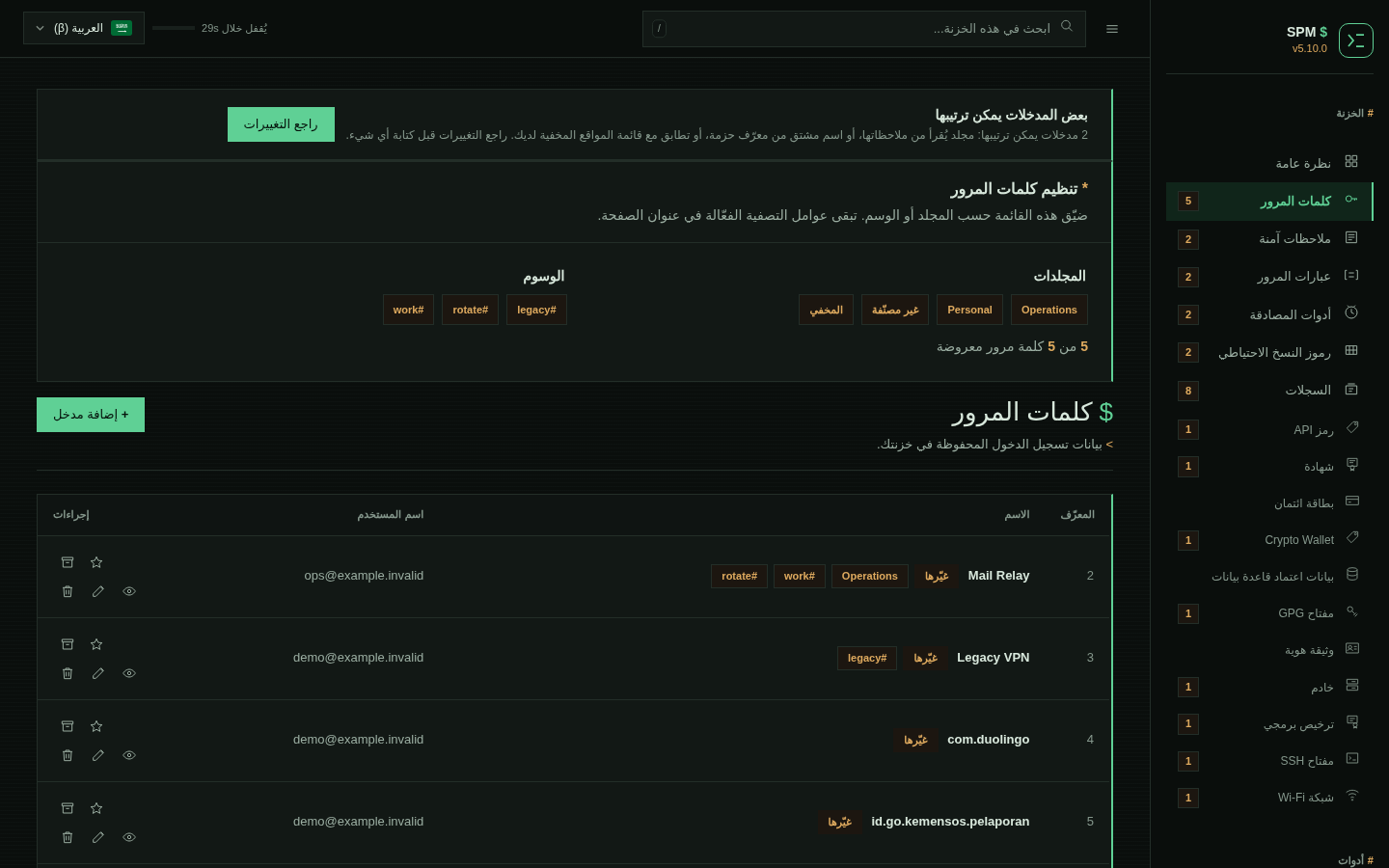
Adding or fixing a language
Every catalogue is one JSON file in locales/, and nothing else:
{
  "meta": {
    "code": "sv",
    "name": "Svenska",
    "english_name": "Swedish",
    "flag": "\ud83c\uddf8\ud83c\uddea",
    "dir": "ltr",
    "review": "unreviewed"
  },
  "strings": {
    "login.unlock": "Lås upp"
  }
}
meta.name is the language's name in its own script — somebody who needs
Swedish cannot be expected to find it listed as "Swedish". dir is ltr or
rtl. review is unreviewed until a speaker has been through it.
meta.flag is exactly two regional indicator symbols, and it is the one field
here that is a judgement rather than a fact. A flag is a country and a language
is not, so in the picker the flag leads and meta.name follows it: the flag is
a landmark for an eye scanning twelve entries, and the name is what identifies
one. Where the code already names a region, follow the code — pt-br takes 🇧🇷
and zh-hans takes 🇨🇳. Everywhere else the choice is arguable, which is why it
lives in the file rather than in the server, and why a pull request is the
right place to disagree with it. Note also that a platform without
regional-indicator glyphs renders the flag as two letters, so it must never be
the only thing distinguishing two entries.
To add a language, copy locales/en.json, translate the values, and check it:
cp locales/en.json locales/sv.json      # then edit meta and translate
python3 tools/i18n-lint.py              # parity, markup, placeholders, flag
python3 tools/build-locales.py          # fold it into the web server
./build.sh                              # regenerate spm.sh
The lint refuses a catalogue that is missing a key, carries one English does
not, contains markup, drops a placeholder such as {n}, or declares a flag
that is not two regional indicator symbols — each of which fails silently at
runtime rather than loudly. It takes a directory, so
python3 tools/i18n-lint.py /path/to/locales checks a catalogue before it is
in the tree.
tools/build-locales.py writes a generated region inside
src/spm_web_server.py; that region is committed, and ./build.sh --check
verifies it matches locales/. Editing the JSON without rebuilding is caught
there rather than shipping yesterday's words. It parses the region it has just
produced and compares it against the catalogues before writing anything, which
is what stops a value that cannot survive the trip — the flag was the first
one — from reaching a file that imports perfectly and fails at render time.
A page carries only the language it is in, plus English as the fallback. The
rest are fetched from /locale?lang=<code> the first time somebody switches,
so adding a language costs nothing to anyone not reading it.
Security events
SPM records what was done to your vault, so you can notice what you did not do.
spm events              # the last 50, newest last
spm events --all        # everything kept
spm events --json       # the same thing as a document
spm events --verify     # recompute the tamper-evident hash chain
WHEN (UTC)             EVENT    OUTCOME  DETAIL
2026-08-30T02:28:05Z   unlock   fail     reason=bad-master, scope=live
2026-08-30T02:28:06Z   unlock   fail     reason=bad-master, scope=live
2026-08-30T02:28:33Z   write    ok       records=11, scope=live
The dashboard shows the same log under Tools → Security Events, with failed attempts called out above the table.
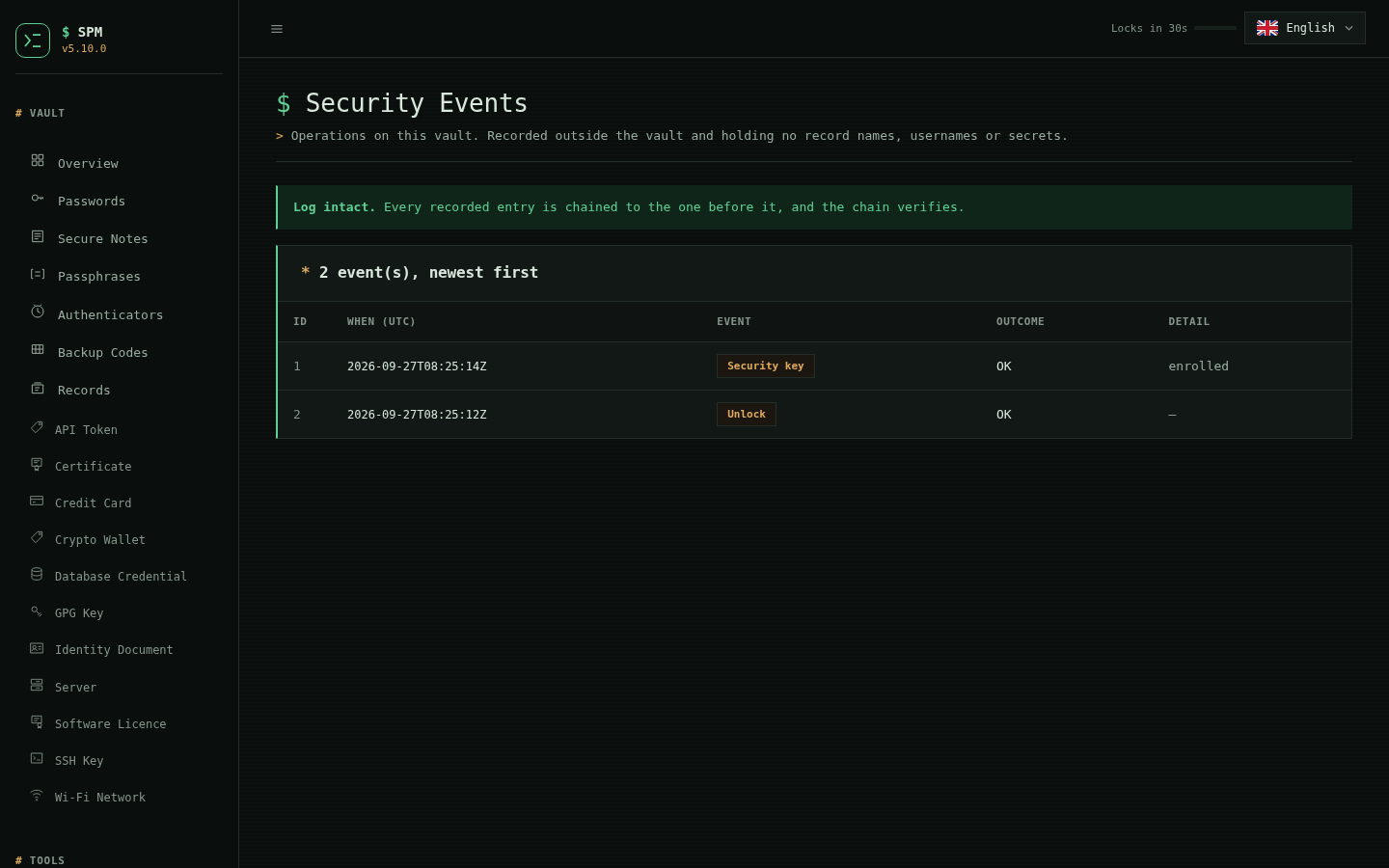
Two decisions worth knowing about
The log lives outside the vault, in plaintext. Inside would be encrypted
and tidier, but a failed unlock is exactly the event you most want recorded and
exactly the one that cannot be written into a vault nobody could open. So it
sits beside the vault at
~/.local/share/spm/events/<id>.log, mode 0600.
That is only safe because it carries nothing worth reading: no record
names, no usernames, no URLs, no passwords, not even the vault's own path. Each
line is a time, what kind of operation it was, whether it succeeded, and a
detail drawn from a fixed vocabulary — a record count, or a reason such as
bad-master. Details are validated against that vocabulary rather than being
free text, so a future change cannot quietly start logging a label.
Someone who can read this file can already see the vault file next to it and its modification time, so "this vault was opened at these times" tells them nothing new. Anything more would.
Repeated successes are recorded once; failures never are. The dashboard reads the vault on nearly every page view, and one line per read buries the handful anyone came to see. Identical successful events within 60 seconds collapse into one. Failures are always recorded individually — a burst of failed unlocks is the signal the log exists for, and collapsing five attempts into one would be the log understating the thing it is for.
spm events never opens the vault and never asks for your master password, so
it still answers when the vault will not open — which is the moment you most
want to know how many attempts preceded that.
Since 5.10.0 the log is tamper-evident: each line is chained to the one
before it with an HMAC keyed by a per-vault key kept in a 0600 file beside the
log. spm events --verify recomputes the chain and reports the first entry that
does not match, so an edit, insertion, reordering or deletion is caught (a
legitimate prune of the oldest lines re-anchors the chain rather than breaking
it). The guarantee is honest about its limit: the log is plaintext, so anyone
who can read the key file can still forge it — but that is the same local access
that already reads the vault sitting next to it. The chain defeats edits,
deletions and truncation by anything without the key.
| Setting | Default | Details |
|---|---|---|
SPM_EVENT_RETENTION |
500 | lines kept |
SPM_EVENT_COALESCE |
60 | seconds; 0 records every event |
Passphrases
./spm.sh passphrase-add
./spm.sh passphrase-list
./spm.sh passphrase-view 1
./spm.sh passphrase-delete 1
Stored inside the encrypted vault. Viewing prompts a master password re-check.
Backup Codes
./spm.sh backup-codes-add
./spm.sh backup-codes-list
./spm.sh backup-codes-view 1
./spm.sh backup-codes-delete 1
Stored inside encrypted vault. Viewing requires master password re-verification.
Recovery: Forgot Master Password
Generated files:
spm_recovery_private.pem<vault>.recovery
To reset:
./spm.sh forgot
Process:
- Decrypt recovery capsule
- Retrieve old master password
- Set new master password
- Rebuild vault + recovery files
Split recovery
The recovery file and its private key have to survive together and stay secret
together. Lose the key and <vault>.recovery is inert; leak it while somebody
holds the capsule and the vault is open. Split recovery replaces that pair with
a threshold: any t of n shares reconstruct the vault key, and any t-1
reveal nothing whatsoever.
spm shares split                          # 3 of 5, the default
spm shares split --threshold 2 --shares 4
spm shares status                         # what set this vault records
spm shares combine                        # rebuild the key, set a new master password
A share is one line:
SPMS1-3-2-F63BAE20-GMB67DZNN4YRGBINZPYFQWWWS4XV2ZXZ4T5GAFMULBTHHDD6WNUF6KETBVVCFFF3DVZY6TY-56C8
reading as: format, threshold, which share this is, which set it belongs to, the payload, and a checksum over the share's own text.
They stay valid
What is split is the vault key, and the vault key does not change when the
master password does — spm change-master and spm shares combine both rewrap
the envelope around it and leave the key alone. Shares written on paper in 2026
still work after any number of password changes. Nothing else about the vault
needs to be kept in step with them.
What each guard is for
The checksum on every share catches a transcription error at the moment the share is read. Shamir has no integrity of its own: combine three shares with one character wrong and you get a different key, silently, with nothing to say which share was at fault.
The set identifier groups shares. Mixing one vault's shares with another's is refused before anything is combined.
Opening the vault is what proves the reconstruction. The share format
deliberately carries no digest of the secret, because that digest is the one
thing an attacker holding t-1 shares could attack offline.
What this does not do
t shares are equivalent to the vault key: together they open the vault
without the master password. That is the same power the recovery file and its
private key already have as a pair — split recovery changes how many pieces
must be gathered, not what they are worth once gathered. Distribute them
accordingly.
Minting a new set does not revoke an old one. The vault key is unchanged,
so previously distributed shares keep working; spm shares split says so and
asks before replacing the recorded set. Destroying the old shares is your job.
The vault records that a set exists — its identifier, threshold, count and the
date — and never a share. spm doctor reports it, and reports a failure when a
vault has neither a usable recovery file nor a share set, which is the one
state with no way back.
Minting is deliberately CLI-only. At threshold the shares are the vault, and printing them through a browser would put them in a page, a scrollback and possibly a proxy log on the way to the person meant to write them down.
Sync transports
Sync copies the encrypted vault between your own devices. There is no service operated by this project, and there will not be: a transport is something you already run.
spm sync push  ~/Dropbox/spm                                  # a directory
spm sync pull  backup@nas.local:/vaults      --transport rsync
spm sync status gdrive:spm                   --transport rclone
| Transport | Target looks like | Needs |
|---|---|---|
dir (default) |
/media/usb/spm |
nothing |
rsync |
[user@]host:/path |
rsync, and SSH access you already have |
rclone |
remote:path |
rclone, and a remote you have already configured |
Set SPM_SYNC_RSYNC_SHELL to pass rsync a different remote shell — a
non-default port, an identity file, a jump host:
SPM_SYNC_RSYNC_SHELL="ssh -p 2222 -i ~/.ssh/vault" spm sync push host:/vaults --transport rsync
What is the same for every transport
A transport answers three questions and nothing else: can I reach this target, put the remote object in this file, make this file the remote object. Every decision is taken above it and is therefore identical whichever one you use:
- Only ciphertext moves. What is pushed is the vault file, byte for byte.
- Digests are measured here. The remote copy is fetched and hashed locally. A remote-side digest is a claim, not a measurement, so none is asked for.
- A push is read back. If what landed is not what was sent, the base digest is not updated and the push fails.
- A pull must decrypt first. The fetched vault is opened with your master password before the local one is touched, and the local vault is archived before it is replaced.
- Divergence is refused, not resolved. If both sides changed since the last sync, SPM stops. It never picks a winner.
Unreachable is not empty
On a filesystem, "the remote file is not there" is a fact. Over a network it can also mean nothing could be reached — and treating that as "no remote version exists" is exactly the state in which pushing over someone else's newer vault feels safe. Every transport therefore proves it can reach the target before any decision is taken, and a fetch that fails for any reason other than a definite absence is fatal.
Adding one
One branch in each of sync_transport_probe, sync_transport_fetch and
sync_transport_publish, plus a name in sync_transport_names. A transport is
never asked to perform a safety check, so it cannot skip one.
Tidying imported entries
A vault filled by importing from a phone arrives in two states worth fixing in bulk:
- its notes carry the folder the entry belonged to, as text —
folder: Main Database— because the exporting app had folders and the export format did not; - its service names are Android package identifiers —
com.duolingo,com.lsdroid.cerberuss,id.go.kemensos.pelaporan— which are what the phone knew the app by and not what its owner does.
When any entry looks like this, the Passwords page offers to tidy them. The offer only appears when there is something to accept.
It is a review, not a rewrite
Nothing is written until you say so. Every proposed name is a text box, not a
verdict, because no rule gets this right in general: the last segment of
com.lsdroid.cerberuss is the app, and the last segment of com.spotify.music
is not. SPM proposes its best guess and you correct the ones it got wrong.
The folder is shown but not editable: it is read from the entry's own notes, which is not a guess.
Each row has a checkbox. Unticked rows are not touched.
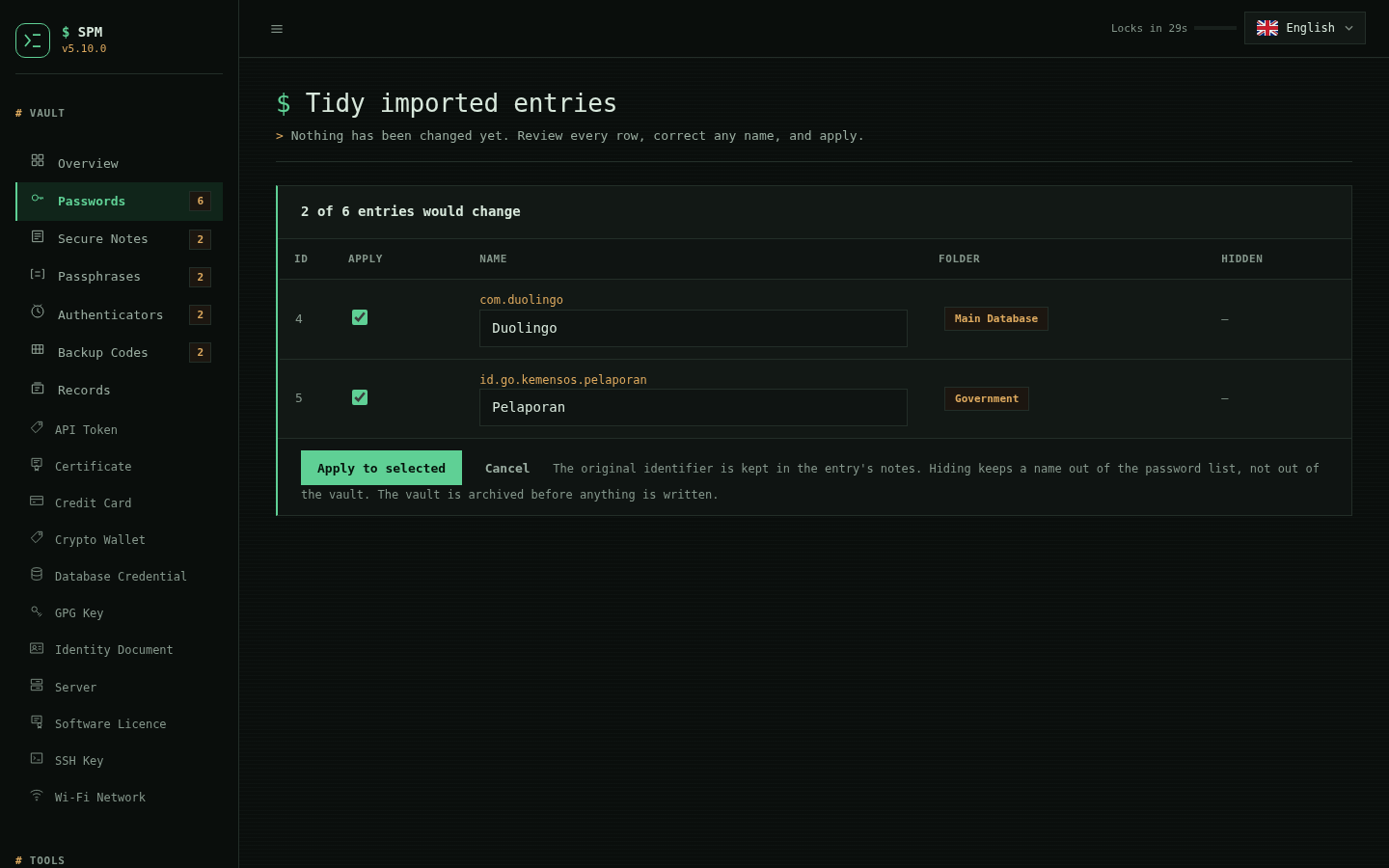
What applying does
- Sets the entry's folder from the marker in its notes, creating the folder if it is new.
- Renames the entry to the name shown in the box.
- Keeps the original identifier in the entry's notes, once, as
app: com.duolingo, so nothing is lost and a second run has nothing to add. - Archives the vault first, as every write does.
Running it again proposes nothing, because a tidied entry no longer looks like one that needs tidying.
Doctor / Health Check
./spm.sh doctor
Validates:
Vault structure
GPG/AES decryption
Duplicate IDs
Secure notes integrity
Recovery metadata
RSA key pairing
Split records — entries containing a character that Python's
splitlines()treats as a line break (U+000B,U+000C,U+001C–U+001E,U+0085,U+2028,U+2029). Such an entry was written as one record but is read back as two, so it vanishes from SPM Dashboard while still listing correctly in the CLI — the CLI splits on newline only. Releases before 2.10.12 could create these; the scan finds any you already have.The scan is read-only. It prints the record type, id, label and the character by Unicode name, never the secret field, and leaves the vault untouched. To repair one, re-save it from the CLI (
spm edit <id>, or the matching*-editcommand for notes, passphrases, backup codes and authenticators) so the field passes through the current sanitiser:[!] 1 record(s) contain a line-break character; 0 leftover fragment(s): line 3 PASSWORD id=2 My␣Bank U+2028 LINE SEPARATOR These entries are invisible in SPM Dashboard. The vault was NOT changed.File permissions on the vault, its
.bak, the recovery file, and every copy of the RSA private key — each should be600. Anything readable by group or others is reported with a ready-to-runchmodcommand. Vaults last written by a web session before 2.9.1 were left at the umask default (usually644), and this is how you find and fix them. Becauseinitgenerates the recovery key in whatever directory you run it from, copies tend to accumulate. The check looks in the current directory, beside the vault, next to the script, and up to four levels under$HOME, de-duplicating by real path. An exposed recovery key is worth fixing first: it unlocks the vault viaforgotwithout the master password.
Password Strength Coaching
SPM analyzes:
- Entropy
- Crack-time estimates
- Character class distribution
- Repetition patterns
- Suggestions (EN + ID)
Clipboard Auto-Clean
Auto-clears clipboard in ~15 seconds using:
- pbcopy (macOS)
- xclip / wl-copy (Linux)
- termux-clipboard-set (Termux)
If unavailable → fallback warning only.
Portable & Save Bundles
Portable
./spm.sh portable
Bundle includes:
- spm.sh
- spm_vault.gpg
- spm_vault.gpg.recovery
- Auto README file
The RSA recovery private key is deliberately excluded. Keep it in a separate
offline location. To create a self-contained archive that can bypass the master
password, explicitly run SPM_BUNDLE_INCLUDE_RECOVERY_KEY=1 ./spm.sh portable.
Treat that opt-in archive as plaintext-equivalent credential material.
SAVE
./spm.sh save
Creates encrypted backup, wipes local vault.
The recovery private key remains separate unless
SPM_BUNDLE_INCLUDE_RECOVERY_KEY=1 is explicitly set.
Uninstall
Remove the application only
Use the command matching the installation method:
sudo rm -f /usr/local/bin/spm  # Default release installer
brew uninstall spm             # Homebrew formula
pkg uninstall spm              # Termux package
For a custom installer prefix, remove only <prefix>/bin/spm. Remove any PATH
entry you manually added for that prefix. If the Dashboard uses PM2, run
pm2 delete spm-web followed by pm2 save.
Remove the browser extension through its browser. Its native host lives at
${XDG_DATA_HOME:-$HOME/.local/share}/spm/browser-extension. Registrations are
named xyz.sansyourways.spm.json under each configured browser's
NativeMessagingHosts directory: beneath ~/.config/<browser>/ for Linux
Chromium browsers, ~/.mozilla/native-messaging-hosts/ for Linux Firefox, and
~/Library/Application Support/<browser>/ on macOS.
For a published Dashboard, remove only the Nginx vhost and enabled link for the
exact configured hostname. Run sudo nginx -t before reloading Nginx. Review
Certbot ownership with sudo certbot certificates before removing a dedicated
certificate using sudo certbot delete --cert-name <domain>.
Remove all SPM data
Danger: Verify an independent backup and inspect every path first. Vault and recovery deletion is irreversible.
After application removal, individually locate and remove only the intended:
- Active and profile vaults plus each
<vault>.recoverycapsule. ${XDG_CONFIG_HOME:-$HOME/.config}/spmand${XDG_DATA_HOME:-$HOME/.local/share}/spm.- Recovery private keys from the directories where vaults were initialized.
- Backups, history exports, portable/save bundles, sync targets, and emergency kits in user-selected locations.
- SPM browser extension/native-host files, PM2 process, Nginx vhost, and dedicated TLS certificate described above.
SPM has no blanket delete command because these files may be distributed among multiple user-selected locations.
Contributing
Bug reports, focused improvements, and portability fixes are welcome. Read CONTRIBUTING.md before submitting changes. Public issue forms are available for bugs, feature requests, and non-sensitive security design questions. Potential vulnerabilities must use the repository's private security-advisory channel.
Contributions are accepted under Apache-2.0 and require a Developer Certificate of Origin sign-off. Contributors retain copyright in their work; see the contributor license policy.
Every change is checked with Bash syntax validation, ShellCheck, and a disposable-vault regression suite covering all supported import/export formats, web uploads, backups, synchronization, attachments, passkey metadata, emergency kits, and password generation.
CI runs the regression suite on Linux and macOS, plus syntax, CLI-help, and installer smoke checks in a pinned official Termux container. Pull requests also require a DCO sign-off check.
Roadmap
See ROADMAP.md for current reliability work, safer-integration priorities, longer-term ecosystem ideas, and guidance for choosing a first issue. Roadmap entries are directions, not promised delivery dates.
Development & Versioning
Version: 5.0.0
Web session cookies use HttpOnly and SameSite=Strict; Secure is added when the request arrives over HTTPS (X-Forwarded-Proto). Plain-HTTP non-loopback binds require an explicit yes confirmation: prefer localhost behind a TLS reverse proxy. SPM_WEB_ALLOW_INSECURE_REMOTE=1 remains a non-interactive escape hatch for isolated trusted networks only.
The web login locks a client out for 60 seconds after 5 failed master-password attempts.
The 30-second idle auto-lock performs a single logout transition and tears down
its timer when the page is leaving, avoiding repeated navigation or refresh loops.
Returning to a page through the back/forward cache does not extend the idle
window: a page whose deadline already passed locks immediately on restore.
That lock runs in the browser, so it resets on mouse and touch activity that
reaches no server — and it cannot protect a client whose scripts do not run.
The server independently expires an idle session after 5 minutes and any
session after 12 hours, regardless of what the browser does. Every <script>
is served with data-cfasync="false" beside its CSP nonce so a CDN cannot
rewrite it out of existence; if you front the SPM Dashboard with Cloudflare, disable
Rocket Loader for the hostname as well.
Set a relying-party id (SPM_WEB_RP_ID, or let SPM's own domain setup supply
it) and SPM Dashboard offers biometric unlock: register a device from the
Biometric Unlock page and the idle lock resumes with Face ID or Touch ID
instead of a retyped master password. Suspension is enforced by the server, not
the browser — a locked session is refused everywhere except the unlock
endpoints, so disabling JavaScript walks past nothing. The master password is
still required for the first sign-in, once the 12-hour session cap is reached,
and whenever a locked session goes unresumed for longer than
SPM_WEB_SUSPEND_MAX (default 8 hours), which is how long the master password
stays in server memory after the screen locks. Registration needs a browser
that can export the credential key (getPublicKey(), Safari 16+), assertions
are verified with openssl against ES256, and user verification is required —
a bare presence tap is refused. No relying-party id means the feature and its
endpoints do not exist at all. Failed unlocks share the login lockout budget.
A relying-party id also enables security keys, which are a different thing from biometric unlock and are described in Security keys: biometric unlock resumes a session the master password opened, and a security key opens the vault with no master password involved at any point.
The origin that assertions are checked against follows the relying-party id,
not the address SPM binds: localhost implies http://localhost:<port> (the one host
browsers treat as a secure context without TLS) and any other name implies
https://<name>. That is what makes the documented deployment — loopback bind
behind a TLS reverse proxy — work. Set SPM_WEB_ORIGIN to override it
explicitly if your proxy publishes a non-default port.
Authenticated web mutations also require an exact same-origin request and are serialized across threads/processes to prevent CSRF and lost vault writes. Decrypted web responses use Cache-Control: no-store.
All listed import formats are round-trip compatible with their matching CLI and web exports.
Vault writes are staged and atomically installed. CLI and web processes share
an advisory vault lock on every supported platform. Where flock(1) exists it
is used; macOS does not ship it, so there SPM takes the same lock through
python3's fcntl, which is what the dashboard has always used. The kernel
releases the lock when the holder exits, so there is no stale lock to clear.
save verifies the archived vault before removing the local copy.
Replacing the vault file
Three commands replace the vault file itself rather than rewriting its
contents: restore (from a portable or save bundle), history-restore, and
sync pull. From 4.0.1 all three go through one install path in the trusted
core, and all three get the same guarantees:
- the previous vault is archived as a history snapshot and copied to
<vault>.bakbefore anything is renamed, so the replacement is undoable; - the staged copy is fsynced, and the directory after it, so a crash cannot leave the new name over blocks that were never written;
- where a digest is known —
sync pullmeasures one — it is checked against the staged copy while the destination is still intact.
restore additionally proves the bundle opens before replacing a vault that
already does, which is why it asks for the bundle's master password when
there is a vault at the destination:
$ spm restore
Vault already exists at /home/you/.spm_vault.gpg. Overwrite? (yes/NO): yes
Master password:
Error: The bundle vault did not open with that master password, so the vault
already at /home/you/.spm_vault.gpg was left untouched.
Restoring onto a machine with no vault asks for nothing: the check exists to protect what is already there, and demanding a password on an empty machine would break staging a bundle for someone else to open later. The bundle is consumed only after both the vault and its recovery file are installed.
Local-first 2.10 commands
spm security
spm security --breaches       # explicit online, k-anonymous check
spm security --account-breaches  # on-device open-data account-breach check
spm security --twofa          # on-device: flag 2FA-capable accounts with no authenticator
spm history-list
spm history-restore <snapshot-name>
spm backup-now [directory]
spm backup-auto enable [directory] [hours] [retention]
spm vault-profile list
spm vault-profile add <name> <vault-path>
spm vault-profile use <name>
spm attachment-add <file> [label]
spm attachment-list
spm attachment-extract <id> [output]
spm passkey-add <rp-id> <account> <credential-id> [notes]
spm passkey-list
spm sync status|push|pull <target> [channel] [--transport dir|rsync|rclone]
spm emergency-create <password-id> <recipient-public.pem> <YYYY-MM-DD> [archive]
spm emergency-open <archive> <recipient-private.pem> [output.json]
Automatic backups are opportunistic: SPM checks the configured interval after
successful vault writes. Sync stores only encrypted vault bytes and refuses
two-sided or mismatched first-time changes instead of selecting a last
writer. See Sync transports. Use the same optional channel name on every device. Emergency dates
are enforced by spm emergency-open but remain advisory because a recipient
holding the private key can use lower-level cryptographic tools. Passkey private
keys remain non-exportable in the operating-system or hardware authenticator;
SPM stores only discovery and recovery metadata.
Install the browser extension
The universal extension is in browser-extension-universal/ and supports
Chrome, Chromium, Edge, Brave, Opera, Vivaldi, and Firefox desktop from one
source tree. First install SPM 3.12.0 or later, then unpack the release archive.
One-command guided setup
./browser-extension-universal/setup.sh
This detects an installed browser, builds the correct package, registers the native host, opens the browser extension page and prepared folder, and prints the final three clicks. Choose a browser explicitly when needed:
./browser-extension-universal/setup.sh --browser chrome
./browser-extension-universal/setup.sh --browser firefox
For Chromium-family browsers, enable Developer mode at the top right, click
Load unpacked at the top left, and select the folder printed by the setup
command. For Firefox, click Load Temporary Add-on and select the printed
manifest.json.
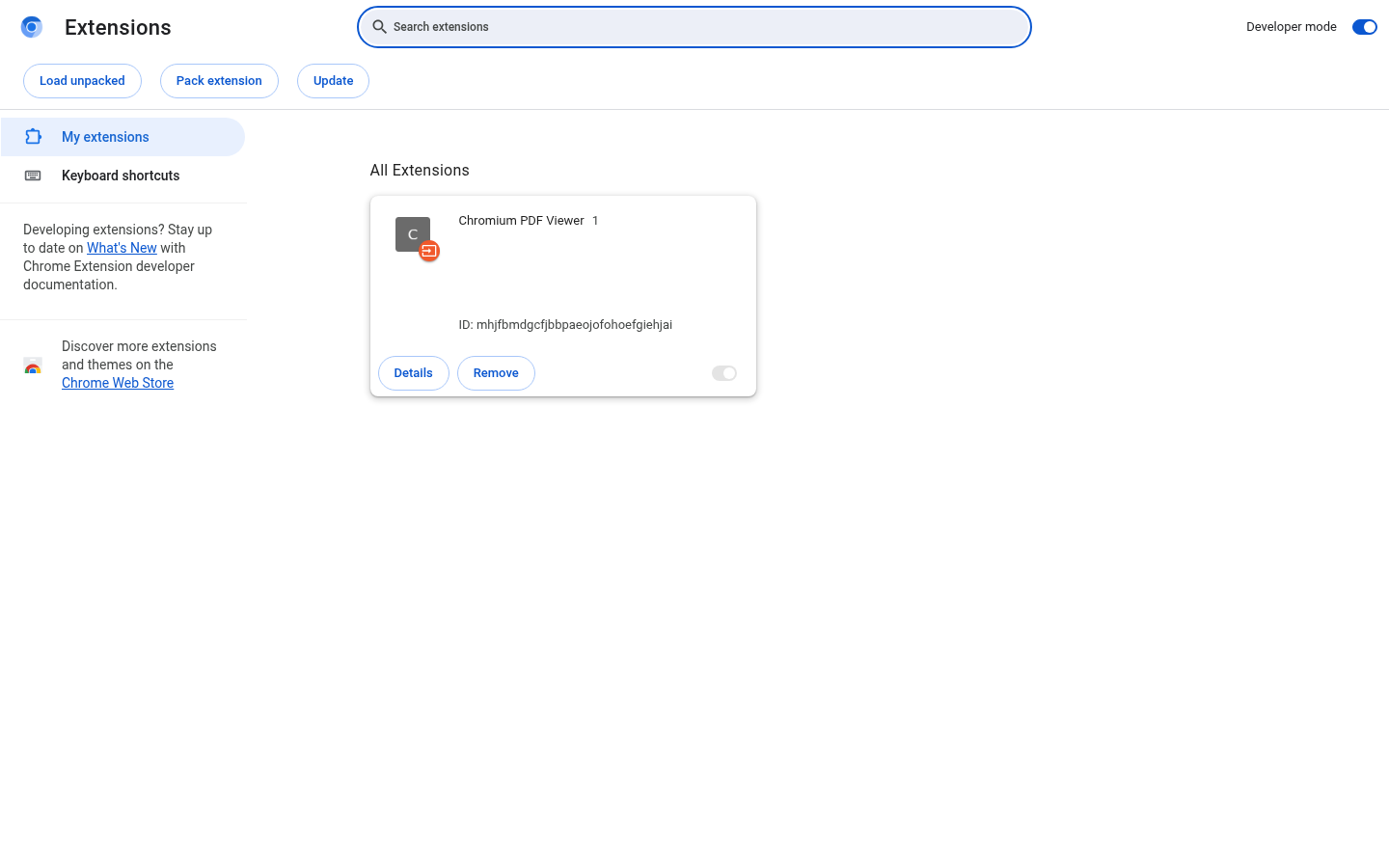
The screenshot uses a disposable empty Chrome profile and contains no account, browsing, vault, or credential data.
For remote or scripted preparation without opening windows:
./browser-extension-universal/setup.sh --browser chromium --no-open
The unpacked Chromium build now carries a public development key, so every copy
loads under the same extension ID and nothing has to be pasted back into the
terminal. If you already had the extension loaded from an earlier build, remove
that entry from the extensions page first: its ID changes, so the browser would
otherwise keep the stale copy alongside the new one. The manual build.sh and
install-host.sh flow, and the full upgrade note, are in
browser-extension-universal/README.md.
Temporary Firefox add-ons must still be loaded again after restart unless
installed through a signed distribution.
Open an HTTP(S) login page and select the SPM toolbar icon. Unlock once, then choose one of the accounts bound to that exact hostname.
Lock after on the unlock form sets how long the session survives with
nothing happening: 1 minute, 5 minutes (the default), 15 minutes, 30 minutes or
1 hour. The choice is remembered, and the popup shows how long the current
session has left. A longer window means the master password stays in the native
host's memory for longer, so the host clamps what it is asked for to a floor of
30 seconds and a ceiling of one hour, and never past the absolute session cap.
Before 4.7.0 this was a fixed five minutes readable only from an environment
variable, which a browser never sets. The master password is
kept only in the native host process and is discarded on explicit lock, idle
timeout, native-port disconnect, or browser exit. The hostname is verified
again before the selected password is returned. A record for example.com
does not match login.example.com unless its URL is written as the scope
https://*.example.com.
A record bound to an https:// URL is refused on an http:// page, and an
account that would be refused is not offered in the picker. This fails closed:
an extension older than 4.5.0 does not tell the bridge what scheme the page
uses, and is refused for https-bound records until it is reloaded.
Fill from the login field
Since 4.6.0 the extension also fills without the toolbar. Unlock once through the popup; after that, focusing a username or password field on a site you have accounts for opens a menu beside the field. Arrow keys move through it, Enter or a click fills, and Escape dismisses it. While SPM is locked the menu does not appear at all.
This capture was taken in Chromium against a synthetic login page served from localhost, using a disposable vault. The two accounts, their usernames and the page itself are all synthetic; no personal vault or real credential is used.
The menu is an iframe served from the extension's own origin rather than an element injected into the page, so the page cannot read the account list, script the menu, or see which row is highlighted. The part of the extension that runs inside the page is told how many accounts matched and never which ones.
Four rules govern the fill, each asserted in a browser rather than described:
- A fill requires an event the browser marked as genuine user input. Opening the menu does not, because an open menu discloses nothing; choosing an account does. A page that dispatches its own Enter key fills nothing.
- The page's hostname is read from the browser again at fill time, not carried over from when the list was built.
- A login field inside a cross-origin iframe is never offered the menu.
- A record the menu did not offer cannot be filled through it, so the downgrade rule above holds at the fill as well as in the list.
The menu's height follows the number of accounts, up to four rows, so a page can infer roughly how many accounts you hold for it. It cannot infer what they are.
This requires the extension to run on the pages the menu appears on, which is
why it declares a content script for http and https. Reload the extension
after upgrading: a browser does not begin running a content script for an
extension it already has loaded.
Safari and iOS browsers cannot use this native-messaging package. Safari needs
a separately signed Xcode application wrapper; on iOS, use the installable SPM
Dashboard web app. See
browser-extension-universal/README.md
for browser-specific paths, behavior, and troubleshooting. The older
browser-extension/ remains in the archive only as a compatibility client for
existing installations.
Uses semantic versioning.
./spm.sh update fetches the latest GitHub ZIP, verifies its published SHA-256 and the extracted script syntax, then installs to /usr/local/bin/spm (sudo may be required).
See CHANGELOG.md for details.
Documentation & Legal
SPM is open-source software licensed under the Apache License 2.0. The code may be used, modified, and redistributed under that license. Project names and logos remain subject to the separate trademark policy.
Refer to:
LICENSENOTICEDCOdocs/CONTRIBUTOR_LICENSE_POLICY.mddocs/TRADEMARK_POLICY.mddocs/PRIVACY_POLICY.mddocs/GDPR_NOTICE.mddocs/TERMS_AND_CONDITIONS.mddocs/CODE_OF_CONDUCT.mddocs/SECURITY.md
License
Licensed under the Apache License 2.0. Copyright 2025–2026 Sansyourways and contributors.
See LICENSE for the full terms and NOTICE for
attribution. Releases before 2.10.3 remain governed by the license included in
their historical release artifacts.
No records found
No matching documentation
Try a shorter term, choose another topic, or clear the search to restore all sections.
Honest note
Where this documentation fails
This page is deliberately exhaustive and becomes long on a phone. The compact contents rail is replaced with normal document flow at narrow widths, but readers seeking one command should use in-page search. Animated depth strengthens the filed-record composition on capable devices; it is decorative, disabled for reduced motion, and no information depends on it.